> ## Documentation Index
> Fetch the complete documentation index at: https://cloro.dev/docs/llms.txt
> Use this file to discover all available pages before exploring further.
# Map
> Schema for GPS-enriched location data returned by the Google AI Mode endpoint when map-aware results are surfaced, including coordinates, names, and addresses.
This section documents the **map** data returned by the [Google AI Mode endpoint](/api-reference/endpoint/monitor-aimode). Map entries are part of the AI Mode response — no separate API call is needed.
## Example request
Map entries are intent-detected: send a prompt with location intent that surfaces map-aware results. No flag is required.
```json theme={null}
{
"prompt": "coffee shops near Central Park",
"country": "US"
}
```
This produces a response containing the `map` array documented below.
## Overview
GPS-enriched location data extracted from the response when AI Mode surfaces map-aware results. Each entry includes latitude/longitude coordinates suitable for plotting on a map. Map entries appear in render order; array index `0` is the first card shown on the map carousel.
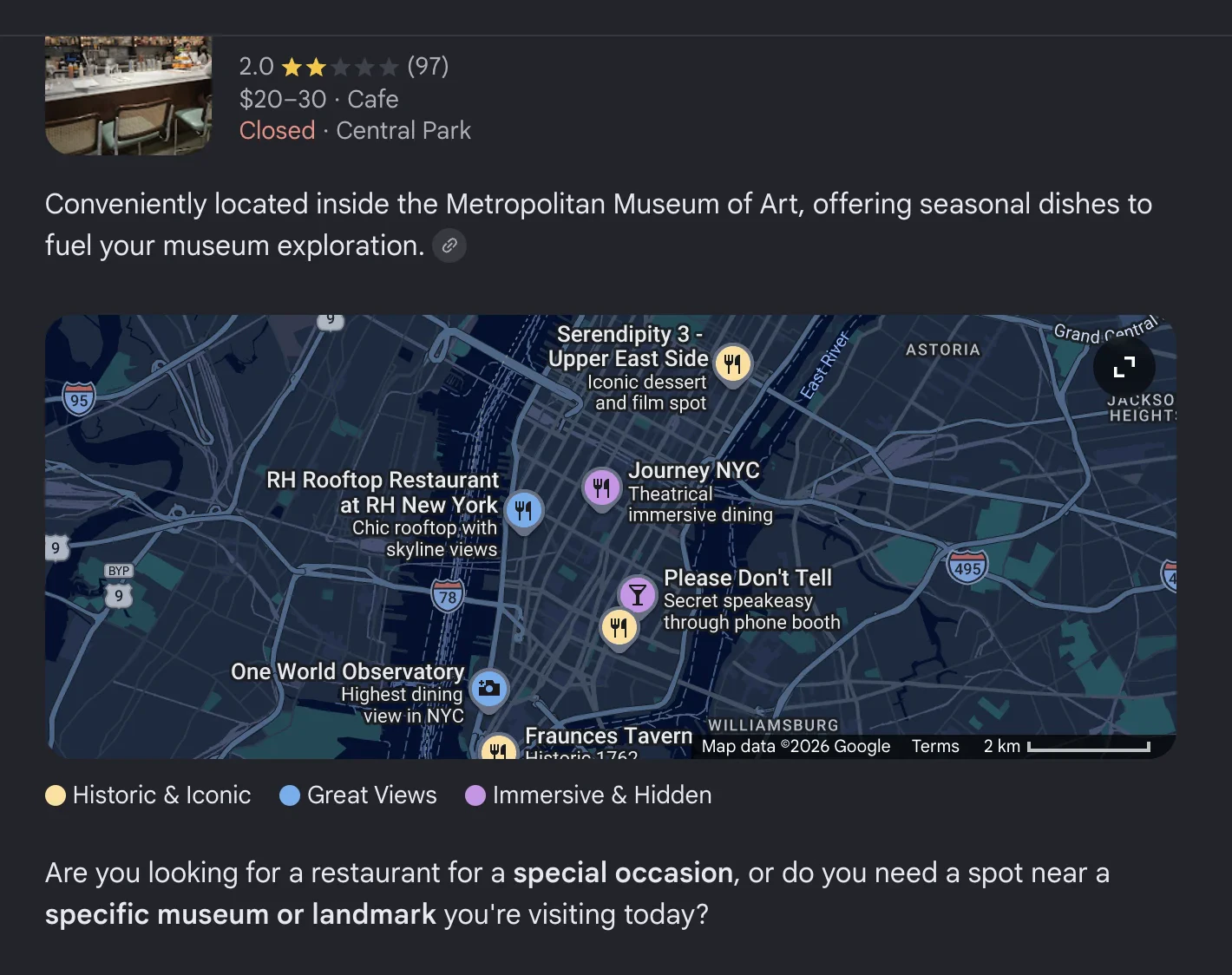 For inline place cards without GPS coordinates, see [places](/api-reference/endpoint/aimode/places). `places` and `map` may both appear in the same response — `places` is the inline place-card layer, `map` is the GPS-enriched layer.
## Map entry structure
| Field | Type | Description |
| ----------------- | ------- | ------------------------------------------------ |
| `title` | string | Place name |
| `link` | string | Google viewer URL for the place |
| `placeId` | string | Google Places ID |
| `index` | integer | Position index of the place in the results |
| `gps_coordinates` | object | Geographic coordinates (`latitude`, `longitude`) |
| `thumbnail` | string | Place thumbnail image URL |
| `rating` | number | Star rating (0-5) |
| `reviews` | integer | Number of reviews |
| `type` | string | Place type or category |
| `address` | string | Full address |
| `status` | string | Operating status (e.g., "Open now") |
### `gps_coordinates`
| Field | Type | Description |
| ----------- | ------ | -------------------- |
| `latitude` | number | Latitude coordinate |
| `longitude` | number | Longitude coordinate |
## Response example
```json theme={null}
{
"success": true,
"result": {
"text": "Here are some coffee shops near Central Park...",
"map": [
{
"title": "Central Park Cafe",
"link": "https://www.google.com/viewer/place?mid=/g/11bw3yq9kp",
"placeId": "/g/11bw3yq9kp",
"index": 0,
"gps_coordinates": {
"latitude": 40.7831,
"longitude": -73.9712
},
"thumbnail": "https://lh5.googleusercontent.com/p/example",
"rating": 4.5,
"reviews": 1234,
"type": "Coffee shop",
"address": "123 Broadway, New York",
"status": "Open now"
}
]
}
}
```
For inline place cards without GPS coordinates, see [places](/api-reference/endpoint/aimode/places). `places` and `map` may both appear in the same response — `places` is the inline place-card layer, `map` is the GPS-enriched layer.
## Map entry structure
| Field | Type | Description |
| ----------------- | ------- | ------------------------------------------------ |
| `title` | string | Place name |
| `link` | string | Google viewer URL for the place |
| `placeId` | string | Google Places ID |
| `index` | integer | Position index of the place in the results |
| `gps_coordinates` | object | Geographic coordinates (`latitude`, `longitude`) |
| `thumbnail` | string | Place thumbnail image URL |
| `rating` | number | Star rating (0-5) |
| `reviews` | integer | Number of reviews |
| `type` | string | Place type or category |
| `address` | string | Full address |
| `status` | string | Operating status (e.g., "Open now") |
### `gps_coordinates`
| Field | Type | Description |
| ----------- | ------ | -------------------- |
| `latitude` | number | Latitude coordinate |
| `longitude` | number | Longitude coordinate |
## Response example
```json theme={null}
{
"success": true,
"result": {
"text": "Here are some coffee shops near Central Park...",
"map": [
{
"title": "Central Park Cafe",
"link": "https://www.google.com/viewer/place?mid=/g/11bw3yq9kp",
"placeId": "/g/11bw3yq9kp",
"index": 0,
"gps_coordinates": {
"latitude": 40.7831,
"longitude": -73.9712
},
"thumbnail": "https://lh5.googleusercontent.com/p/example",
"rating": 4.5,
"reviews": 1234,
"type": "Coffee shop",
"address": "123 Broadway, New York",
"status": "Open now"
}
]
}
}
```