> ## Documentation Index
> Fetch the complete documentation index at: https://cloro.dev/docs/llms.txt
> Use this file to discover all available pages before exploring further.
# Media
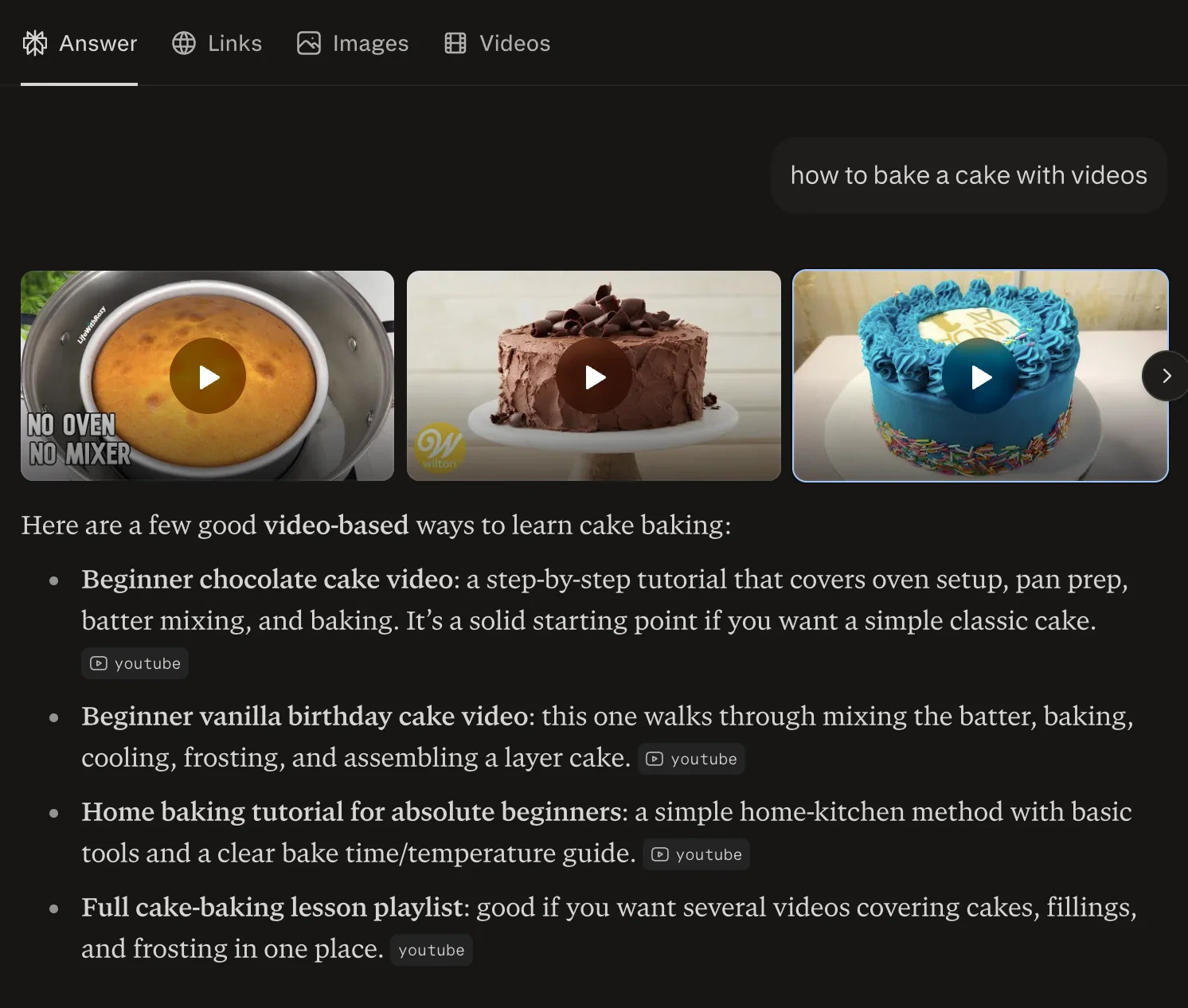
> Schema for videos and images returned by the Perplexity endpoint when media is relevant to the query, including thumbnails, source URLs, and captions.
This section documents the **media** data returned by the [Perplexity endpoint](/api-reference/endpoint/monitor-perplexity). Media is part of the Perplexity response, so no separate API call is needed.
## Example request
Media is surfaced based on query relevance. Send a prompt where videos or images are likely to be useful (tutorials, visual subjects, news coverage). No flag is required.
```json theme={null}
{
"prompt": "how to change a bicycle tire",
"country": "US"
}
```
This produces a response containing the `videos` and `images` arrays documented below.
## Overview
Perplexity automatically surfaces videos and images relevant to the query. Media items are returned in the `videos` and `images` arrays. Videos and images appear in the order Perplexity ranks them; array index `0` is the top result for each media type.
 ## Media structure
| Field | Type | Description |
| --------------- | ----- | ------------------------------- |
| `result.videos` | array | Video content found in response |
| `result.images` | array | Image content found in response |
Each media item includes:
| Field | Type | Description |
| ------------------ | ------ | ------------------------------------------------- |
| `title` | string | Media title |
| `url` | string | Media URL |
| `thumbnail` | string | Thumbnail URL |
| `medium` | string | Media type ("video", "image") |
| `source` | string | Source platform ("youtube", "stock\_photo", etc.) |
| `image_width` | number | Original image width |
| `image_height` | number | Original image height |
| `thumbnail_width` | number | Thumbnail width |
| `thumbnail_height` | number | Thumbnail height |
## Response example
```json theme={null}
{
"success": true,
"result": {
"text": "Changing a bicycle tire is straightforward once you know the steps...",
"videos": [
{
"title": "How to Change a Bike Tire",
"url": "https://www.youtube.com/watch?v=example",
"thumbnail": "https://i.ytimg.com/vi/example/hqdefault.jpg",
"medium": "video",
"source": "youtube",
"thumbnail_width": 480,
"thumbnail_height": 360
}
],
"images": [
{
"title": "Bicycle tire replacement",
"url": "https://example.com/tire.jpg",
"thumbnail": "https://example.com/tire-thumb.jpg",
"medium": "image",
"source": "stock_photo",
"image_width": 1920,
"image_height": 1080,
"thumbnail_width": 320,
"thumbnail_height": 180
}
]
}
}
```
## Media structure
| Field | Type | Description |
| --------------- | ----- | ------------------------------- |
| `result.videos` | array | Video content found in response |
| `result.images` | array | Image content found in response |
Each media item includes:
| Field | Type | Description |
| ------------------ | ------ | ------------------------------------------------- |
| `title` | string | Media title |
| `url` | string | Media URL |
| `thumbnail` | string | Thumbnail URL |
| `medium` | string | Media type ("video", "image") |
| `source` | string | Source platform ("youtube", "stock\_photo", etc.) |
| `image_width` | number | Original image width |
| `image_height` | number | Original image height |
| `thumbnail_width` | number | Thumbnail width |
| `thumbnail_height` | number | Thumbnail height |
## Response example
```json theme={null}
{
"success": true,
"result": {
"text": "Changing a bicycle tire is straightforward once you know the steps...",
"videos": [
{
"title": "How to Change a Bike Tire",
"url": "https://www.youtube.com/watch?v=example",
"thumbnail": "https://i.ytimg.com/vi/example/hqdefault.jpg",
"medium": "video",
"source": "youtube",
"thumbnail_width": 480,
"thumbnail_height": 360
}
],
"images": [
{
"title": "Bicycle tire replacement",
"url": "https://example.com/tire.jpg",
"thumbnail": "https://example.com/tire-thumb.jpg",
"medium": "image",
"source": "stock_photo",
"image_width": 1920,
"image_height": 1080,
"thumbnail_width": 320,
"thumbnail_height": 180
}
]
}
}
```