Python SERP Scraper: Call the cloro SERP API in 2026

On this page
Two ways to get Google search results in Python in 2026: scrape Google directly (fragile), or call a SERP API (stable). This post shows both, lays out the tradeoffs, and gives you working code for the path that holds up in production.
If you are building a rank tracker, an SEO monitoring dashboard, or an AI visibility tracker, the code you reach for first (requests.get("https://www.google.com/search?q=...")) is also the code you will spend the most time maintaining. Here’s why, and what to use instead.
Table of contents
- The two paths: DIY scraping vs. SERP API
- Path 1: Scraping Google directly with Python
- Path 2: Calling a SERP API from Python (the main course)
- Walkthrough: tracking 100 keywords across 3 countries
- Walkthrough: tracking AI search engines for brand visibility
- Cost math
- Common gotchas
- Legal and ethical note
The two paths
Pick your architecture before writing code. The choice determines how much maintenance work lands on your plate.
| Factor | DIY: requests + Playwright + proxies | SERP API (cloro) |
|---|---|---|
| Initial setup | 2-4 hours | ~15 minutes |
| Ongoing maintenance | High. Google layout changes break selectors | None. API absorbs changes |
| Cost per 1,000 calls | ~$2–5 (proxy costs alone) | $1.20 on Hobby plan |
| AI Overview support | Requires headless browser plus fragile selectors | Native, structured JSON |
| Bing + AI engines | Separate scraper per engine | Single credit pool, multiple endpoints |
| Time to first result | Days to weeks (proxy setup, parsing, testing) | Minutes |
The DIY path makes sense for one-off experiments or hyper-custom data extraction. For anything that runs in production, especially if you also want ChatGPT or Perplexity results, a SERP API wins on total cost of ownership.
Path 1: scraping Google directly with Python
Most developers try this first. It works for a few hundred queries, then breaks.
import requests
from bs4 import BeautifulSoup
import random
import time

USER_AGENTS = [
    "Mozilla/5.0 (Windows NT 10.0; Win64; x64) AppleWebKit/537.36 "
    "(KHTML, like Gecko) Chrome/124.0.0.0 Safari/537.36",
    "Mozilla/5.0 (Macintosh; Intel Mac OS X 10_15_7) AppleWebKit/537.36 "
    "(KHTML, like Gecko) Chrome/124.0.0.0 Safari/537.36",
]

def scrape_google(query: str) -> list[dict]:
    headers = {
        "User-Agent": random.choice(USER_AGENTS),
        "Accept-Language": "en-US,en;q=0.9",
    }
    url = f"https://www.google.com/search?q={requests.utils.quote(query)}&hl=en"
    resp = requests.get(url, headers=headers, timeout=10)
    resp.raise_for_status()

    soup = BeautifulSoup(resp.text, "html.parser")
    results = []
    for g in soup.select("div.tF2Cxc"):
        title_el = g.select_one("h3")
        link_el = g.select_one("a")
        if title_el and link_el:
            results.append({
                "title": title_el.get_text(),
                "url": link_el["href"],
            })
    time.sleep(random.uniform(2, 5))  # polite delay
    return results
Why this breaks at scale:
- Google’s CSS class names (
tF2Cxc,LC20lb) are obfuscated and change without notice. - After ~50 requests from the same IP, Google returns a CAPTCHA page instead of results.
- AI Overviews, Featured Snippets, and “People Also Ask” require JavaScript rendering.
requests+ BeautifulSoup never sees them. - Residential proxy costs add up fast once you need coverage across multiple countries.
For a full DIY walkthrough including Playwright-based rendering, see How to Scrape Google Search. This post focuses on the API path.
Path 2: calling a SERP API from Python
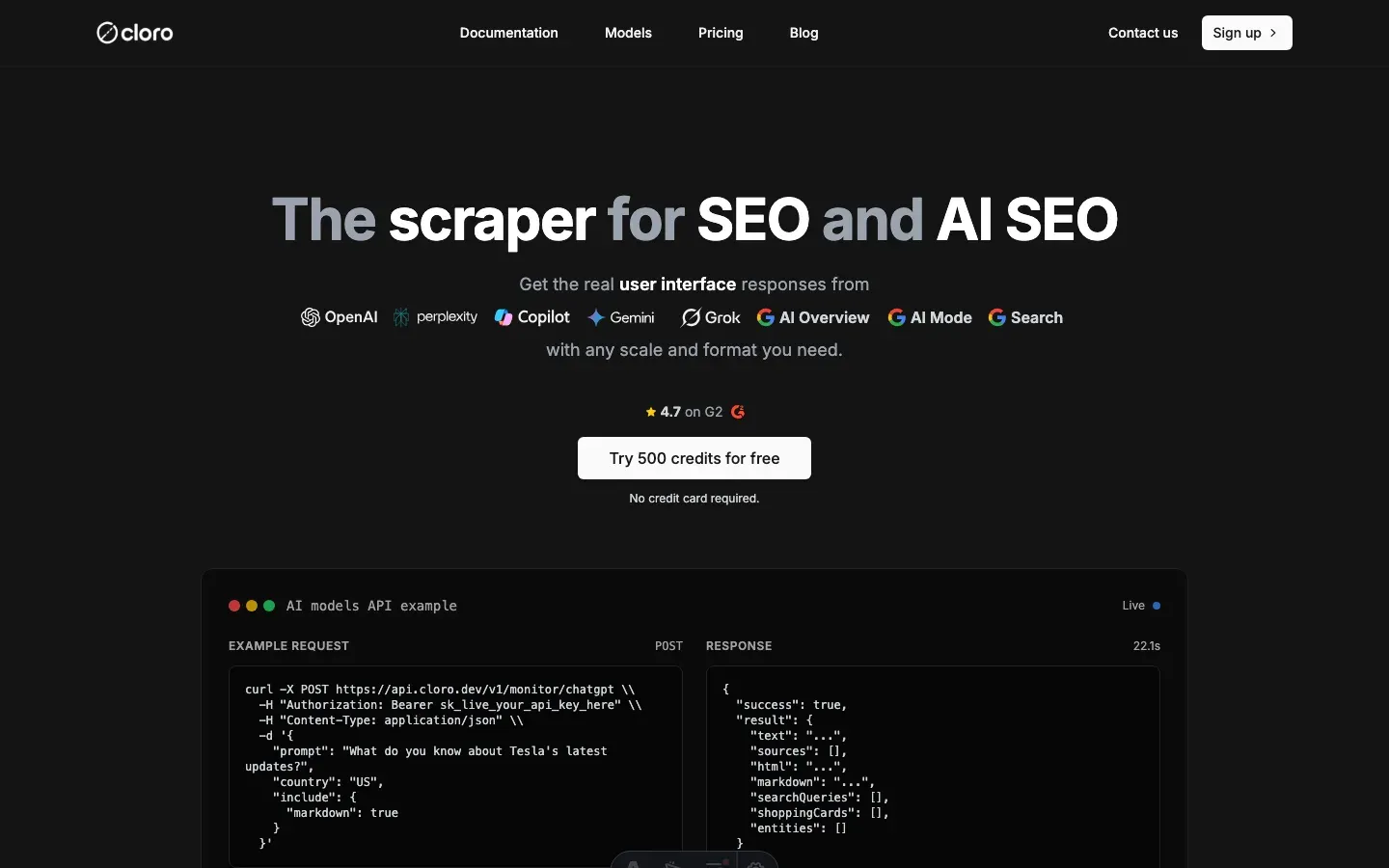
cloro’s SERP API is the production-grade alternative. One HTTP call returns structured JSON with organic results, AI Overviews, sources, and position data. No proxy management, no selector maintenance.
Setup
pip install requests # or: pip install httpxStore your key in the environment. Never hardcode secrets:
export CLORO_API_KEY="sk-..."Authentication and first call
import os
import requests

API_KEY = os.environ["CLORO_API_KEY"]
BASE_URL = "https://api.cloro.dev/v1"

HEADERS = {
    "Authorization": f"Bearer {API_KEY}",
    "Content-Type": "application/json",
}

def search_google(query: str, country: str = "us") -> dict:
    """Single Google SERP call via cloro. Returns parsed JSON."""
    payload = {
        "query": query,
        "country": country,
        "include": ["organic", "ai_overview", "people_also_ask"],
    }
    resp = requests.post(
        f"{BASE_URL}/serp/google",
        headers=HEADERS,
        json=payload,
        timeout=30,
    )
    if resp.status_code == 429:
        raise RuntimeError("Rate limit hit; back off and retry")
    resp.raise_for_status()
    return resp.json()
Parsing the response
A successful response looks like this (abbreviated):
{
  "query": "best running shoes",
  "country": "us",
  "organic": [
    {
      "position": 1,
      "title": "Best Running Shoes of 2026 — Wirecutter",
      "url": "https://www.nytimes.com/wirecutter/reviews/best-running-shoes/",
      "snippet": "We tested 47 pairs over six months..."
    }
  ],
  "ai_overview": {
    "text": "The best running shoes depend on your gait and surface...",
    "sources": ["nike.com", "adidas.com", "runnersworld.com"]
  }
}
Extract the data you need:
def extract_positions(result: dict, target_domain: str) -> list[int]:
    """Return all positions where target_domain appears in organic results."""
    return [
        item["position"]
        for item in result.get("organic", [])
        if target_domain in item.get("url", "")
    ]

def is_in_ai_overview(result: dict, brand: str) -> bool:
    """Check if a brand appears in the AI Overview sources."""
    sources = result.get("ai_overview", {}).get("sources", [])
    return any(brand in src for src in sources)
Retry with exponential backoff
Rate limits happen. Handle them properly:
import time
import random

def search_google_with_retry(
    query: str,
    country: str = "us",
    max_retries: int = 3,
) -> dict:
    delay = 1.0
    for attempt in range(max_retries):
        try:
            return search_google(query, country)
        except RuntimeError as exc:
            if "Rate limit" in str(exc) and attempt < max_retries - 1:
                jitter = random.uniform(0, delay * 0.5)
                time.sleep(delay + jitter)
                delay *= 2
            else:
                raise
    raise RuntimeError("Max retries exceeded")
Walkthrough: tracking 100 keywords across 3 countries
The most common production use case: a nightly rank tracker that checks a keyword list across several markets and writes results to JSON or a database. For the API-level walkthrough — request shapes, response parsing, and quota math — see our Google rank tracking API guide.
import csv
import json
import os
from concurrent.futures import ThreadPoolExecutor, as_completed
from datetime import date

import requests

API_KEY = os.environ["CLORO_API_KEY"]
BASE_URL = "https://api.cloro.dev/v1"
HEADERS = {
    "Authorization": f"Bearer {API_KEY}",
    "Content-Type": "application/json",
}

KEYWORDS = [
    "best running shoes",
    "trail running shoes men",
    "waterproof running shoes",
    # ... up to 100
]
COUNTRIES = ["us", "gb", "de"]
TARGET_DOMAIN = "nike.com"
MAX_WORKERS = 10  # stay within plan concurrency


def fetch_one(query: str, country: str) -> dict:
    payload = {
        "query": query,
        "country": country,
        "include": ["organic", "ai_overview"],
    }
    resp = requests.post(
        f"{BASE_URL}/serp/google",
        headers=HEADERS,
        json=payload,
        timeout=30,
    )
    resp.raise_for_status()
    data = resp.json()
    positions = [
        item["position"]
        for item in data.get("organic", [])
        if TARGET_DOMAIN in item.get("url", "")
    ]
    return {
        "date": str(date.today()),
        "query": query,
        "country": country,
        "rank": positions[0] if positions else None,
        "in_ai_overview": TARGET_DOMAIN
        in str(data.get("ai_overview", {}).get("sources", [])),
    }


def run_tracker(output_path: str = "ranks.jsonl") -> None:
    tasks = [(kw, c) for kw in KEYWORDS for c in COUNTRIES]
    rows: list[dict] = []

    with ThreadPoolExecutor(max_workers=MAX_WORKERS) as pool:
        futures = {pool.submit(fetch_one, kw, c): (kw, c) for kw, c in tasks}
        for future in as_completed(futures):
            kw, c = futures[future]
            try:
                rows.append(future.result())
                print(f"OK  {kw} / {c}")
            except Exception as exc:
                print(f"ERR {kw} / {c}: {exc}")

    with open(output_path, "w") as f:
        for row in rows:
            f.write(json.dumps(row) + "\n")

    print(f"\nDone. {len(rows)} rows written to {output_path}")


if __name__ == "__main__":
    run_tracker()
The script fans out 300 queries (100 keywords × 3 countries) across 10 workers. On a fast connection it completes in under two minutes. Results land in a JSONL file you can load directly into pandas, BigQuery, or your rank-tracking database.
For the infrastructure side of running this at larger scale, see Large-Scale Web Scraping.
Walkthrough: tracking AI search engines for brand visibility
Rank tracking no longer stops at Google. If your brand appears in a ChatGPT answer but not in a Perplexity citation, that gap is worth measuring. cloro exposes each AI engine as a separate endpoint on the same credit pool.
import os
import requests

API_KEY = os.environ["CLORO_API_KEY"]
BASE_URL = "https://api.cloro.dev/v1"
HEADERS = {
    "Authorization": f"Bearer {API_KEY}",
    "Content-Type": "application/json",
}

AI_ENGINES = {
    "chatgpt":   f"{BASE_URL}/monitor/chatgpt",
    "perplexity": f"{BASE_URL}/monitor/perplexity",
    "gemini":    f"{BASE_URL}/monitor/gemini",
}

BRAND_QUERIES = [
    "best electric SUV 2026",
    "tesla model y vs competitors",
    "ev range comparison",
]
TARGET_BRAND = "tesla.com"


def check_ai_visibility(prompt: str, engine: str, endpoint: str) -> dict:
    payload = {
        "prompt": prompt,
        "country": "us",
        "include": ["answer", "sources", "brand_mentions"],
    }
    resp = requests.post(endpoint, headers=HEADERS, json=payload, timeout=60)
    resp.raise_for_status()
    data = resp.json()
    sources = data.get("sources", [])
    mentions = data.get("brand_mentions", [])
    return {
        "engine": engine,
        "prompt": prompt,
        "brand_cited": any(TARGET_BRAND in s for s in sources),
        "brand_mentioned": any(TARGET_BRAND in m for m in mentions),
        "answer_snippet": data.get("answer", "")[:200],
    }


def run_ai_visibility_audit() -> list[dict]:
    results = []
    for prompt in BRAND_QUERIES:
        for engine, endpoint in AI_ENGINES.items():
            try:
                row = check_ai_visibility(prompt, engine, endpoint)
                results.append(row)
                status = "cited" if row["brand_cited"] else "not cited"
                print(f"[{engine}] {prompt[:40]}... → {status}")
            except Exception as exc:
                print(f"ERR [{engine}] {prompt[:40]}...: {exc}")
    return results


if __name__ == "__main__":
    rows = run_ai_visibility_audit()
    cited = sum(1 for r in rows if r["brand_cited"])
    print(f"\n{cited}/{len(rows)} queries cite {TARGET_BRAND} across AI engines")
This pattern is the foundation of AI SEO monitoring: tracking where your brand surfaces (or doesn’t) in generative AI answers, alongside traditional search.
Cost math
cloro uses a shared credit pool across all engines. Google Search costs 3 credits per call.
On the Hobby plan ($100/mo for 250,000 credits):
- Cost per credit: $100 ÷ 250,000 = $0.0004
- Cost per Google Search call: 3 × $0.0004 = $0.0012
Rank tracker scenario: 100 keywords × 3 countries × 30 days = 9,000 calls
9,000 calls × $0.0012 = $10.80/monthThat fits inside the Hobby tier with 241,000 credits left for AI engine monitoring or additional queries.
AI engine monitoring scenario: 50 queries × 3 engines × 30 days = 4,500 calls
4,500 calls × $0.0004 (avg AI engine cost) ≈ $1.80/monthFor a detailed comparison of per-call costs across providers, see Cheapest SERP APIs in 2026. At this call volume, cloro’s total cost of ownership is lower than a DIY proxy bill, with AI engine coverage included.
Common gotchas
The issues we see most often when developers first integrate a SERP API.
1. Not capping concurrency. ThreadPoolExecutor(max_workers=50) against a plan with a concurrency limit of 10 will generate a flood of 429s. Set max_workers to match your plan, or use an asyncio.Semaphore in async code.
2. Mixing sync and async. If you start with requests and later switch to httpx.AsyncClient, make sure you await every call. Forgetting async def on the wrapper function silently runs the code synchronously inside the event loop, negating the benefit.
3. Non-idempotent retries. Retrying a POST that already succeeded (but whose response was lost to a network timeout) can double-count your credits. Use idempotency keys, or check your usage dashboard before retrying after a timeout, not just after a 429.
4. Hardcoded schema assumptions. API response shapes evolve. Access fields with .get() and handle missing keys gracefully rather than chaining direct dict access (result["ai_overview"]["sources"] crashes if ai_overview is absent for a query that has no AI box).
5. Committing API keys. Use environment variables, or a .env file loaded with python-dotenv. Add .env to .gitignore. Rotate any key that accidentally lands in a commit.
Legal and ethical note
Automated access to search engines sits in a legally grey area. Google’s ToS prohibits scraping without permission, and using a compliant SERP API moves that liability to the provider. Before building a production system, read our full breakdown: Is Web Scraping Legal?
Conclusion
The DIY path (requests + BeautifulSoup + rotating proxies) works until it doesn’t. Google layout changes break your selectors overnight, proxy costs add up, and you still have nothing for ChatGPT or Perplexity. A SERP API absorbs that maintenance, and at $0.0012 per Google call it costs less than a self-managed proxy stack.
The two walkthroughs above are production-ready starting points: a nightly rank tracker for 100 keywords across 3 countries, and an AI visibility audit across ChatGPT, Perplexity, and Gemini. Both run on the same cloro credit pool and take under 30 minutes to wire up.
To test against your real keyword set, sign up for cloro. New accounts get 500 free credits, enough to run the rank tracker walkthrough end-to-end before committing to a plan.
Want to go deeper on the Python side? See our Python web scraping pillar guide for a full breakdown of the ecosystem, and Python scraping libraries in 2026 for a current library comparison.
Frequently asked questions
What is a SERP API for Python?+
A SERP API is a hosted service that retrieves search engine results pages on your behalf and returns structured JSON. Your Python code sends a query; the API handles proxies, rendering, and anti-bot logic so you don't have to.
Is scraping Google search results directly legal?+
Google's Terms of Service prohibit automated scraping without permission. The practical and legal risks are covered in detail in our legal guide — using a compliant SERP API is the safest path for production use.
How much does it cost to call a SERP API from Python?+
On cloro's Hobby plan ($100/mo for 250k credits), a Google Search call costs 3 credits = $0.0012. Tracking 100 keywords × 3 countries daily for a month costs around $10.80 — well within the Hobby tier.
Can I track ChatGPT and Perplexity results with a Python SERP API?+
Yes. cloro exposes separate endpoints for ChatGPT, Perplexity, Gemini, and Copilot on the same credit pool. The same Python client code works across all engines; you just change the endpoint path.
How do I handle rate limits when calling a SERP API from Python?+
Check for HTTP 429 responses and implement exponential backoff with jitter. Cap concurrent workers (ThreadPoolExecutor or asyncio Semaphore) to stay within your plan's concurrency limit.
What Python library should I use to call a SERP API?+
requests is the standard choice for synchronous scripts and rank trackers with modest concurrency. httpx with asyncio is better when you need to fan out hundreds of queries per minute.