
Web Scraping vs API: When to Use Each in 2026
An API is a contract the data owner gives you. Web scraping is data you take directly from the page. Both get data out of a web service — but they differ on stability, structure, and who bears the maintenance cost.
Choosing wrong is the difference between a one-day integration and rewriting parsers every time a page changes. This guide covers exactly what separates the two, when each wins, and why a third category — the web scraping API — now handles most of the grey area.
Table of contents
- The core difference
- When to use an API
- When to scrape instead
- The third option: a web scraping API
- Decision flowchart
- TL;DR
The core difference
| API | Web scraping | |
|---|---|---|
| What it is | A documented contract the data owner provides | Pulling data from a webpage not designed for machine access |
| Stability | Versioned. Breaking changes are announced. | Breaks whenever the site changes its HTML. |
| Structure | Returns JSON/XML by design. | Returns HTML you have to parse. |
| Auth | API keys, OAuth, rate limits. | None for public sites; sometimes blocked by anti-bot. |
| Coverage | What the owner chose to expose. | Whatever’s visible on the page. |
| Cost | Often metered or tiered. | Free in raw form; expensive in proxies, parsing, and maintenance. |
The shorthand: APIs are what data owners give you. Scraping is what you take.
When to use an API
If a documented API exists and returns the data you need, almost always use it. Specifically:
- The data is sensitive or rate-limited. APIs handle auth, audit trails, and rate limits cleanly.
- You need long-term stability. APIs change on a schedule. Scrapers break on the page owner’s schedule.
- Volume is meaningful. Scraping at scale requires proxy rotation, CAPTCHA solving, and headless browsers. APIs handle that infrastructure for you.
- You want vendor support. When something breaks, an API has a support channel. A scraper doesn’t.
The classic API-first targets: payments (Stripe), social platforms (Twitter/X, Reddit), cloud infrastructure (AWS), CRM (Salesforce), email (SendGrid).
When to scrape instead
There are four legitimate reasons to scrape rather than use an API:
- There’s no API. The data exists on a public webpage but the owner doesn’t expose it programmatically — small business sites, government portals, niche marketplaces.
- The API costs more than scraping. Some platforms charge enterprise rates for API access while letting anyone read the website for free.
- The API exposes less than the website. This is common in 2026 with AI platforms. The official ChatGPT API returns model output but not the live web results, citations, or shopping cards visible in the UI. Google’s Search API returns 10 blue links but not AI Overviews. Scraping the rendered page captures what real users see; the API doesn’t.
- You need views the API doesn’t support. Search rankings over time, price changes, content diffs — the website is the source of truth; the API is a slice.
The trade-off you accept: fragility (HTML changes break your scraper) and operational overhead (proxies, rendering, anti-bot evasion). That overhead is real — in our experience maintaining scrapers for AI search engines, a single UI change can take a day to diagnose and re-stabilise.
The third option: a web scraping API
Most teams don’t choose pure-API or pure-scraping anymore. They use a web scraping API — a managed service that scrapes target sites on your behalf and returns structured JSON.
You get:
- Developer ergonomics of an API: auth, synchronous calls or async webhooks, retries, consistent JSON schema.
- Data from sources with no official API.
- Someone else maintaining the proxy fleet, headless browsers, and parsing logic — including rewriting parsers when a site changes.
This is what cloro does for AI search engines and traditional SERPs. Instead of scraping ChatGPT, Perplexity, Google AI Mode, or Google AI Overview yourself — managing a headless-browser fleet, rotating residential proxies, and rewriting parsers every few weeks — you call one endpoint and get parsed UI responses with citations and sources back as JSON. Multi-engine on a single credit pool, with country targeting for localised results.
The cost calculus: a managed scraping API runs more per call than raw DIY scraping. But at any meaningful volume, the engineering time to keep DIY infrastructure working (especially against AI search engines that update their UI constantly) is the larger expense. For teams building AI SEO monitoring or competitive intelligence, that maintenance tax compounds fast.
A web scraping API is also the right answer for the growing category of data that sits in “AI search results” — a format that didn’t exist three years ago and has no official programmatic access path.
Decision flowchart
A working answer in five questions:
-
Does the data owner publish an API that returns what you need? → Yes: use the API. Stop here. → No: continue.
-
Is the data on a public webpage you have legal access to? → If unsure, see our web scraping legality guide. → Yes: continue.
-
Is the volume more than ~1,000 calls/month, or does it require JavaScript rendering, or does the page have anti-bot protection? → No: build a small scraper yourself with
requests+BeautifulSoup, orplaywrightif it’s JS-heavy. → Yes: continue. -
Is your target an AI search engine (ChatGPT, Perplexity, Gemini, Copilot, AI Mode, AI Overview) or a Google/Bing SERP? → Yes: use cloro’s SERP API — purpose-built for these targets with multi-engine support and parsed citation output. → No: continue.
-
Is your target an arbitrary website? → Use a general-purpose scraping provider (BrightData, Apify, ScrapingBee, etc. — see our comparison of web scraping tools).
TL;DR
- API exists for your data: use it.
- API doesn’t exist or doesn’t return enough: scrape, but pick the right tool.
- Scraping AI search results or SERPs: use a purpose-built scraping API like cloro — DIY at this scale is a tax on your engineering team.
- Scraping arbitrary websites at scale: use a general-purpose web scraping API.
Web scraping vs API isn’t an either/or anymore. The right answer in 2026 is almost always a managed scraping API — API ergonomics on top of scraping flexibility, without the maintenance cost of keeping up with sites that change constantly.
Frequently asked questions
What's the actual difference between web scraping and using an API?+
An API is a documented contract the data owner provides for programmatic access — stable, versioned, and designed to be machine-readable. Web scraping pulls data from a public-facing webpage that was built for humans, not machines. The data is the same; the method and the maintenance burden are very different. Use an API when one exists and returns what you need. Scrape when it doesn't, or when the API exposes less than the page shows.
Is web scraping legal?+
Generally yes for publicly available data, with three important limits. First, the Computer Fraud and Abuse Act (CFAA) — U.S. courts have found that scraping publicly accessible data does not violate the CFAA (hiQ v. LinkedIn, 2022). Second, GDPR and similar privacy laws restrict scraping personal data about EU/UK residents without a lawful basis. Third, a site's Terms of Service may prohibit scraping — violating ToS can expose you to breach-of-contract claims even if the data is public. Scraping non-public data (behind a login you're not authorised to use) is a different category entirely. See our full guide on [website scraping legality](/blog/website-scraping-legal/) for the current landscape.
Why do people scrape sites that have an API?+
Because the API often returns less than the website. The official ChatGPT API, for example, returns model output but not the live web results, citations, shopping cards, or source links visible in the web UI. The official Google Search API returns 10 blue links — it doesn't return AI Overviews, People Also Ask boxes, or rich-result markup. Scraping the rendered UI captures what users actually see. That's the data that matters for SEO monitoring, AI SEO, and competitive intelligence.
What is a 'web scraping API'?+
A web scraping API is a hybrid: a paid service that scrapes a target site on your behalf and returns structured JSON — so you get the developer ergonomics of an API (auth, retries, webhooks, consistent schema) on top of data sources that have no official API. You don't manage proxies, headless browsers, or parsers. cloro is a web scraping API purpose-built for AI search engines (ChatGPT, Perplexity, Gemini, Copilot) and traditional SERPs (Google, Bing), returning parsed UI responses with citations and sources.
When should I build my own scraper vs use a scraping API?+
Build your own scraper when you have one or two simple, static targets and low volume (under ~1,000 calls/month with no JavaScript rendering or anti-bot protection). A basic requests + BeautifulSoup script is a one-day build. Use a managed scraping API when volume grows, pages require JavaScript rendering, targets have anti-bot protection, or you're scraping something that changes its structure regularly — AI search engines being the clearest example. At that point, the engineering time to maintain DIY infrastructure exceeds the cost of the service.
Related reading
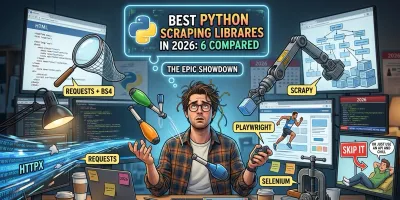
Best Python Scraping Libraries in 2026: 6 Compared
Compare the 6 best Python scraping libraries in 2026 — requests + BS4, Scrapy, Playwright, httpx, Selenium, and when to skip them entirely.
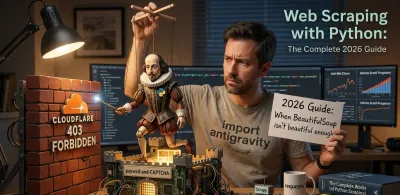
Web Scraping with Python: The Complete 2026 Guide
Web scraping with Python in 2026: pick the right tool (requests, BeautifulSoup, Scrapy, Playwright) with working code examples and a decision framework.