Web Scraping with Python: The Complete 2026 Guide
In 2026, web scraping with Python still starts the same way it did five years ago — pip install requests beautifulsoup4 — but the toolkit has grown considerably and so have the targets. SERPs return AI-generated summaries, JavaScript renders everything, and anti-bot systems have become far more aggressive. This guide maps the canonical Python scraping stack to concrete use cases so you can pick the right tool on the first try.
Table of Contents
- The Python scraping toolkit in 2026
- Decision tree: which tool when
- Walkthrough: basic scrape with requests + BeautifulSoup
- Walkthrough: JavaScript-rendered pages with Playwright
- Walkthrough: large-scale crawling with Scrapy
- Walkthrough: scraping SERPs and AI search engines
- Common gotchas and how to fix them
- Legal and ethical note
- Conclusion
The Python Scraping Toolkit in 2026
Python dominates web scraping for one reason: the ecosystem. Every layer of the stack — HTTP, parsing, browser automation, async crawling — has at least one mature, well-maintained library. Here is what the canonical stack looks like today.
requests
The default HTTP client. Handles cookies, sessions, redirects, auth, and streaming out of the box. For fetching static pages it is still the fastest option to reach for. Pair it with httpx when you need async I/O without pulling in the full Scrapy machinery.
Best for: fetching static HTML, REST APIs, one-off scripts.
BeautifulSoup (bs4)
A pure-Python HTML/XML parser that sits on top of lxml or html.parser. It does not fetch pages — it only parses the HTML you hand it. Its strength is navigating messy, real-world markup with a Pythonic selector API (find, find_all, CSS selectors). For a library-specific deep dive, see our practical guide to BeautifulSoup web scraping.
Best for: extracting structured data from already-fetched HTML.
lxml
A C-backed parser that is 5–10× faster than html.parser for large documents. Use it as the BeautifulSoup backend (BeautifulSoup(html, "lxml")) or directly via XPath when you need maximum throughput.
Best for: high-performance parsing, XPath-heavy extraction.
Scrapy
A full async crawling framework: built-in HTTP engine, spider DSL, item pipelines, middleware stack, and a rich plugin ecosystem (scrapy-playwright, scrapy-splash, etc.). The learning curve is steeper than requests + BS4, but for multi-thousand-URL crawls the framework pays for itself in reliability.
Best for: large-scale crawls, structured pipelines, team projects.
Playwright (and Selenium)
Browser automation tools that drive a real Chromium, Firefox, or WebKit instance. Playwright is the modern choice — faster, more reliable, and with a cleaner async API. Use either when the page content is injected by JavaScript after the initial load.
Best for: single-page apps, infinite scroll, login-gated content.
A managed scraping API
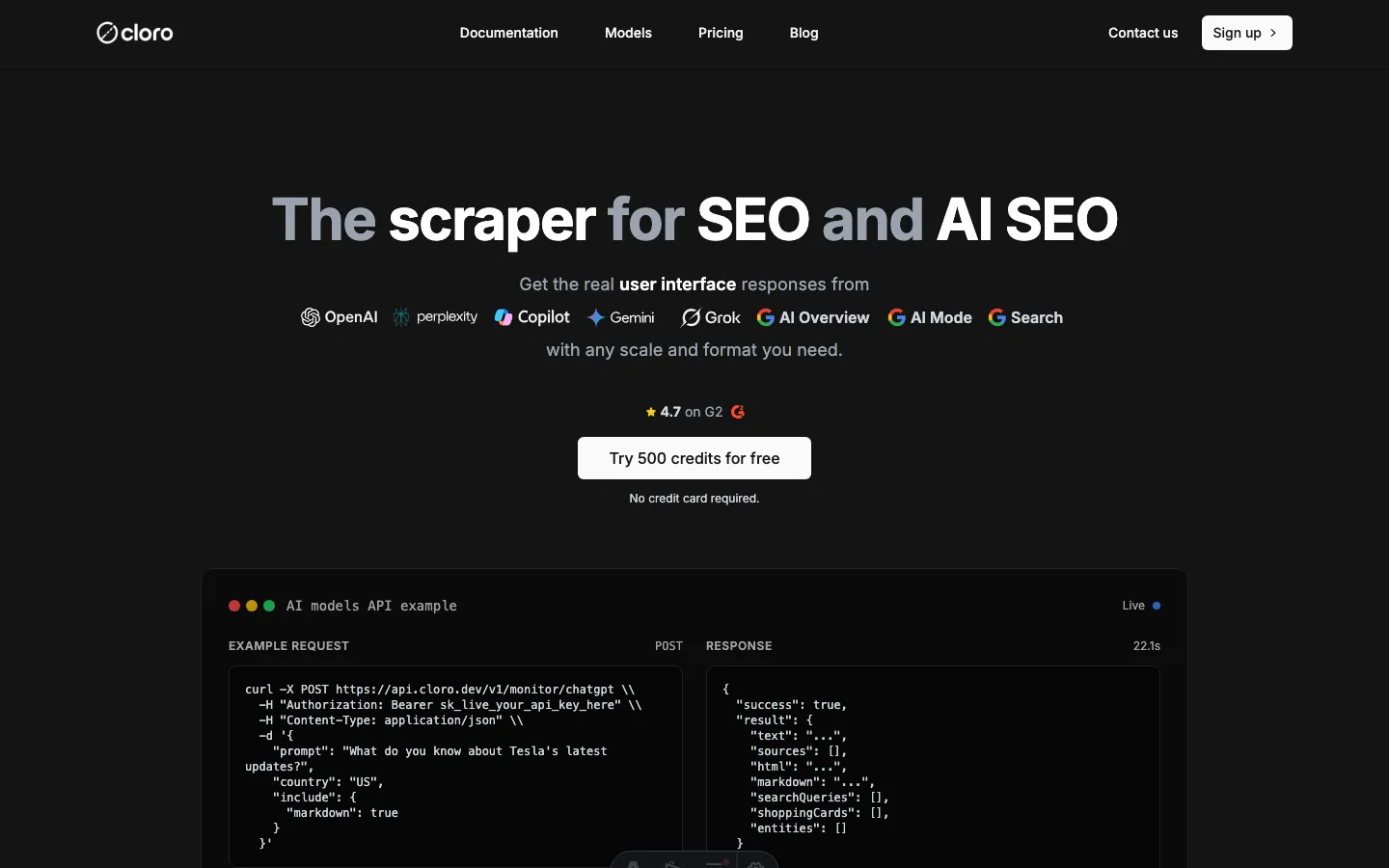
When the target is a search engine (Google, Bing) or an AI engine (ChatGPT, Perplexity, Google AI Overview), building and maintaining your own scraper means fighting proxy rotation, CAPTCHA solvers, and constant HTML schema changes. A managed API abstracts all of that. cloro’s SERP API returns parsed results with citations and sources across all countries via a unified endpoint.
Best for: SERPs, AI search engines, production pipelines where uptime matters.
Decision Tree: Which Tool When
Answer these five questions in order and you will land on the right tool.
| # | Question | If YES | If NO |
|---|---|---|---|
| 1 | Is the target a search engine or AI engine result page? | Managed API (cloro) | Go to 2 |
| 2 | Does the page require JavaScript execution to show the data? | Playwright | Go to 3 |
| 3 | Are you crawling more than ~5,000 URLs? | Scrapy | Go to 4 |
| 4 | Do you need to parse complex or deeply nested HTML? | requests + lxml + XPath | Go to 5 |
| 5 | Is this a quick script or prototype? | requests + BeautifulSoup | requests + BeautifulSoup |
The vast majority of one-off scraping tasks land on row 5. Move up the table only when you hit a real constraint.
Walkthrough: Basic Scrape with requests + BeautifulSoup
The goal: extract all blog post titles and their URLs from https://cloro.dev/blog/. This is a static Astro-rendered page — no JavaScript required.
import time
import requests
from bs4 import BeautifulSoup
from typing import NamedTuple

class Post(NamedTuple):
    title: str
    url: str

def scrape_blog_index(base_url: str, delay: float = 1.0) -> list[Post]:
    headers = {
        "User-Agent": (
            "Mozilla/5.0 (compatible; MyResearchBot/1.0; "
            "+https://example.com/bot)"
        )
    }

    try:
        response = requests.get(base_url, headers=headers, timeout=10)
        response.raise_for_status()          # raises on 4xx / 5xx
    except requests.exceptions.HTTPError as exc:
        print(f"HTTP error: {exc.response.status_code} — {base_url}")
        return []
    except requests.exceptions.RequestException as exc:
        print(f"Request failed: {exc}")
        return []

    soup = BeautifulSoup(response.text, "lxml")

    posts: list[Post] = []
    for anchor in soup.select("a[href*='/blog/']"):
        title = anchor.get_text(strip=True)
        href  = anchor.get("href", "")
        if title and href:
            full_url = href if href.startswith("http") else f"https://cloro.dev{href}"
            posts.append(Post(title=title, url=full_url))

    time.sleep(delay)   # be polite
    return posts


if __name__ == "__main__":
    results = scrape_blog_index("https://cloro.dev/blog/")
    for post in results[:10]:
        print(f"{post.title}\n  {post.url}")
A few things worth noting in this example:
response.raise_for_status()turns 4xx/5xx responses into exceptions immediately instead of silently returning garbage HTML.- The
User-Agentheader identifies your bot. Many sites block the defaultpython-requests/x.xstring. time.sleep(delay)between requests is non-negotiable for polite crawling — and many sites will block you without it.- We use
lxmlas the BeautifulSoup backend for speed. Install it withpip install lxml.
Install dependencies:
pip install requests beautifulsoup4 lxmlWalkthrough: JavaScript-Rendered Pages with Playwright
Many modern sites — dashboards, SPAs, infinite-scroll feeds — return a near-empty HTML shell and load content via JavaScript. requests will see that shell. You need a browser.
import asyncio
from playwright.async_api import async_playwright, TimeoutError as PWTimeout

async def scrape_js_page(url: str) -> str:
    async with async_playwright() as pw:
        browser = await pw.chromium.launch(headless=True)
        page    = await browser.new_page()

        try:
            await page.goto(url, wait_until="networkidle", timeout=30_000)
            # Wait for a selector that confirms the JS content has loaded
            await page.wait_for_selector("main", timeout=10_000)
            html = await page.content()
        except PWTimeout:
            print(f"Timed out waiting for page: {url}")
            html = ""
        finally:
            await browser.close()

    return html


if __name__ == "__main__":
    html = asyncio.run(scrape_js_page("https://example.com"))
    print(html[:500])
Install:
pip install playwright
python -m playwright install chromium
Playwright covers the vast majority of dynamic-content scenarios in less than 20 lines. For a complete guide covering authentication, pagination, network interception, and anti-detection settings, see our tutorial on scraping JavaScript-heavy sites with Python.
Walkthrough: Large-Scale Crawling with Scrapy
Once your target grows past a few thousand pages, the requests-per-second ceiling of a synchronous script becomes the bottleneck. Scrapy’s async engine handles concurrency, retry logic, and pipeline management for you.
# myproject/spiders/blog_spider.py
import scrapy

class BlogSpider(scrapy.Spider):
    name = "blog"
    start_urls = ["https://cloro.dev/blog/"]

    custom_settings = {
        "DOWNLOAD_DELAY": 0.5,          # 500 ms between requests
        "CONCURRENT_REQUESTS": 4,
        "RETRY_TIMES": 3,
        "ROBOTSTXT_OBEY": True,
    }

    def parse(self, response):
        for anchor in response.css("a[href*='/blog/']"):
            yield {
                "title": anchor.css("::text").get("").strip(),
                "url":   response.urljoin(anchor.attrib["href"]),
            }

        # Follow pagination if present
        next_page = response.css("a[rel='next']::attr(href)").get()
        if next_page:
            yield response.follow(next_page, self.parse)
Run with: scrapy crawl blog -o posts.json
The ROBOTSTXT_OBEY = True setting is not optional — it is good practice and required by many terms of service. For architecture guidance on handling millions of URLs, proxy rotation, and deduplication, see our deep dive on large scale web scraping for AI and SEO.
Walkthrough: Scraping SERPs and AI Search Engines
This is where the Python scraping stack hits a hard wall. Google, Bing, ChatGPT, Perplexity, and Google’s AI Overview all deploy aggressive bot detection. Building your own scraper for these targets means maintaining proxy pools, CAPTCHA solvers, and HTML parsers that break every time the UI ships. In our testing, homebrew SERP scrapers require maintenance patches at least once a month.
The practical alternative is a managed API. cloro returns parsed results — citations, sources, AI-generated text, organic links — from 10+ engines via a single endpoint, handles all proxy rotation and rendering on the server side, and charges per call from a unified credit pool.
Here is a minimal Python example querying ChatGPT for a keyword:
import os
import httpx                  # or: import requests

CLORO_KEY = os.environ["CLORO_API_KEY"]   # never hardcode secrets

def query_chatgpt(prompt: str, country: str = "us") -> dict:
    url = "https://api.cloro.dev/v1/monitor/chatgpt"
    headers = {
        "Authorization": f"Bearer {CLORO_KEY}",
        "Content-Type": "application/json",
    }
    payload = {
        "prompt":   prompt,
        "country":  country,
        "include":  ["citations", "sources", "answer"],
    }

    response = httpx.post(url, json=payload, headers=headers, timeout=60)
    response.raise_for_status()
    return response.json()


if __name__ == "__main__":
    result = query_chatgpt("best python web scraping libraries 2026")
    print(result.get("answer", ""))
    for src in result.get("sources", [])[:5]:
        print(" •", src)
The same pattern works for Google SERP, Bing, Perplexity, Gemini, and Copilot — swap the endpoint path and the payload fields. For a complete Python integration guide including async webhooks and country targeting, see our Python SERP scraper tutorial.
If you are deciding whether to build a custom scraper or call an API at all, see our web scraping vs API comparison for the trade-offs.
You can also explore cloro’s AI SEO tools to see how SERP and AI engine data feeds into broader visibility workflows.
Common Gotchas
1. The default User-Agent gets blocked immediately
requests sends python-requests/2.x.x by default. Most production sites block this string outright. Always set a realistic User-Agent header. For high-volume work, rotate through a list.
Fix: Pass headers={"User-Agent": "..."} on every request.
2. Ignoring robots.txt
Scraping pages that robots.txt disallows is a ToS violation on virtually every site and may expose you to legal risk. Scrapy respects it by default (ROBOTSTXT_OBEY = True). With raw requests you need to check manually or use the robotparser module from the standard library.
Fix: urllib.robotparser.RobotFileParser — fetch and parse before crawling.
3. Rate limiting and 429 responses
Sending requests in a tight loop will get your IP banned. Sites return 429 (Too Many Requests) or silently serve CAPTCHAs.
Fix: Add time.sleep(random.uniform(0.5, 2.5)) between requests. For 429 responses, use exponential back-off: double the delay on each retry up to a cap of 60 s.
4. Character encoding errors
response.text uses the encoding declared in the HTTP headers. If that is wrong (or absent), you get mojibake.
Fix: Check response.encoding and override it if needed: response.encoding = response.apparent_encoding (the chardet library powers this detection). Or decode manually: response.content.decode("utf-8", errors="replace").
5. Dynamic class names and IDs
React, Vue, and similar frameworks often generate class names like sc-abc123 that change on every build. CSS selectors targeting these break within days.
Fix: Use semantic selectors ([data-testid="..."], aria-label, structural position) rather than generated class names. These are far more stable.
6. Pagination traps and infinite loops
Crawlers can get caught following “next page” links that loop back to the first page, or following URLs that differ only by a query parameter that generates millions of permutations.
Fix: Keep a seen_urls: set[str] and skip any URL already in the set before queuing it. Scrapy’s built-in duplicate filter does this automatically.
Legal and Ethical Note
Scraping publicly available data is generally lawful in the United States and many other jurisdictions — the hiQ v. LinkedIn ruling reinforced that public data is fair game — but the picture is more nuanced than a simple “it’s fine.” Terms of service violations, scraping private data, bypassing authentication, and certain GDPR implications can all create liability. Before building a production scraper, read our detailed guide to web scraping legality and have your legal counsel review your specific use case.
Conclusion
The Python scraping toolkit in 2026 covers almost any use case: requests + BeautifulSoup for the 80% of sites that serve static HTML, Playwright for JavaScript-heavy pages, Scrapy for high-volume crawls that need reliability and pipeline control. The right tool is almost always the simplest one that solves your specific constraint.
The one area where rolling your own consistently loses to a managed service is search engines and AI engines. The anti-bot arms race on Google, Bing, ChatGPT, and Perplexity is relentless, and the maintenance cost of a homebrew SERP scraper compounds over time.
If your target is a SERP or AI search engine, skip the infrastructure work and use cloro’s SERP API instead. New accounts get 500 free credits to test every supported engine — no proxy setup, no CAPTCHA solvers, no parser maintenance required.
Frequently asked questions
What is the best Python library for web scraping in 2026?+
It depends on your target. For static HTML pages, requests + BeautifulSoup is still the fastest path. For JavaScript-heavy sites, use Playwright. For high-volume crawls, Scrapy's async engine wins. For SERPs and AI search engines (ChatGPT, Perplexity, Google AI Overview), a managed API like cloro removes the maintenance overhead entirely.
Is web scraping with Python legal?+
Scraping publicly available data is generally lawful in many jurisdictions, but the answer depends on the site's terms of service, what data you collect, and how you use it. Always check robots.txt, respect crawl delays, and avoid scraping private or personally identifiable data. See our full legal guide for a detailed breakdown.
How do I scrape a JavaScript-rendered website with Python?+
Use Playwright (or Selenium). These tools drive a real browser, wait for the JavaScript to execute, and then let you extract the rendered DOM. A five-line Playwright snippet is usually enough for simple cases. For a full tutorial, see our guide on scraping JavaScript-heavy sites with Python.
How do I avoid getting blocked while scraping?+
Rotate User-Agent headers on every request, add randomized delays between requests (0.5–3 s), honour robots.txt crawl delays, use residential proxies for high-volume work, and handle 429 / 503 responses with exponential back-off. For targets with aggressive anti-bot tech, a managed API handles this for you.
How much does it cost to scrape Google search results with Python?+
Building and maintaining your own Google scraper involves proxy costs, CAPTCHA solvers, and ongoing maintenance as Google changes its HTML. With cloro's SERP API, Google Search costs 3 credits per call. The Growth plan ($500/mo) gives you 1.56 M credits, making large-volume SERP work affordable without infrastructure overhead.
What is the difference between Scrapy and BeautifulSoup?+
BeautifulSoup is a parsing library — it takes HTML you've already fetched and helps you extract data from it. Scrapy is a full crawling framework with a built-in async HTTP engine, a spider DSL, pipelines, and middleware. Use BeautifulSoup for quick scripts and targeted extraction; use Scrapy when you need to crawl hundreds of thousands of pages reliably.