A Practical Guide to BeautifulSoup Web Scraping in 2026

On this page
BeautifulSoup is a Python library built for one job: parsing HTML and XML documents. It takes raw page source and turns it into a structured parse tree you can walk and pull data out of, even when the HTML is a mess.
Why BeautifulSoup is still worth reaching for
Even with newer frameworks around, BeautifulSoup is still a go-to tool for scraping, mostly because of its Pythonic design. If you know Python, using BeautifulSoup feels natural and the learning curve is almost flat. For a lot of scraping tasks you don’t need a heavy framework anyway. You just need the data, and requests plus BeautifulSoup gets you there without much ceremony.
Its place in the scraping ecosystem
BeautifulSoup is the most-used parsing library in Python, with around 43.5% adoption among developers. The reliability and ease of use make it a favorite for everyone from SEO agencies scraping SERPs to data teams pulling competitor insights.
Python itself powers nearly 70% of all scraping projects, largely because of libraries like BeautifulSoup that handle the broken HTML you find on the real web.
BeautifulSoup focuses on one thing and does it well: parsing. It leaves the fetching job to libraries like
requests.
When to choose BeautifulSoup
It’s a strong fit for targeted extraction, where you’re pulling specific pieces (product prices, headlines, contact details) out of individual pages. It’s also the fastest way to test a scraping idea before committing to anything bigger, and it’s the library that teaches you how HTML structure and extraction actually work.
A full framework like Scrapy brings more to the table for large-scale async crawling, with more complexity to match. For direct, targeted tasks, BeautifulSoup is faster to write and easier to maintain.
BeautifulSoup vs Scrapy at a glance
| Feature | BeautifulSoup (+ Requests) | Scrapy |
|---|---|---|
| Primary Use | Parsing HTML/XML | End-to-end crawling framework |
| Learning Curve | Low | Medium to High |
| Speed | Slower (Synchronous) | Faster (Asynchronous) |
| Dependencies | Minimal | Many |
BeautifulSoup is the specialist parser; Scrapy is a whole crawling ecosystem. Pick whichever matches the scale of the job.
Building your first BeautifulSoup web scraper
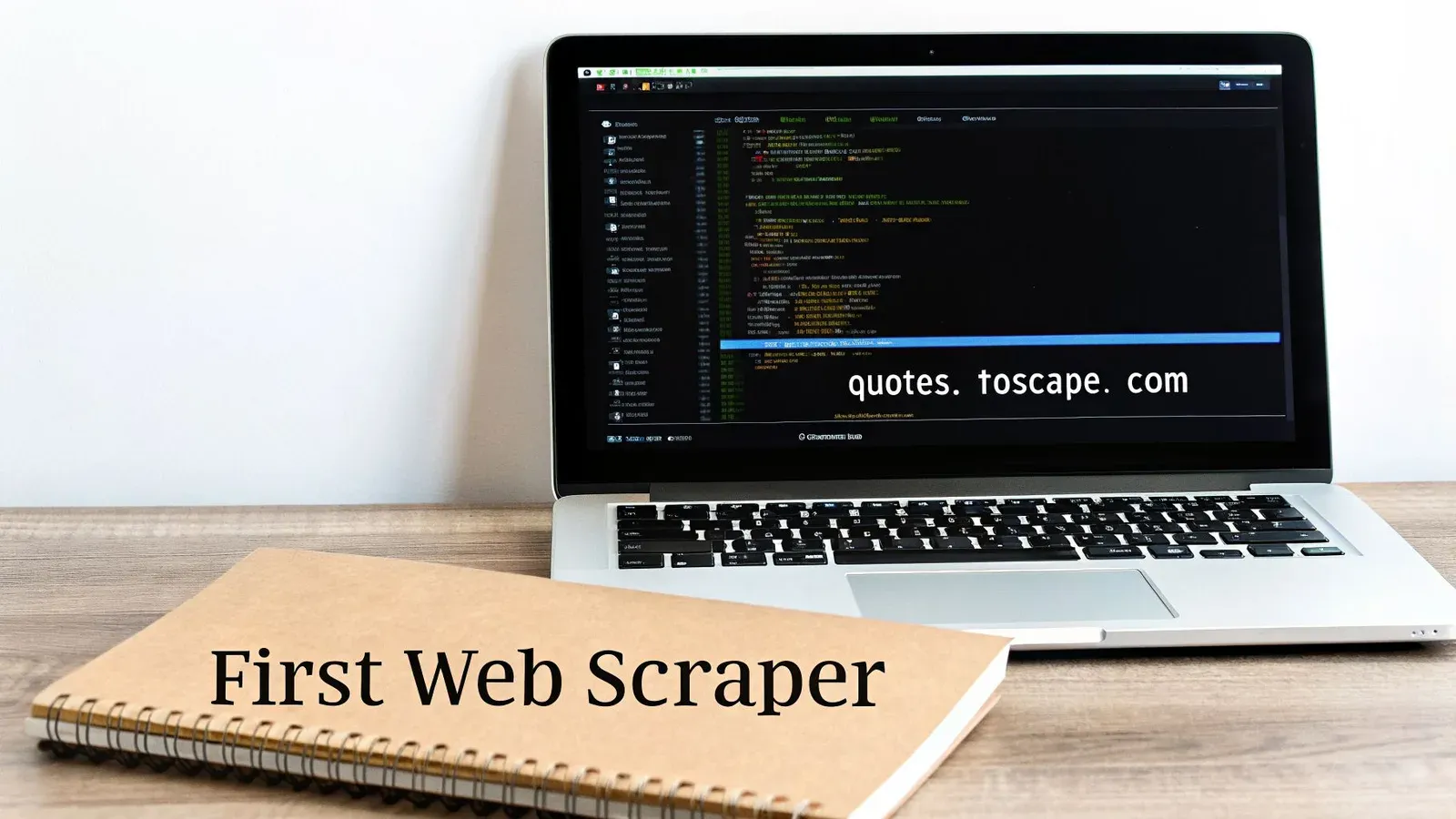
The fastest way to learn BeautifulSoup is to write some code, so we’ll build a simple scraper here and pull real data from a live site.
First, install the two libraries: requests for fetching, beautifulsoup4 for parsing.
Run pip install requests beautifulsoup4 in your terminal. Done.
As you get your hands dirty, you might also find this comprehensive Python web scraping tutorial helpful for a broader look at the whole workflow.
The pattern behind almost every BeautifulSoup script is the same: fetch the page with requests, hand the raw HTML to BeautifulSoup to parse, then pull out the specific pieces you want with a selector. Here’s that pattern end to end.
Fetching and parsing HTML
We’ll be scraping Quotes to Scrape, a site that exists for exactly this kind of practice. The data is clean and structured, and there’s no anti-bot to fight. First step: send an HTTP GET request to the URL and grab the raw HTML.
The requests.get() function does the heavy lifting, returning a Response object. The first thing you should always do is check the status_code. A code of 200 means “OK,” and we’re good to go. If the request was successful, we can hand off the page content to BeautifulSoup for parsing.
import requests
from bs4 import BeautifulSoup

url = 'http://quotes.toscrape.com/'
response = requests.get(url)
response.raise_for_status()  # This is a great shortcut to raise an error for bad responses
Now, create the soup object:
soup = BeautifulSoup(response.text, 'html.parser')This simple block of code gives us a soup object—a neatly parsed, navigable version of the entire HTML document.
Extracting your first data
With the soup object you can hunt for specific pieces of information in the HTML. Grabbing the page’s <title> tag, for example, is one line.
A great first check is to print the
soup.title.string. It’s a quick way to confirm your scraper fetched and parsed the correct page content before you start writing more complex selectors.
Let’s also try to pull the text from the very first paragraph (<p>) tag on the page.
-
soup.title.stringgives you the text content inside the page’s<title>tag. -
soup.find('p').get_text()locates the first<p>element and extracts just the text, stripping away any HTML.
If you want to see the structured HTML that BeautifulSoup is working with, call the prettify() method. It prints the HTML with clean indentation, which makes the page’s structure much easier to read.
- Print the page title to confirm we’re on the right page
print(f"Page Title: {soup.title.string}")- Find and print the text of the first paragraph tag
first_paragraph = soup.find('p')
print(f"First Paragraph: {first_paragraph.get_text()}")- Uncomment the line below to see the full, beautified HTML
print(soup.prettify())That’s your first scrape. You installed the tools, fetched a live page, parsed it, and pulled out the field you wanted, which is the loop almost every BeautifulSoup project runs on.
Mastering data extraction with selectors
Once you have a soup object, the real work of BeautifulSoup web scraping begins. This is where you turn raw HTML into clean, targeted data. Selectors are the way you tell BeautifulSoup what you want.
The two workhorse methods are find() and find_all(). find() returns the first matching element. find_all() returns every match in a list.
soup.find('h1') grabs the main page title. soup.find_all('p') returns every paragraph.
Filtering by attributes
Searching by tag name alone is often too broad. Filtering by attributes is where it gets useful. Say you’re scraping a product page where every item is in a <div> with class product-card:
product_list = soup.find_all('div', class_='product-card'). Note the underscore in class_: class is a reserved keyword in Python, so BeautifulSoup uses class_ to avoid conflict.
Attribute filtering is the bread and butter of targeted extraction.
CSS selectors
If you’ve done any front-end work, .select() will feel familiar. It accepts CSS selector syntax, which is often more expressive than method-based filtering for complex lookups.
Need every product title nested inside a specific section?
-
soup.select('div.product > h2.title'): Grabs all<h2>tags with atitleclass, but only if they are direct children of a<div>with aproductclass. -
soup.select('a[href]'): A simple way to get every single link on the page that actually goes somewhere (i.e., has anhrefattribute).
Just like find_all(), the .select() method returns a list of all matches. Its sibling, .select_one(), acts just like find() and returns only the first match it finds. For many scrapers, CSS selectors quickly become the go-to tool. For a deeper dive on these patterns, check out our guide on scraping with Python.
Navigating the HTML Tree
Sometimes, the element you want doesn’t have a unique ID or class, but it’s always next to something you can find. This is where navigating the HTML tree is a lifesaver. Once you’ve grabbed a tag object, you can move around from that point.
.parent moves up one level to the tag enclosing the current one. .children gives you an iterator over every tag directly inside it. .next\_sibling and .previous\_sibling jump to the next or previous tag at the same level.
Traversal like this earns its keep when the data is laid out consistently but carries no useful identifiers. That flexibility is a good part of why BeautifulSoup holds a 43.5% market share in a field where Python itself accounts for 69.6%. For jobs like auditing competitor SERP changes, parent and sibling navigation often works where a pure CSS selector comes up empty.
Once you’ve isolated your target tag, the final step is to pull out the actual data. Use the
.get_text()method to extract the clean, human-readable text. To get an attribute’s value, treat the tag like a dictionary:['attribute_name'](e.g.,link['href']).
Real-world scraping challenges
Getting your first scraper to work on a simple, static page feels great. The real web is messier, more dynamic, and sometimes actively fights back.
Start with the one that stops you before parsing does. Site owners now name the automated agents they will accept, and they are specific about it: fetching robots.txt from the 1,058 most-prominent domains in cloro’s citation and organic corpus, 88% resolved, and the ones that did disallowed training crawlers far more than retrieval ones, CCBot at 17.8% against OAI-SearchBot at 3.4%. Two things follow for a first scraper. Roughly one site in eight returns no usable robots.txt at all, so your fetcher needs a defined behaviour for that case rather than a crash. And the sites that do publish one are drawing a line by purpose, so a declared, honest user agent gets further than a disguised one.
To build a scraper that doesn’t break after ten minutes, you have to anticipate the common roadblocks. None of these are edge cases; they’re the daily reality of data extraction.
Pagination
The first wall you’ll hit is pagination. Sites rarely dump all their data on one page. They chunk it, and you have to teach your scraper how to click “Next”.
Think like a human. Find the “Next Page” link and follow it. The links usually have a predictable pattern: a class="next" or text saying Next →.
Your script’s main loop should:
-
Scrape all the data it needs from the current page.
-
Look for the link that leads to the next page.
-
If it finds one, follow it and repeat the process.
-
If not, it’s hit the end of the line and can stop.
Dynamic content and anti-scraping measures
A real challenge in modern BeautifulSoup web scraping is content loaded by JavaScript. BeautifulSoup only gets the initial HTML from a requests call, so it’s blind to anything rendered after page load.
For that you need a browser automation tool.
Selenium and Playwright can pilot a real browser (or a headless one). They wait for the JavaScript to finish, render the complete page, then hand the final HTML to BeautifulSoup for parsing.
The workflow is simple: fire up a headless browser, go to the URL, wait for a key element to appear, then grab the
page_sourceand feed it to yourBeautifulSoup()constructor. It’s more resource-hungry, for sure, but absolutely essential for today’s dynamic sites.
Waiting for content to load is the easy half. You’ll also run into active anti-scraping defenses, and it’s a matter of when, not if. That runs from dealing with anti-bot measures like Cloudflare to simply not getting your IP address banned.
Websites block any IP that sends a flood of requests, so rate limiting is the first thing to add. A time.sleep(1) between requests is enough to start. The pause makes your traffic pattern look less mechanical and takes load off the server.
You might also get hit with CAPTCHAs, which can stop a scraper dead in its tracks. For that, you’ll need more advanced solutions. Check out our guide on how to solve CAPTCHAs programmatically to learn some of those techniques.
Once you’re maintaining browser automation, proxies, and CAPTCHA solving just to keep the HTML flowing into BeautifulSoup, it’s worth asking whether that plumbing is your problem to own. For search results specifically, you can hand all of it to a SERP API you call from Python — one authenticated request returns parsed JSON, and you skip straight to the extraction step.
Building a resilient scraper
Your scraper will fail. Connections drop, and a site can change its layout overnight so that your CSS selectors find nothing and find() returns None. If you don’t plan for that, the script crashes on the first bad page.
Wrap the scraping logic in try...except blocks. Catch the AttributeError when an element disappears, and handle network errors from requests. The script logs the issue, skips the broken page, and continues. That’s what turns a fragile one-off into a long-running data tool.
Storing data and scaling
Extracting data is half the battle. If it sits in your terminal, it’s not useful. You need it in a structured format you can work with.
For most beautifulsoup web scraping jobs, the simplest, most effective way to save your results is a good old-fashioned Comma-Separated Values (CSV) file.
Storing scraped data in a CSV
Python’s built-in csv module handles this in a few lines. Once you’ve collected the data into a list of dictionaries, you can write it straight to a file. The output opens directly in Excel, Google Sheets, or pandas.
Let’s say you’ve scraped a handful of product names and prices. Here’s how you turn that raw output into a clean, portable asset:
import csv- Sample data scraped from a site
scraped_data = [{'product': 'Widget Pro', 'price': '$29.99'},{'product': 'Gadget Plus', 'price': '$49.99'}]- Define the headers for your CSV file
headers = ['product', 'price']
with open('products.csv', 'w', newline='', encoding='utf-8') as file:writer = csv.DictWriter(file, fieldnames=headers)writer.writeheader() # Writes the header rowwriter.writerows(scraped_data) # Writes all your dataThis script quickly generates a products.csv file, making your data instantly actionable. Simple.
Performance and when to scale
BeautifulSoup is great for targeted, smaller jobs, but it has limits. It processes requests synchronously, one at a time. As scope grows, that serial behavior becomes a bottleneck.
Even a well-tuned BeautifulSoup setup can’t keep up with async frameworks. In one test, scraping 1,000 static pages took an optimized BS4 script 17.79 seconds — about 39× slower than Scrapy’s parallel approach.
The infographic below shows the common roadblocks that push teams to level up their toolkit.
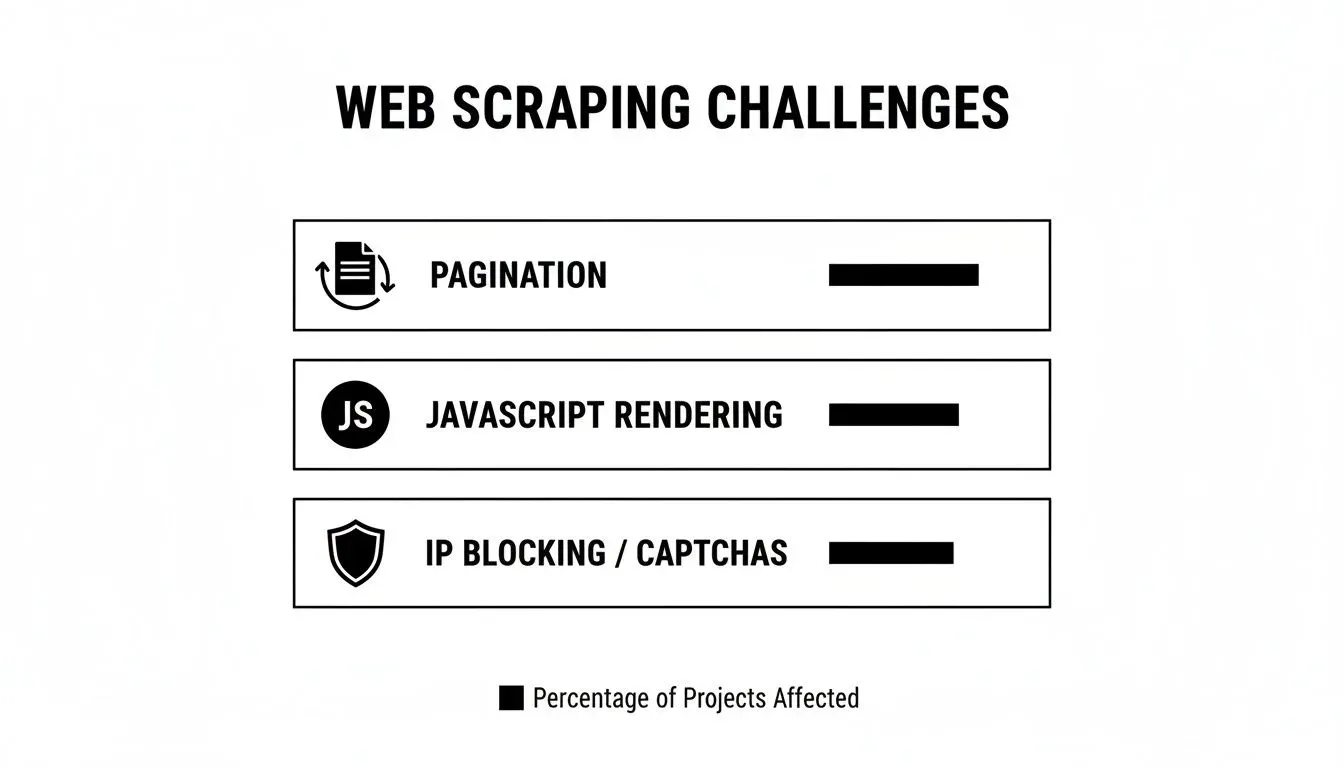
A basic BeautifulSoup script wasn’t built to handle that complexity.
Once scraping moves from one-off tasks to business-critical operations, relying on in-house scripts becomes a liability. Managing proxies, rendering JavaScript, and defeating bot detection at scale is a full-time job.
For SEO teams and enterprises that need reliable data, a dedicated scraping API is the next step. Tools like cloro take that work off your plate: you make an API call and get back clean structured data, whether that’s raw HTML, parsed text, or citations from AI assistants. The team spends its time on the data instead of the plumbing. If your project demands high uptime and data from complex sites, see our notes on large-scale web scraping.
Practical BeautifulSoup gotchas
A few things come up over and over.
Which HTML parser should I use?
Parser choice matters here: it changes how fast BeautifulSoup runs and how well it tolerates the broken HTML you’ll actually find on real pages. When you initialize a soup with BeautifulSoup(html_content, 'parser_name'), you have options:
html.parser— Python’s built-in. Zero extra installs. Fine for simple, well-formed HTML.lxml— what most experienced devs use. Noticeably faster, and much more forgiving on broken HTML. Install withpip install lxml.
For any serious scraper that needs to be fast and reliable, use lxml.
Why is my selector returning nothing?
find() or find_all() returning None or [] usually comes down to one of two things.
First, check the selector for typos. A wrong class name is a frequent offender. Sites also change their layouts, so a selector from last week may be obsolete. Inspect the live HTML to verify the target still exists.
Second, the content may be loaded dynamically with JavaScript after the page loads. BeautifulSoup only sees the static HTML that requests returns; it has no idea about content that appears later. For that, use Selenium or Playwright to render the page first, then parse.
A common beginner trap: assuming the HTML in your browser’s “Inspect Element” view is what your script sees. It isn’t. That’s the live DOM after JavaScript runs. Always check the raw “Page Source” to see what
requests.get()actually receives.
Can BeautifulSoup handle logins?
Not on its own. BeautifulSoup is strictly a parser. It doesn’t manage browser sessions, cookies, or form submissions.
To scrape behind a login, pair BeautifulSoup with requests. The pattern: use a requests.Session to POST credentials to the login form, then use that same session to fetch protected pages. Pass the resulting HTML to BeautifulSoup.
Is scraping with BeautifulSoup legal?
Using BeautifulSoup is legal, because it only parses documents you already have. The legal questions sit with the fetching and with what you do with the data. Per Real Python’s tutorial, web scraping in general is legal if you respect a website’s terms of service and copyright law. Publicly accessible pages are the low-risk case; data behind a login or other access control is where scraping becomes a legal problem, as this walkthrough notes. Read the terms before a large project, honor robots.txt, and throttle your requests.
Is BeautifulSoup outdated?
No. The package to install is beautifulsoup4, which is maintained; only the old BS3 release is abandoned. What has changed is the web around it. More pages render content with JavaScript, which BeautifulSoup never sees, and bulk jobs outgrow its synchronous speed. Neither limit makes it outdated for its job. Pair it with Playwright for rendered pages, and move to Scrapy or selectolax when volume becomes the problem.
BeautifulSoup vs. lxml vs. Selectolax: Speed Compared
BeautifulSoup is a parser interface — under the hood it delegates to html.parser, lxml, or html5lib. selectolax is a different beast: a Cython wrapper around modest-html and lexbor that skips the BS4 layer entirely.
We benchmarked all three against the same 1MB HTML file (a typical product listing page), parsing and selecting all <a> tags. Order-of-magnitude numbers from our local runs:
| Setup | Relative speed | Memory | When to use |
|---|---|---|---|
BeautifulSoup(html, 'html.parser') | 1x (baseline) | Low | Tiny scripts, no extra deps |
BeautifulSoup(html, 'lxml') | ~3x faster than baseline | Medium | Most production scrapers |
lxml (raw, with XPath) | ~5–7x faster than baseline | Medium | When you need XPath or speed at scale |
selectolax (modest backend) | ~15–25x faster than baseline | Low | Bulk parsing of millions of pages |
In our testing, the choice really matters above ~10,000 pages/hour. Below that, BS4 + lxml is fast enough and the friendlier API saves engineering time. Above that, switching to raw lxml or selectolax can cut compute spend by 70%+.
A trick we use: parse the HTML once with selectolax to extract the section you care about, then hand that smaller fragment to BS4 for the actual data extraction. You get selectolax’s speed where it matters and BS4’s ergonomics where it doesn’t.
Tired of maintaining brittle scrapers and juggling anti-bot evasion? cloro is a high-scale scraping API that returns clean structured data from search engines and AI assistants — Google, ChatGPT, Perplexity, and the rest.

About the author
Ricardo Batista
Founder, cloro
Ricardo is one of the founders and engineers behind its SERP and AI-search scraping infrastructure. Before cloro he scaled a financial comparison site to $7M ARR and ran the full-country operations of a unicorn to $65M ARR, then went back to building. He writes about search engine scraping, generative-engine optimization, and turning live search and AI-answer data into something teams can act on.
Frequently asked questions
Is BeautifulSoup deprecated?
No. BS4 is actively maintained and is the most widely used HTML parser in Python. The original `BeautifulSoup` (BS3) is unmaintained — make sure you `pip install beautifulsoup4`.
Is scraping with BeautifulSoup legal?
Using BeautifulSoup is legal, because it only parses HTML you already have. Whether a scraping project is legal depends on the fetching and the data use: respect the site's terms of service and copyright law, keep to publicly accessible pages, and honor robots.txt.
Can BeautifulSoup parse JavaScript-rendered pages?
Not on its own. Pair it with Playwright, Selenium, or a SERP API that returns rendered HTML, then pass that HTML into BS4 for parsing.
How do I handle malformed HTML?
Use `lxml` or `html5lib` as the parser — they're tolerant of broken markup. `html.parser` is stricter and may misbehave on real-world HTML.
Can BeautifulSoup parse XML?
Yes. Pass `'xml'` as the parser feature (requires `lxml`): `BeautifulSoup(xml_string, 'xml')`.
What's the best CSS selector method — `find`, `find_all`, or `select`?
`select()` uses CSS selectors (familiar to anyone who's written front-end code) and is usually the most readable. `find_all()` with keyword arguments is more Pythonic. They're roughly equivalent in performance.
How do I avoid getting blocked while scraping?
BS4 has nothing to do with blocking — that's the fetcher's job. Rotate user agents, respect `robots.txt`, throttle, and use rotating proxies or a managed scraping API.