

include.expandProducts to get them as result.productResults.
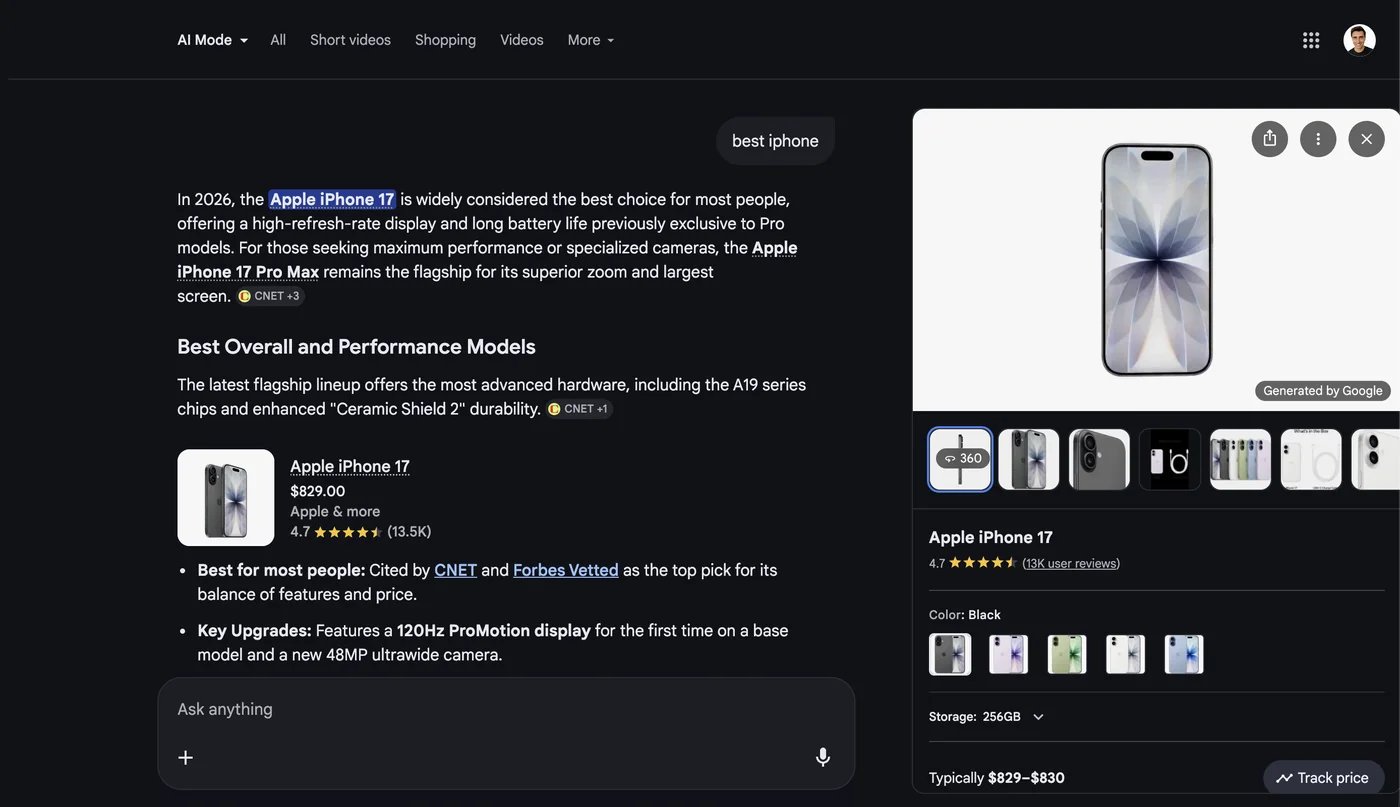
Product viewer opened from an AI Mode product
Limits and cost
Each entry is one product cluster, deduplicated acrossshoppingCards and inlineProducts, and costs one extra fetch of Google’s product viewer:
- +1 credit per entry returned, charged after the scrape completes
- 6 clusters expanded per scrape at most, so the surcharge tops out at +6
- clusters that fail to fetch are dropped from the array, and not charged
Product result structure
Each entry describes one product cluster and its merchant offers.
Only
title is guaranteed — anything Google’s panel omits is left out of the object rather than sent as null. Panels can also carry brand, rating, reviews, priceRange, typicalPrices, variants, relatedProducts, userReviews, videos, discussionsAndForums and highlights, emitted under those names when present, though most carry none of them.
Specifications
A category name mapped to a flat set of spec key/value pairs:Store structure
Expect the first six on most offers and the rest only occasionally. Everything beyond
name is optional and omitted when absent — Google shows different combinations per merchant, so an “Out of stock” listing may have no price or link at all.
Price shape
Response example
currency conventions in the same payload: shoppingCards[].price.currency is the raw symbol ("$"), while productResults[].stores[].price.currency is an ISO code ("USD").