

result.flights, one item for each block in page order, on desktop and mobile, with no flag and at no extra cost. flights is omitted when the SERP has no flights block.
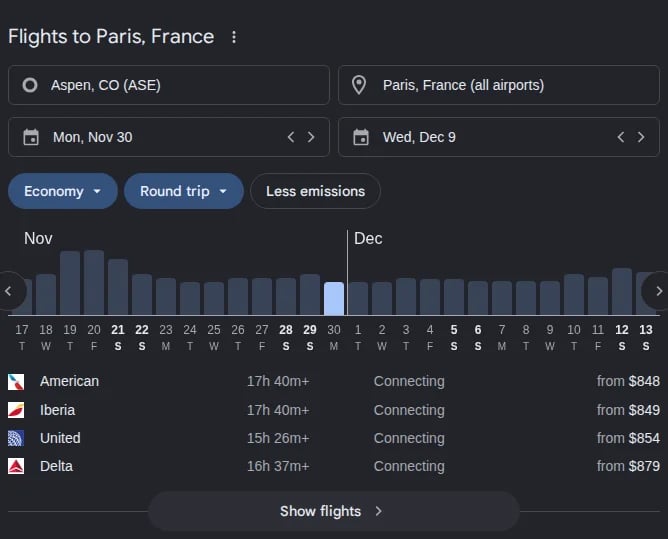
Google Flights widget in Google Search
Layouts
Google shows five flights blocks, each returned as one item offlights. Every row the page holds is returned, including the ones the user sees under “More”. Train and bus units have the same layout and are not flights.
Google Flights widget
Outside the EU. Its rows are airlines (duration, stops, price, as above), destinations (stops, duration, price) or destinations with dates and a price. The block returns the search of its form (origin, destination, departureDate, returnDate); the price calendar and the rest of the form (cabin, trip type) are not returned. The widget is not in organicResults.
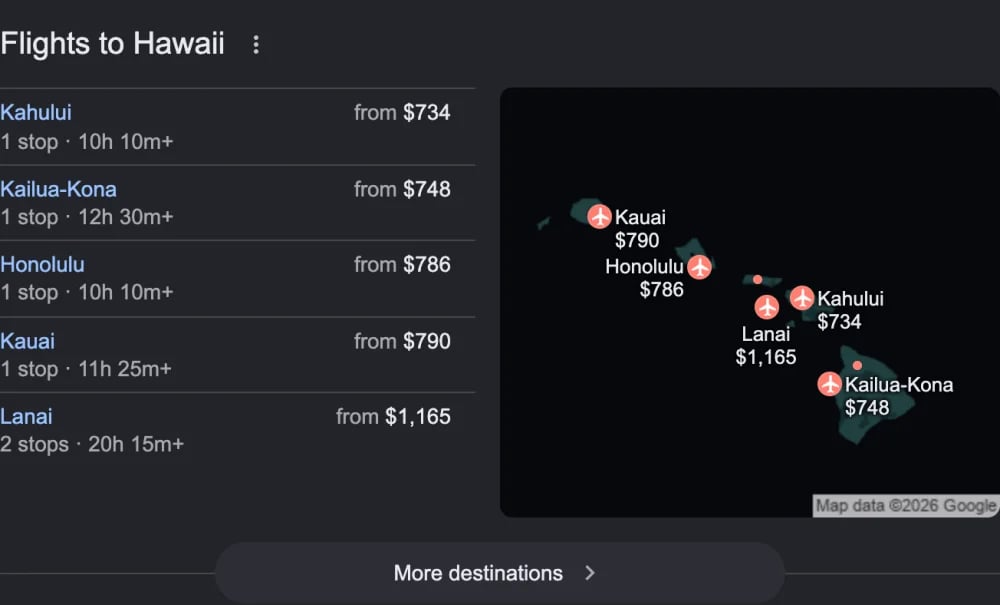
Google Flights widget listing destinations
cheap flights to hawaii in the United States. This page shows no search form. A widget with airlines and its search is in the response example.
Airline options (EU)
Airlines with their stops and price. The line under the heading (“Precios de ida y vuelta desde Madrid · 3–6 dic”) is not returned.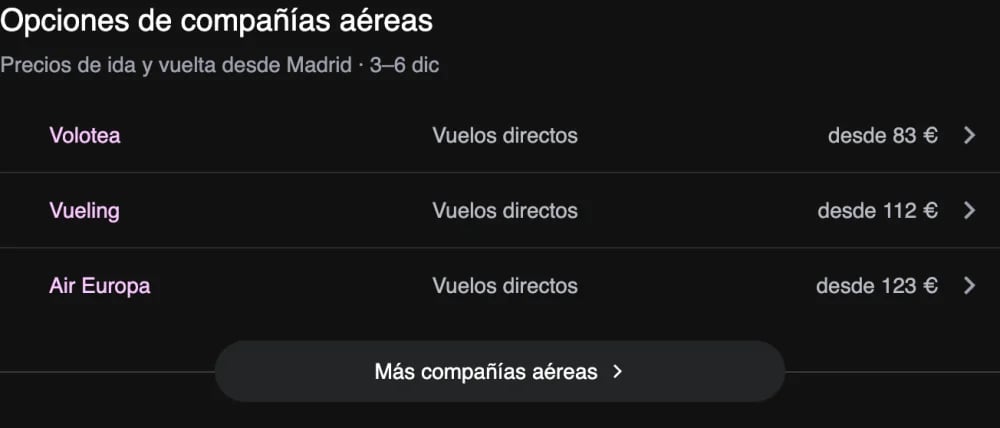
Airline options block in Google Search (EU)
vuelos madrid barcelona in Spain:
Airline websites (EU)
Airlines with price, duration, stops and their website. The block returns the search under its heading (dates, origin, destination, cabin, tripType, passengers). Some pages show it as a closed section (expanded: false).
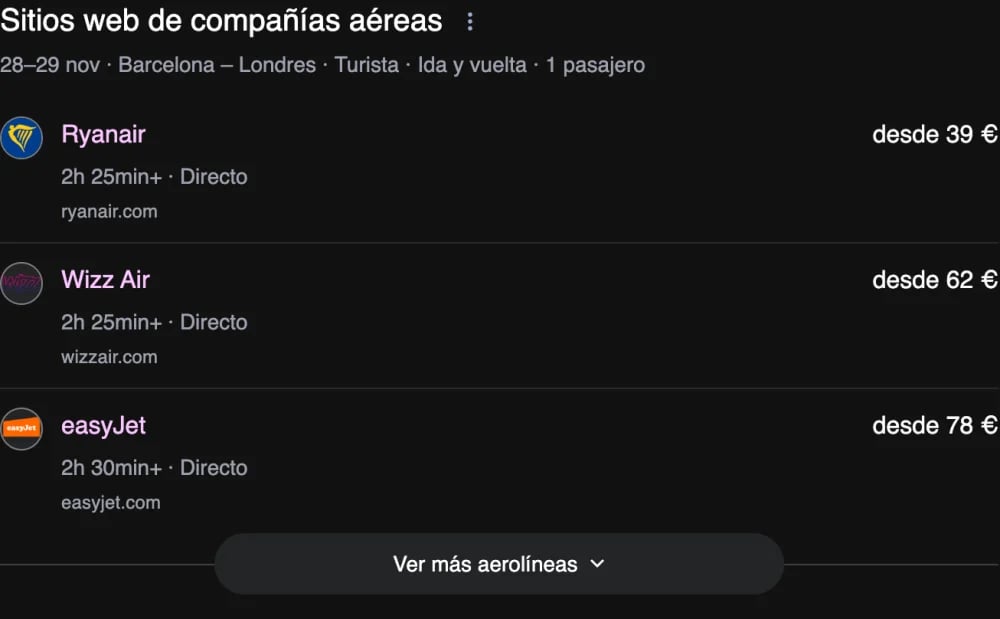
Airline websites block in Google Search (EU)
vuelos barcelona londres in Spain:
Route block (EU)
The booking sites and the flights the page shows for each, up to three (airline, price, duration, number of stops), with the search under the heading as in the airline websites block. Each flight carries its booking site assupplier, like the places of the EU places unit in local results. Sites are returned open or collapsed; the page opens the first one or none. A booking site with no flights is not shown on the page and is not returned.
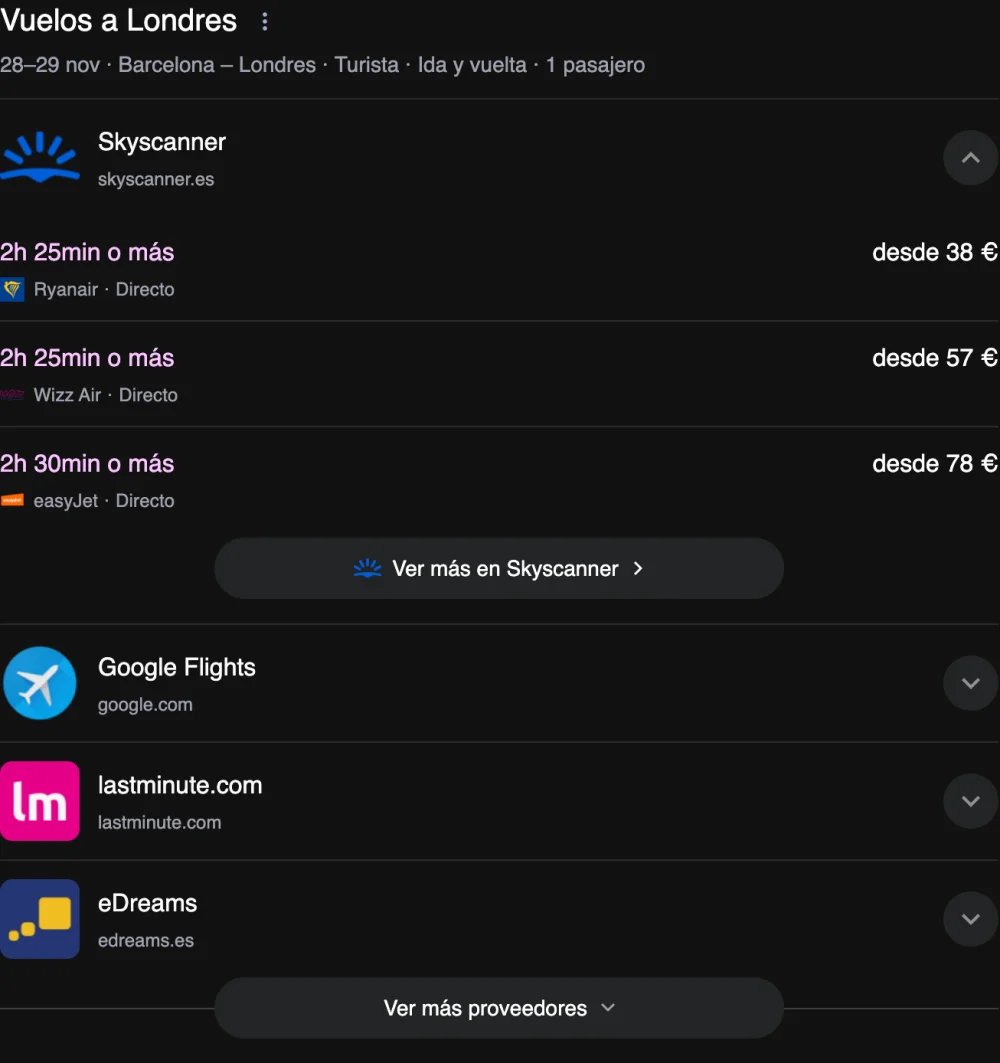
Route block in Google Search (EU): Skyscanner open, the other booking sites collapsed
vuelos barcelona londres in Spain: Skyscanner’s three flights (open), then those of Google Flights (collapsed) and the other sites.
Origins
The cities with flights to the destination, with price, the number of flights a day and duration. The line under the heading (“México a Madrid (MAD)”) is not returned.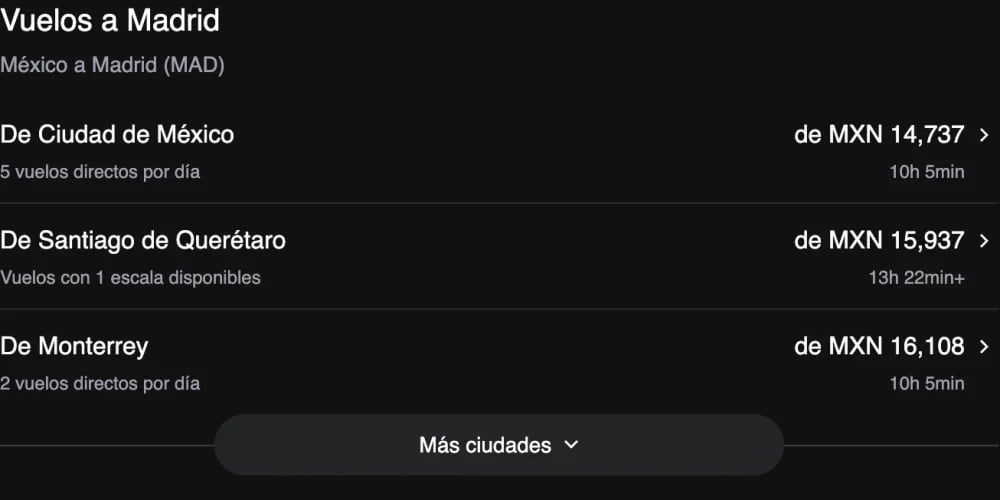
Origins block in Google Search
vuelos a madrid desde méxico in Mexico:
Block structure
expanded and options are always present. The other fields are included only when Google shows them. A block states its search when Google shows it in a form or a subtitle: the widget in its form (origin, destination, departureDate, returnDate), the airline websites and route blocks under their heading (dates, origin, destination, cabin, tripType, passengers). A widget that lists destinations has no destination.
Option
position is always present. A row has only the other fields Google shows for it: airline on airline rows, destination on destination rows, origin on origins rows, supplier on route block rows.
Supplier
The same object as the supplier of a place in local results.
Text fields are as shown, in the language of the SERP. A row that shows no price (“check price”) has no
price.
Response example
A response toflights from new york to los angeles in the United States, on desktop: