

include.ads to true to get them in result.ads from the Bing AI Mode endpoint. The array has the product cards first, then the text ads. type is SHOPPING_CARD for a product card and RESULT for a text ad. The field is omitted when Bing shows no ads, and the same request can get ads on one call and none on the next. include.ads costs +1 credit, also when Bing shows no ads, because cloro asks Bing for them on each request (pricing).
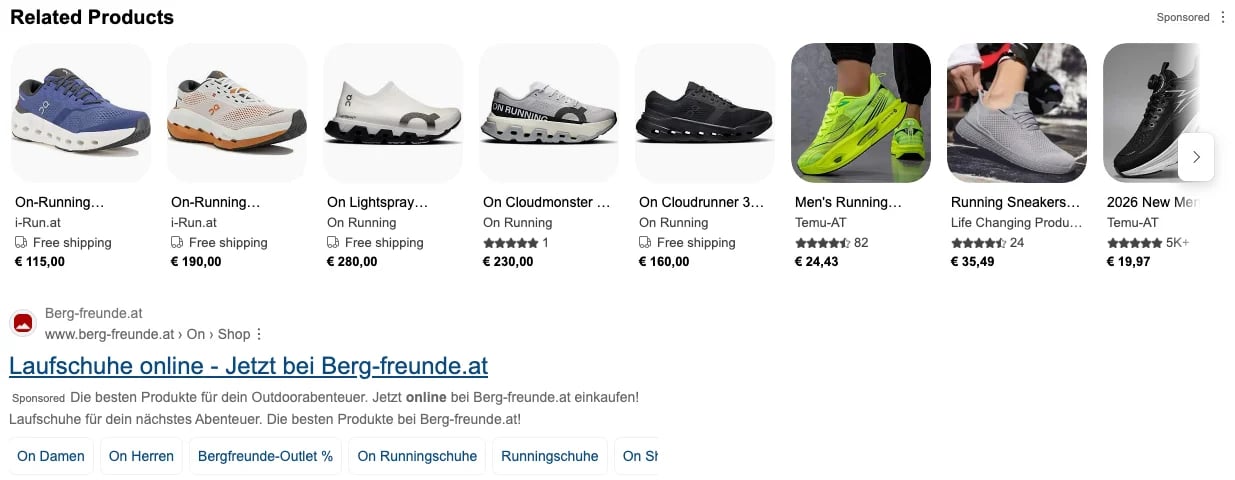
Sponsored products and a text ad in Bing AI Mode
AT, category is Verwandte Produkte and a line can be Kostenloser Versand.
Fields that Bing does not show for an ad are omitted. The ads are not in
result.text, result.markdown, result.sources or result.citationPills.
Example
Request
Response