Find All URLs on a Domain: 5 Methods to Map Every Page

On this page
You think you know your website. Then you scan the domain and find ghosts: landing pages from 2019 campaigns, staging subdomains indexed by mistake, orphaned posts with zero internal links.
Finding every URL on a domain is the foundation of:
- SEO audits. Anything missing from your inventory never gets fixed.
- Site migrations. Making sure no link is left behind.
- Competitive intelligence. Seeing what your competitor is publishing.
- Security. Spotting exposed admin panels or sensitive files.
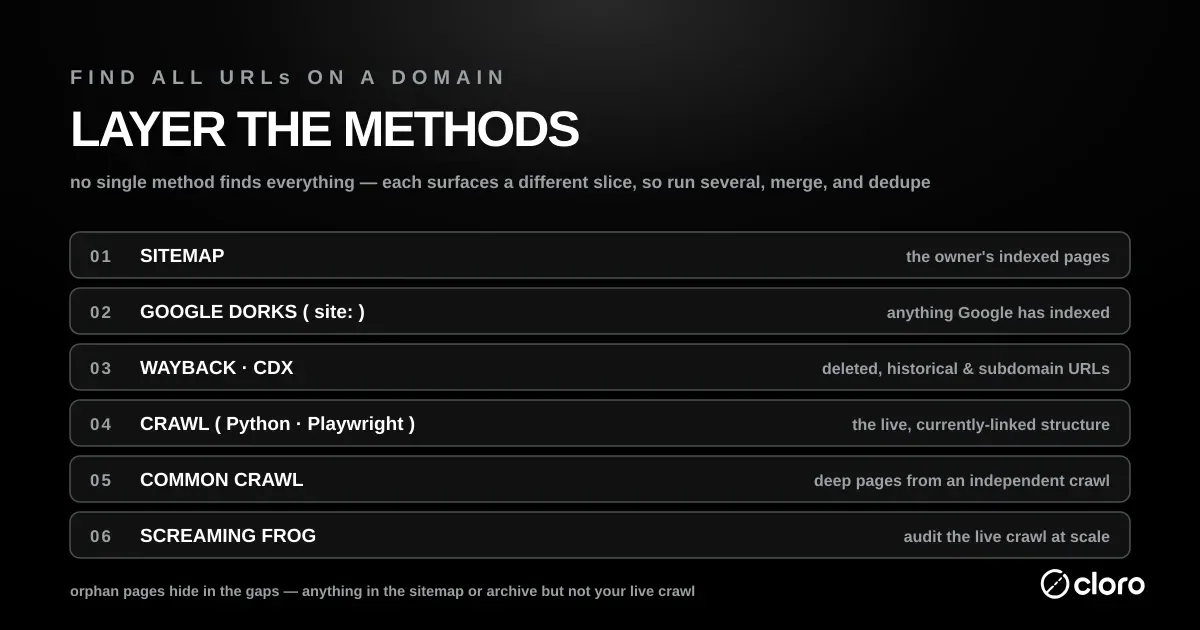
No single button finds everything. This guide walks five layered methods — sitemaps, Google dorks, the Wayback Machine, Python crawlers, and pro tools — to map 100% of a domain.
Level 1: The polite way (sitemaps)
Before breaking out the heavy artillery, try the front door. Expect it to be open most of the time and to fail often enough that you plan for it.
We have a number for how often. Building the AI crawler blocks study meant fetching robots.txt from the 1,058 most-prominent domains in cloro’s citation and organic corpus, and 88% resolved. These are established, heavily-cited sites, so roughly one in eight of the best-maintained domains on the web did not return a usable robots.txt at all: no file, a timeout, a redirect chain, or a server error. On a random sample of smaller sites the miss rate is worse.
The practical consequence is that levels 2 through 5 below are not optional extras for stubborn cases. Any discovery routine that stops when the front door does not open will silently return nothing for a meaningful share of the domains you point it at, and a silent zero is much harder to notice than an error.
Most modern CMSs (WordPress, Shopify, Webflow) generate a sitemap automatically. It’s meant for Googlebot, but you can read it too.
Step 1: Check robots.txt
Go to domain.com/robots.txt. This is the instruction manual for crawlers, and developers often list the sitemap location here.
User-agent: *
Disallow: /admin
Sitemap: https://domain.com/sitemap_index.xml
Step 2: Check standard sitemap paths
If it’s not in robots.txt, guess. Try these common URLs:
- /sitemap.xml
- /sitemap_index.xml
- /sitemap.php
- /sitemap.txt
Step 3: Parse it
Sitemaps are often nested. The index sitemap links to post sitemaps and product sitemaps, so follow the chain.
If the XML is hard to read, paste the URL into a tool like XML Sitemap Validator to get a clean list.
A sitemap is the fastest way to find all URLs on a domain that the owner wants indexed, but large sites split it across many files. Google’s own sitemap guidelines cap a single sitemap at 50,000 URLs (or 50 MB), so anything bigger ships a sitemap index that points at child sitemaps. Follow every <loc> in the index and you recover the complete set.
Here’s a small recursive parser that walks the index and collects every page URL:
import requests
import xml.etree.ElementTree as ET

NS = "{http://www.sitemaps.org/schemas/sitemap/0.9}"

def fetch_sitemap(url, seen=None):
    seen = seen if seen is not None else set()
    xml = requests.get(url, timeout=10).text
    root = ET.fromstring(xml)
    # A <sitemapindex> lists child sitemaps; a <urlset> lists pages.
    for loc in root.iter(f"{NS}loc"):
        target = loc.text.strip()
        if target.endswith(".xml"):
            fetch_sitemap(target, seen)   # recurse into child sitemaps
        else:
            seen.add(target)
    return seen

urls = fetch_sitemap("https://cloro.dev/sitemap-index.xml")
print(f"{len(urls)} URLs in the sitemap")
The catch: a sitemap only lists what the CMS chose to publish. Orphan pages, deprecated URLs, and anything excluded from the sitemap stay invisible — which is why sitemaps are step one, not the whole job.
Level 2: The hacker way (Google Dorks)
Sometimes a website doesn’t want you to find a page. It’s not in the sitemap, not in the menu. But if Google has indexed it, you can find it using search operators (also known as Google Dorks).
The site: operator
Go to Google and type:
site:cloro.dev
This returns every page Google has indexed for that domain. It is an official operator: Google’s own search-operator documentation tells you to “enter site: in front of a site or domain” to restrict results to that host. Scroll to the end of the results and Google even estimates the total count, which gives you a quick ceiling for how many indexed pages exist.
Advanced dorking strategies:
- Find subdomains.
site:cloro.dev -wwwshows results that don’t start with www. - Find documents.
site:cloro.dev filetype:pdfsurfaces hidden whitepapers. - Find Excel sheets.
site:cloro.dev filetype:xlsxoften exposes pricing data. - Find login pages.
site:cloro.dev inurl:login.
Why this works: Google’s crawler is more aggressive than anything you’ll run on a laptop. It has been indexing the site for years and remembers pages the owner forgot they published.
See our guide on Google search parameters to master these filters.
Level 3: The archivist way (Wayback Machine)
What about pages that were deleted, or pages that are currently offline?
The Internet Archive (Wayback Machine) has been taking snapshots of the web since 1996. You can query their API to find every URL they’ve ever seen for a domain.
The tool: waybackurls
If you’re comfortable with the terminal, there’s a well-known tool by TomNomNom called waybackurls.
Installation (Go required):
go install github.com/tomnomnom/waybackurls@latestUsage:
echo "cloro.dev" | waybackurls > urls.txtThis dumps thousands of URLs into a text file in seconds. You’ll find:
- Old API endpoints (
/api/v1/...) - Deprecated staging environments (
dev.domain.com) - Broken redirects
This is also how bug bounty hunters find vulnerabilities, by looking for old unpatched pages the developer forgot to delete.
The raw API: the CDX server
waybackurls is a convenience wrapper around the Internet Archive’s public CDX server API, which you can hit directly with curl — no Go toolchain required:
curl "http://web.archive.org/cdx/search/cdx?url=cloro.dev&matchType=domain&fl=original&collapse=urlkey&output=text"The parameters do the heavy lifting:
matchType=domainreturns captures for the domain and every subdomain (*.cloro.dev), so it surfaces staging and app subdomains a homepage crawl never touches.collapse=urlkeydeduplicates repeated captures of the same URL, turning years of snapshots into one clean line per page.fl=originaltrims the response to just the URL column.
Because the archive remembers pages long after they 404, the CDX server is often the single best way to find all URLs on a domain that no longer appear in the live navigation.
Level 4: The developer way (Python)
If you want a fresh, live, custom map, build a crawler.
A crawler starts at the homepage, finds the links, visits them, finds their links, and repeats until there’s nowhere left to go.
Here’s a Python script using requests and BeautifulSoup.
Prerequisites:
pip install requests beautifulsoup4The Code:
import requests
from bs4 import BeautifulSoup
from urllib.parse import urljoin, urlparse
import time

target_url = "https://cloro.dev"
domain_name = urlparse(target_url).netloc
visited_urls = set()
urls_to_visit = {target_url}

# User-Agent to look like a real browser (avoid 403 blocks)
headers = {
    'User-Agent': 'Mozilla/5.0 (Macintosh; Intel Mac OS X 10_15_7) AppleWebKit/537.36 (KHTML, like Gecko) Chrome/91.0.4472.114 Safari/537.36'
}

def get_all_links(url):
    try:
        response = requests.get(url, headers=headers, timeout=5)
        soup = BeautifulSoup(response.text, "html.parser")
        links = set()

        for a_tag in soup.findAll("a"):
            href = a_tag.attrs.get("href")
            if href == "" or href is None:
                continue

            # Convert relative URLs to absolute URLs
            href = urljoin(url, href)
            parsed_href = urlparse(href)

            # Clean the URL (remove query params for deduplication)
            href = parsed_href.scheme + "://" + parsed_href.netloc + parsed_href.path

            # Only keep internal links
            if domain_name in href and href not in visited_urls:
                links.add(href)

        return links
    except Exception as e:
        print(f"Error crawling {url}: {e}")
        return set()

print(f"Starting crawl of {target_url}...")

while urls_to_visit:
    current_url = urls_to_visit.pop()
    if current_url in visited_urls:
        continue

    print(f"Crawling: {current_url}")
    visited_urls.add(current_url)

    # Get new links
    new_links = get_all_links(current_url)
    urls_to_visit.update(new_links)

    # Be polite! Don't crash their server.
    time.sleep(0.5)

print(f"\nFound {len(visited_urls)} unique URLs:")
for url in visited_urls:
    print(url)
This script is basic. It doesn’t handle JavaScript rendering (React/Vue/Angular sites). For that, you’d need Playwright or Selenium, similar to the techniques in scraping Google AI Mode.
Handling JavaScript-rendered sites
The crawler above only sees the HTML the server sends. On a React, Vue, or Angular app the links are injected after the JavaScript runs, so a plain requests crawl comes back nearly empty. To find all URLs on a domain built as a single-page app, drive a real browser with Playwright:
from playwright.sync_api import sync_playwright
from urllib.parse import urlparse

start = "https://cloro.dev"
domain = urlparse(start).netloc

with sync_playwright() as p:
    browser = p.chromium.launch()
    page = browser.new_page()
    page.goto(start, wait_until="networkidle")  # let the JS finish
    hrefs = page.eval_on_selector_all(
        "a[href]", "els => els.map(e => e.href)"
    )
    browser.close()

internal = {h for h in hrefs if urlparse(h).netloc == domain}
print(f"Found {len(internal)} internal links after JS render")
wait_until="networkidle" gives the framework time to hydrate before you read the DOM. Playwright’s API docs define networkidle as “no network connections for at least 500 ms” — and mark it as discouraged for automated tests, since flaky apps never truly go idle. For a one-shot URL harvest it is exactly the right signal: you want the crawler to wait until the page stops fetching data. Feed the discovered links back into the same visited/to-visit loop from the requests version and you get a full recursive crawl that actually works on modern sites.
Level 5: The pro tools
If you don’t want to code, use the industry standards. These handle JavaScript, cookies, and rate limiting out of the box.
1. Screaming Frog SEO Spider
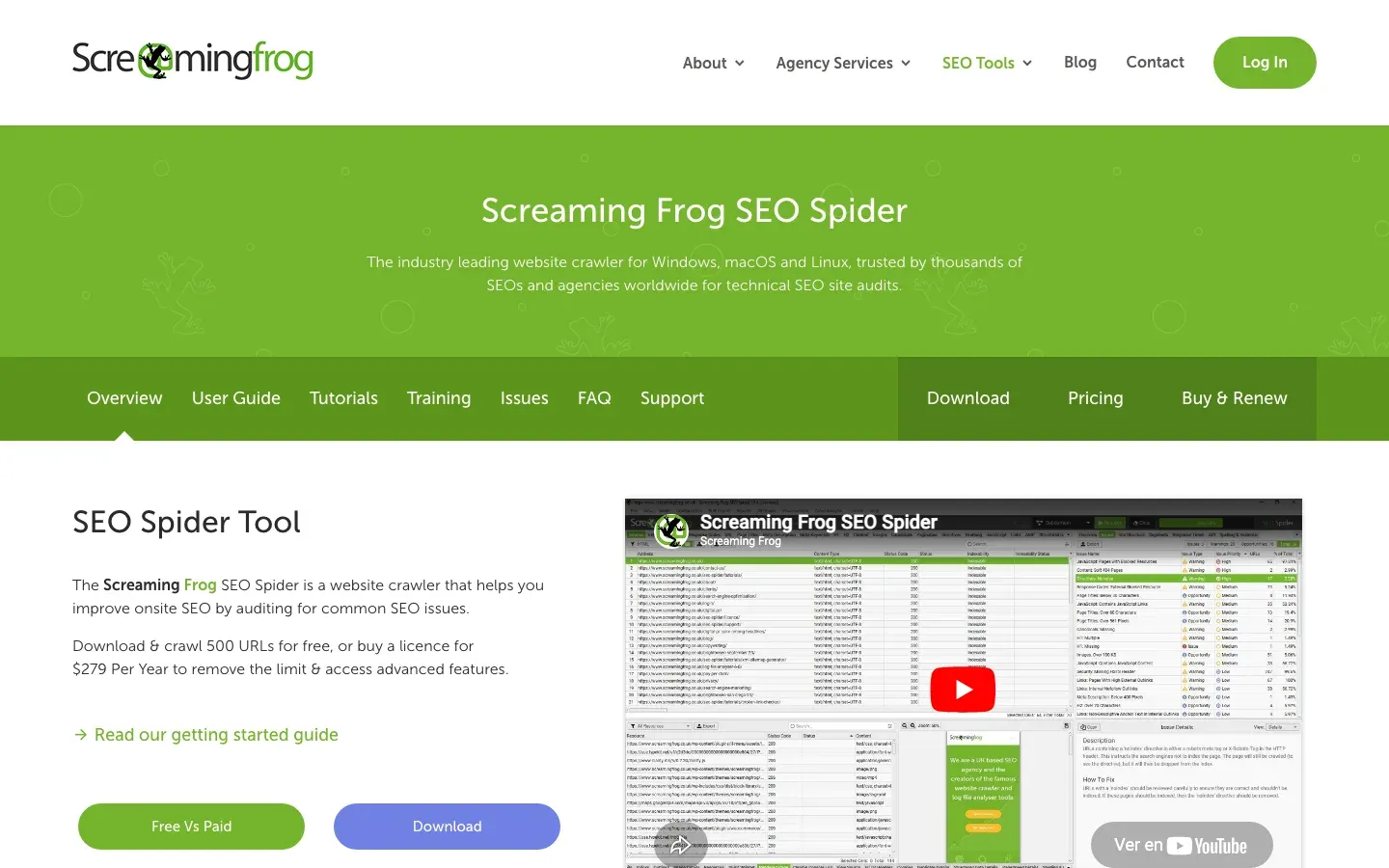
The default choice. Installs locally on Mac or PC. Its pricing page sets the free tier at “500 URLs for free,” with a €245-per-year licence to lift the cap and unlock JavaScript rendering. For a small blog the free tier maps the whole site in one pass; for anything larger the cap is the first wall you hit.
- Pros. Deep crawling, finds broken links (404s), visualizes site architecture.
- Cons. Paid license required for more than 500 URLs. UI looks like an Excel spreadsheet from 1999.
2. Ahrefs / SEMrush

Cloud-based. They usually don’t crawl your site live; they show you what they’ve indexed over time.
- Pros. Shows which pages have the most backlinks.
- Cons. Expensive subscriptions ($100+/mo).
3. Hexomatic / Browse AI
No-code scraping platforms.
- Pros. Good for extracting data from URLs once you have them (e.g., pulling prices from product pages).
- Cons. Slow on massive sites.
Free online URL extractors
If you need the list once and do not want to install anything, a browser-based extractor runs the crawl for you. Simplescraper’s URL Extractor reads the sitemap, maps the site with cloud browsers, and returns the URLs as TXT or CSV with no signup. SiteGPT’s Website URL Extractor lets you set a maximum URL count, a crawl depth, and paths to include or exclude, which keeps a large site to the section you care about. Both see only what is linked or listed in a sitemap, so orphan pages and deleted URLs still need the archive and log methods in this guide.
Beyond the five: two overlooked discovery surfaces
The five methods above cover most audits, but two more sources routinely turn up URLs the others miss.
Common Crawl
Common Crawl publishes a free, petabyte-scale crawl of the open web every month, and each crawl ships a searchable URL index. You can query that index for one domain without downloading a single archive file — it returns every path Common Crawl has seen, which frequently includes deep pages your own crawler never reaches:
curl "https://index.commoncrawl.org/CC-MAIN-2024-33-index?url=cloro.dev/*&output=json" \
  | jq -r '.url'
Swap the collection ID (CC-MAIN-2024-33) for the latest one listed at index.commoncrawl.org. Because Common Crawl indexes from a different vantage point than Google, it’s a strong cross-check when you want to find all URLs on a domain and worry that your other tools share the same blind spots.
robots.txt, security.txt, and .well-known
Beyond listing the sitemap, robots.txt often disallows specific paths. A Disallow: /internal-tools/ line is a signpost pointing straight at a directory the owner would rather keep quiet. The file follows a formal standard — the Robots Exclusion Protocol (RFC 9309), whose Disallow rules “indicate whether accessing a URI that matches the corresponding path is allowed or disallowed.” A disallowed path still resolves; it is only a request not to crawl, so every Disallow entry is a live URL you can fetch by hand. Read robots.txt for leads, not just permissions.
The /.well-known/ directory is a second goldmine. The security.txt standard (RFC 9116) puts a file at /.well-known/security.txt, and the same directory holds files like assetlinks.json and apple-app-site-association that reference additional hosts and endpoints. Fetch them directly:
curl https://cloro.dev/.well-known/security.txtWhich method to reach for
No single method wins outright — each finds a different slice of the domain, so the reliable way to find all URLs on a domain is to layer them:
| Method | Best at | Finds orphan pages? | Cost |
|---|---|---|---|
| Sitemap parsing | The owner’s intended, indexable pages | No | Free |
site: operators | Anything Google indexed, incl. forgotten pages | Partly | Free |
| Wayback / CDX | Deleted, historical, and subdomain URLs | Yes | Free |
| Python / Playwright crawl | The live, currently-linked structure | No | Free |
| Common Crawl index | Deep pages from an independent crawl | Partly | Free |
| Screaming Frog / SEO suites | Auditing the live crawl at scale | No | Paid |
The pattern is always the same: run several methods, merge the outputs, and dedupe. Any URL that shows up in the sitemap or the archive but not in your live crawl is either an orphan page or a dead one — and both are worth investigating.
The problem of orphan pages
Here’s the catch: a standard crawler (Levels 4 and 5) can’t find orphan pages.
An orphan page exists on the server but has zero internal links pointing to it. If nothing links to it, the crawler can’t click to it.
How to find orphan pages:
- Cross-reference. Compare your crawled-URLs list (Screaming Frog) with your sitemap-URLs list. Anything in the sitemap but not the crawl is an orphan.
- Google Analytics. Check the Landing Pages report for the last year. Users might be arriving via email links or social ads that aren’t in your menu.
- Log file analysis. The nuclear option. Ask the server admin for the access logs. They show every URL anyone has requested, so they reveal everything.
Normalize before you trust the count
Merge outputs from five tools and you’ll double-count the same page a dozen ways: http vs https, trailing slash vs none, ?utm_source= tracking params, uppercase vs lowercase paths, and www vs bare domain. Normalize aggressively before you dedupe, or your “complete” list of URLs on a domain will be badly inflated.
A minimal canonicalization pass:
from urllib.parse import urlsplit, urlunsplit

def canonical(url):
    s = urlsplit(url.lower())
    host = s.netloc.removeprefix("www.")
    path = s.path.rstrip("/") or "/"
    return urlunsplit(("https", host, path, "", ""))  # drop query + fragment

unique = {canonical(u) for u in all_urls}
Decide deliberately whether query strings matter: for a static blog they’re noise, but for a faceted e-commerce store ?color=red can be a genuinely distinct, indexable page. When in doubt, keep the parameterized versions and let a human review the duplicates.
Your crawl stops at the website boundary. AI answers don’t
Finding URLs on your domain is step one. The harder question is where your URLs show up on the rest of the web, specifically in the hidden layer of AI answers.
You might map your domain perfectly, but if an AI engine is hallucinating a pricing page that doesn’t exist, or pointing users at a broken 404, your audit is incomplete.
Traditional crawlers stop at the website boundary, so they can’t see inside ChatGPT or Perplexity. That’s where cloro comes in.
A modern discovery stack:
- Screaming Frog, to map your physical structure.
- Google Search Console, to map your search visibility.
- cloro, to map your AI visibility and check that the robots are citing the right pages.

About the author
Ricardo Batista
Founder, cloro
Ricardo is one of the founders and engineers behind its SERP and AI-search scraping infrastructure. Before cloro he scaled a financial comparison site to $7M ARR and ran the full-country operations of a unicorn to $65M ARR, then went back to building. He writes about search engine scraping, generative-engine optimization, and turning live search and AI-answer data into something teams can act on.
Frequently asked questions
How do I find every page on a website?
Start with the sitemap (`/sitemap.xml`). Then use a crawler like Screaming Frog to find linked pages. Finally, check search engines using `site:` operators.
What are orphan pages?
Pages that exist on a website but have no internal links pointing to them. They are hard for users and crawlers to find.
Can I find hidden pages?
You can find unlinked pages if they are indexed by Google (using `site:domain.com`) or archived in the Wayback Machine, even if they aren't in the navigation.
Can the Wayback Machine help find old URLs?
Yes, the Internet Archive's Wayback Machine has snapshots of billions of web pages over time, so you can discover URLs that may no longer be live on the current site.
How do I extract all URLs from a website for free?
Read the sitemap, run `site:domain.com` in Google, and query the Wayback Machine CDX API. All three are free. For a no-code list, a free online extractor such as Simplescraper's URL Extractor crawls the site and exports TXT or CSV.
How do I find URLs on JavaScript-rendered sites?
Standard HTTP crawlers struggle with JavaScript. You need a headless browser (like Playwright or Selenium) to execute the JavaScript and render the full DOM before extracting links.