
Exa Search vs Google: Neural Search vs the Real SERP

On this page
Most search APIs are quietly trying to be Google: cheaper, or with cleaner JSON, or without the scraping. Exa isn’t. It’s built on a fundamentally different idea of what “search” means, and when you measure it against Google, the numbers make that unmistakable.
Exa search is neural search: it retrieves web pages by meaning rather than by keyword match. That single design choice raises an obvious question for anyone building on it. If Exa isn’t ranking pages the way Google does, how far does it actually drift from the results a person would see? Is “search built for AI” a better web, a narrower one, or just a different one?
So we measured it. We ran the same 500 queries (stratified across informational, commercial, transactional, navigational, and local intent) through the Exa Search API and through cloro’s live Google SERP, the same day, and scored how much they agree. Of the search APIs we’ve put through this test, Exa is the outlier. That’s the story.
How Exa search works: retrieval by meaning, not keywords
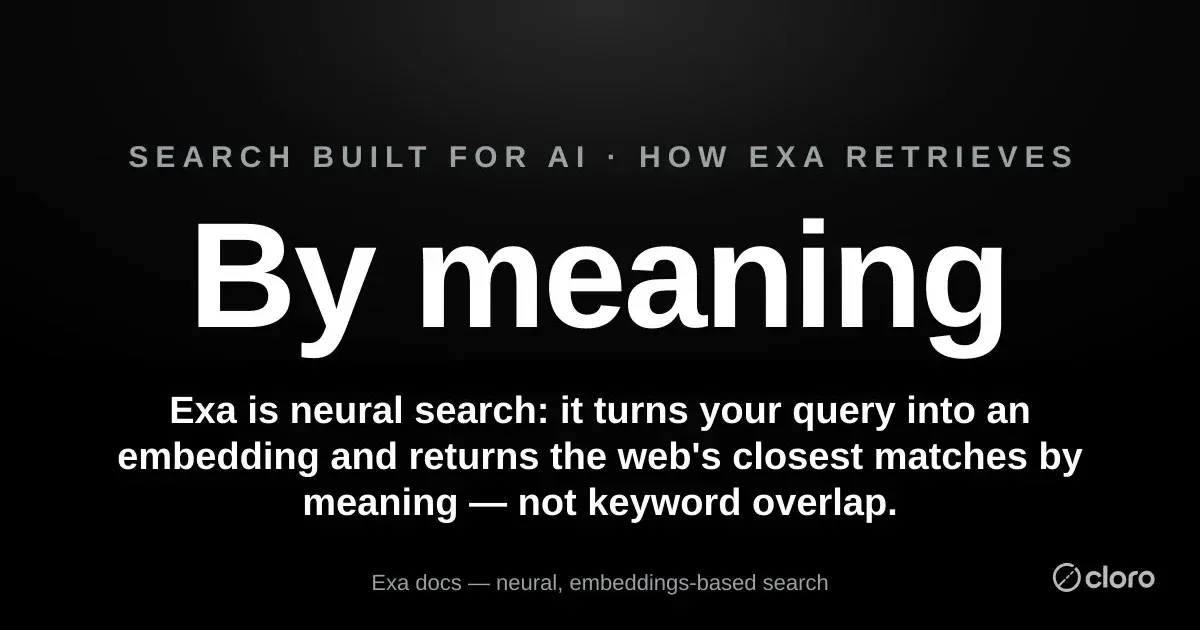
Traditional search matches words. You type “best crm for startups,” and the engine finds pages containing those tokens, then ranks them by links, authority, and hundreds of other signals. Exa does something different. In its own description, Exa converts every document it indexes “into a vector (aka an embedding)” that captures the document’s meaning, converts your query into an embedding too, and returns “the closest matches” in that semantic space.
The framing Exa uses is that Exa search “predicts specific links on the web given their relevance to a query”: where a language model predicts the next word, Exa’s transformer-based model predicts the next link. It “uses transformers for semantic understanding, handling complex queries based on meaning” rather than keyword overlap. Practically, that means Exa can match the idea of a query even when the target page shares few of its literal words, and it will happily surface a niche essay, a research paper, or a small blog that Google’s keyword-and-authority ranking would bury on page 4.
That is the whole pitch of “search built for AI.” An agent doing research often wants the non-obvious, semantically adjacent source, not the ten SEO-optimized pages that happen to rank. Exa is engineered for exactly that. The question is what you give up when you take it.
What the Exa search API is, and how to call it
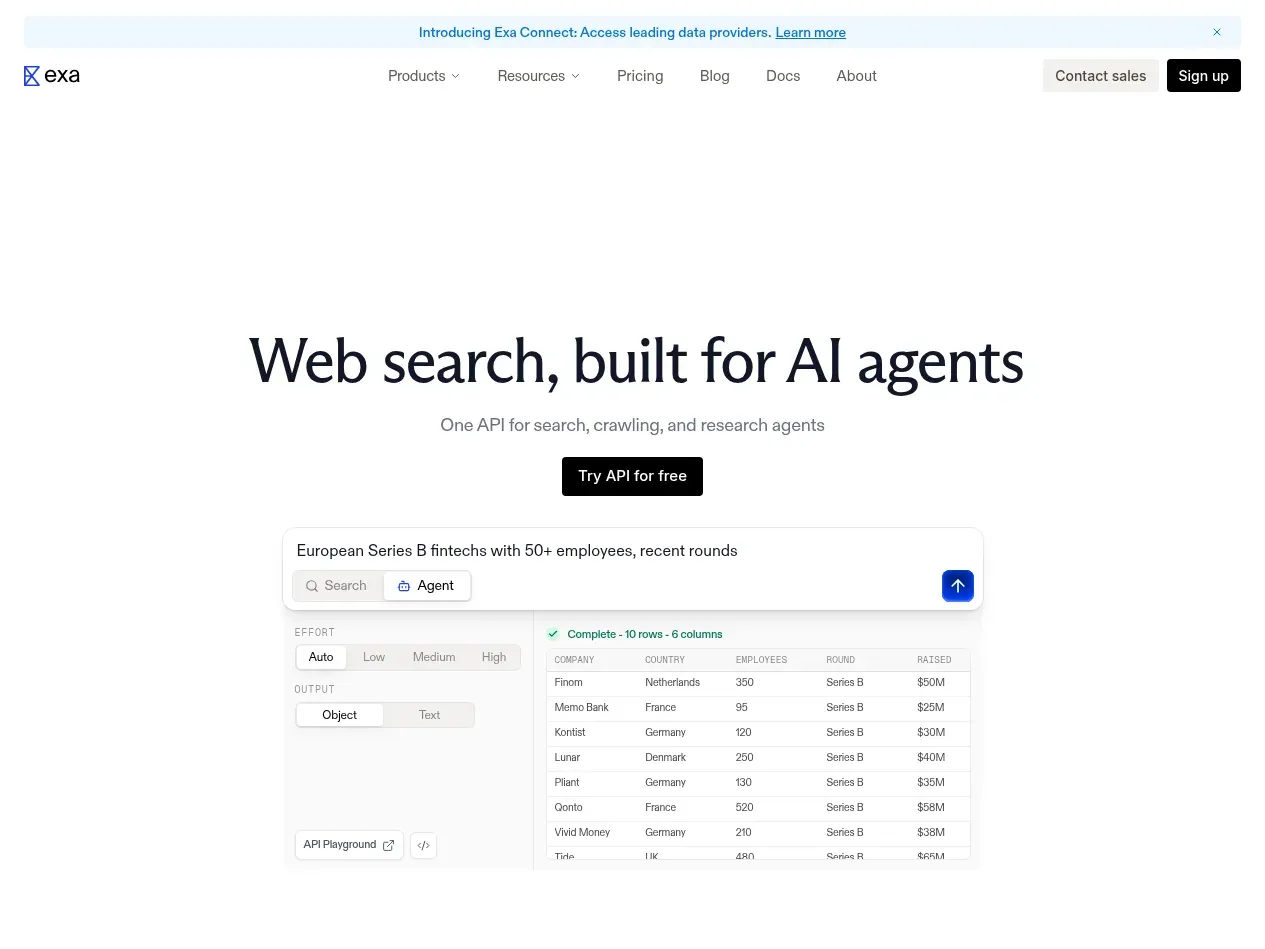
Exa search is a commercial API on top of its own neural index. You get an Exa search API key at dashboard.exa.ai, then post a query:
curl -s "https://api.exa.ai/search" \
  -H "x-api-key: $EXA_API_KEY" \
  -H "Content-Type: application/json" \
  -d '{"query": "best crm software for startups", "type": "neural", "numResults": 10}'
Results come back under results[], each with a url, title, publishedDate, and author. Add "type": "auto" to let Exa choose between neural and keyword retrieval per query, or "type": "keyword" to force a literal match. Pull page text in the same call with a contents block.
The pricing is straightforward, and worth knowing before you architect around it. Per Exa’s published pricing, the Search API costs $7 per 1,000 requests for up to 10 results, plus $1 per 1,000 requests for each result above 10, with 20,000 requests per month free. Pulling page contents is an extra $1 per 1,000 pages per content type. That free tier is generous for prototyping; the per-query cost above it is higher than most Google SERP APIs, which matters once you’re at volume.
One thing our run made concrete: Exa returned no generative answer on any of the 500 queries: it is pure retrieval, a ranked list of links rather than an answer engine. If you want a synthesized answer you bring your own model. What Exa gives you is the retrieval layer, and that layer is where it diverges from Google.
Exa search vs Google: how different are they, really?
Only a head-to-head run settles this. We compared the top 10 results from the Exa Search API against cloro’s live Google SERP for all 500 queries, on both URLs and domains.
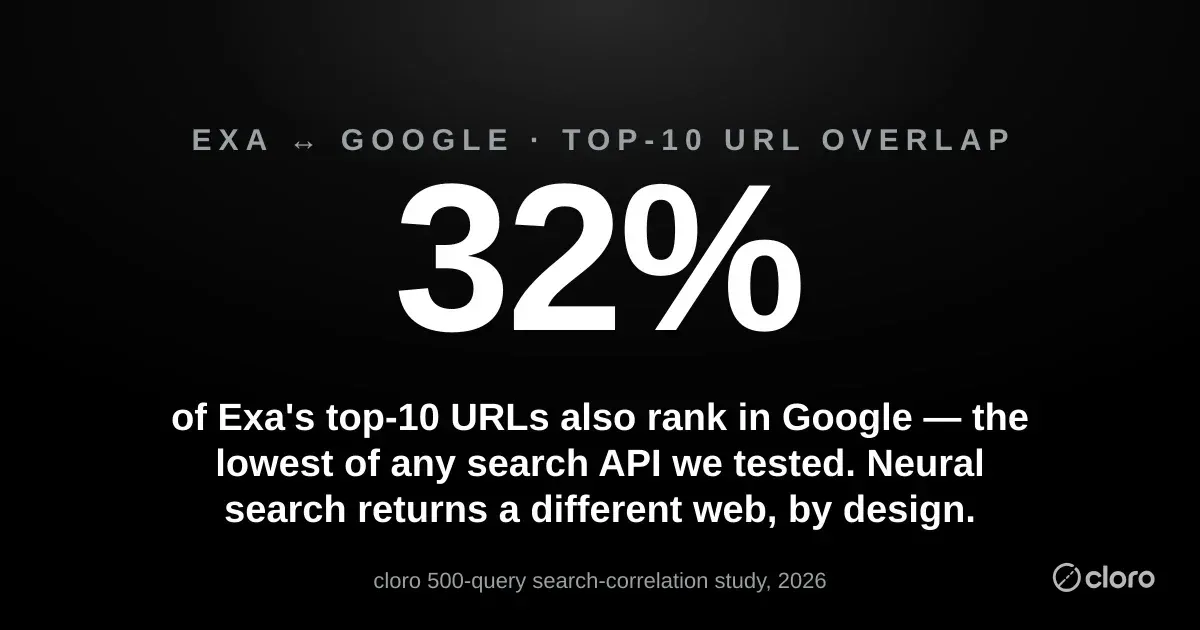
They search a different web. Exact top-10 URL overlap between Exa search and Google was 32.3%, the lowest of any search API we’ve run through this test (Brave came in around 47%, Tavily around 60%). On domains, only 43.5% of Google’s top-10 domains appeared anywhere in Exa’s top 10, and the average domain Jaccard was just 0.298. Where a keyword engine like Brave returns essentially Google’s web in a different order, Exa returns a meaningfully different set of pages.
And that divergence is discovery rather than noise. Across the 500 queries, Exa surfaced 2,396 distinct domains to Google’s 1,691, and 1,481 of Exa’s domains, about 62%, never appeared in Google’s top 10 at all. That’s the neural index doing its job: pulling in semantically related sources that Google’s ranking pushes down or leaves off entirely. For a research agent, that long tail is the value. For anyone trying to mirror Google, it’s the problem.
But it stays anchored at the very top. This is the nuance that keeps Exa honest. Its #1 result was a domain Google also ranks 67.8% of the time, and Google’s own top domain showed up somewhere in Exa’s top 10 on 64.0% of queries. Across the whole set, Exa and Google shared at least one domain on 95.4% of queries. So Exa isn’t off in a parallel internet. For most queries it agrees with Google on the single most authoritative source, then diverges as it goes deeper. The top-3 domain Jaccard (0.242) confirms it: agreement is real but thin, concentrated at the apex and thinning fast below it.
The divergence is widest exactly where discovery matters. Segmented by intent, Exa’s domain recall against Google was highest on transactional queries (51.7%; buying-decision pages converge) and lowest on informational ones (37.3%). In other words, the more a query looks like open-ended research (the queries where a novel source is most useful), the more Exa wanders from Google. That’s the feature and the risk in one line: Exa is most different precisely when you’d most want it to be, and least reproducible precisely where you might have hoped to trust it as a Google stand-in.
One more practical note: 48% of Exa’s results carried a machine-readable date, so if your pipeline wants to filter by recency at the API layer, Exa hands you something Google’s organic block doesn’t expose as cleanly.
The gap that no neural index can close: Google’s feature layer
There’s a second, harder difference, and it has nothing to do with which links you get. It is about everything Google wraps around them.
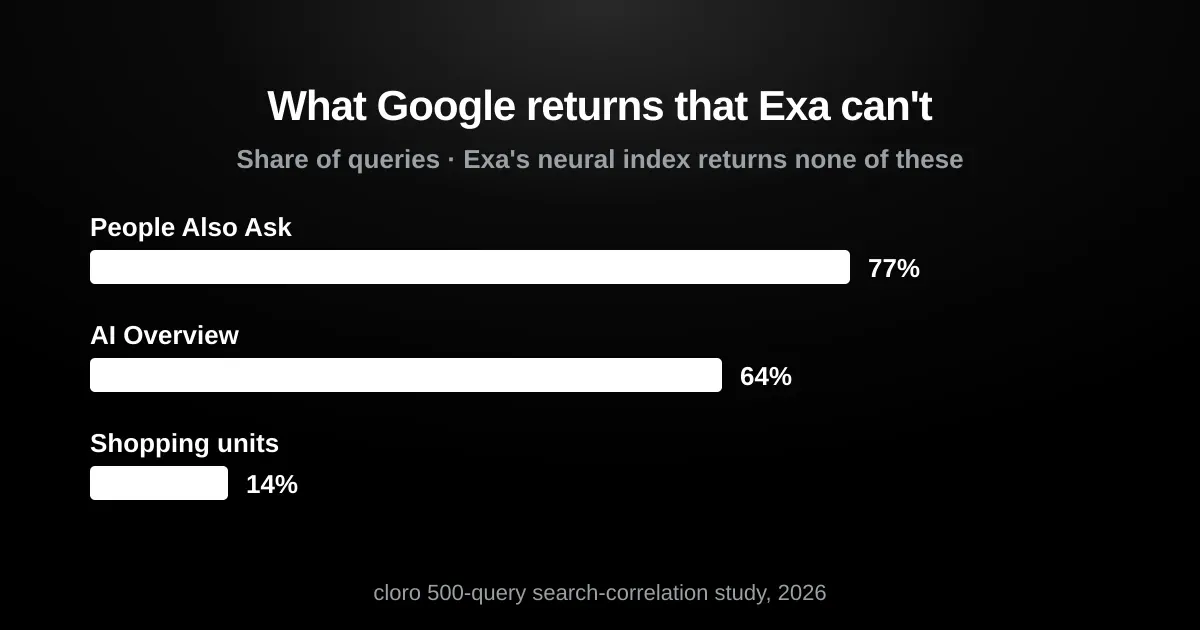
Because Exa queries its own neural index rather than scraping Google, it structurally can’t return the Google-specific features that increasingly are the results page. Run the same 500 queries on Google and you get a People Also Ask block on 77% of them, an AI Overview on 64%, and shopping units on 14%. Exa returns none of these. It gives you a ranked list of semantically relevant links, nothing more, by design.
This is the line that matters for choosing a tool. Exa can tell you which pages are about your query. It cannot tell you what Google shows for it: the AI Overview that now answers many queries before any link, the questions people also ask, the products in the shopping carousel, or the exact ranking order a user sees. If that layer is what your product depends on, a neural index is the wrong instrument, however smart its retrieval.
What this means for your stack
The Exa-vs-Google result splits cleanly by use case, more cleanly than for any keyword-based API, because the divergence is bigger.
Research, discovery, and RAG. This is Exa’s home turf. When you want your agent to find the non-obvious source (a technical write-up, a primary document, a small site Google ranks on page 5), neural retrieval is a genuine advantage rather than a compromise. The 62% of Exa domains that Google’s top 10 never surfaces are the whole point. If your workload rewards novelty and semantic breadth over reproducing the mainstream ranking, Exa earns its price.
SEO, rank tracking, brand monitoring, and anything user-facing. Here the same divergence is a bug. If you need to know where you rank on Google, what the AI Overview says about your brand, or what a customer actually sees when they search, then Exa can’t tell you, because it isn’t ranking or scraping Google. You need a real Google SERP API. cloro returns the live results page, with the AI Overview, People Also Ask, and shopping units, as structured JSON. cloro’s pricing starts at $30/mo (Lite), or $100/mo for 250,000 credits on Hobby; a Google Search request is 3 credits, which works out to roughly $0.93–$1.20 per 1,000 queries, cheaper per query than Exa, with the full feature layer attached.
| Backend | What you get | Price |
|---|---|---|
| Exa Search API | Neural index — a different, discovery-oriented web; no feature layer | $7 / 1,000 (up to 10 results) |
| cloro (Google SERP) | The real Google page + AI Overview, PAA, shopping, exact ranking | ~$0.93–$1.20 / 1,000 |
At volume, the two buy genuinely different things, and the per-query economics favor the SERP API:
| Monthly queries | Exa (neural search) | cloro (Google SERP) |
|---|---|---|
| 10,000 | free (within 20k tier) | within the $100 base plan |
| 100,000 | ~$560 | ~$93–$120 in credits |
| 1,000,000 | ~$6,860 | ~$930–$1,200 in credits |
The takeaway is not that one price wins. It is that Exa and a SERP API are answering different questions: “what’s semantically related to this query?” versus “what does Google actually rank and show?” Pay for the one whose output your product needs.
Using Exa and a SERP API together
If you already build on Exa and hit the “I actually need the Google page” wall, you don’t rip it out. You add the SERP layer alongside it. Both are a single HTTPS call:
Exa    →  POST https://api.exa.ai/search
          Header: x-api-key: <key>
          Body:   { "query": "<query>", "type": "neural", "numResults": 10 }
          Results: results[] → { url, title, publishedDate, author }

cloro  →  POST https://api.cloro.dev/v1/monitor/google
          Header: Authorization: Bearer <key>
          Body:   { "query": "<query>", "country": "US",
                    "include": { "aioverview": { "markdown": true } } }
          Results: result.organicResults[] → { link, title, snippet, position }
          Plus:    result.aioverview, result.peopleAlsoAsk, result.shoppingCards
The pattern that works: retrieve broadly with Exa to surface semantically related sources for your model, then verify against the live SERP with cloro when you need to know what Google actually ranks and shows. Exa’s results[].url gives you discovery; cloro’s result.organicResults[].link plus result.aioverview, result.peopleAlsoAsk, and result.shoppingCards give you the real page. They complement each other.
When to use which
- Exa search API: you want neural retrieval that finds semantically related pages Google buries: research, discovery, RAG, and agents that benefit from novelty. Exa search exists to return a different, meaning-ranked slice of the web, and across our 500 queries it delivered exactly that.
- A real Google SERP API (cloro): you need the page users actually see: rank tracking, SEO, or SERP scraping, brand monitoring, and AI-Overview or People Also Ask visibility. Exa can’t reproduce it, because it isn’t scraping Google.
The headline most “AI search” coverage misses is that Exa is a different kind of search entirely, rather than a cheaper Google. On 500 queries it agreed with Google’s top source about two times in three, then went its own way, surfacing a web that’s 62% invisible to Google’s top 10. That divergence is Exa’s product rather than its flaw. Just know which web your application actually needs: the one Exa discovers, or the one Google shows.
This is one leg of a four-part study; the same 500 queries went through every major search API. See how Brave, Tavily, and Perplexity compare to the real Google SERP.
Want the Google page itself, feature layer and all? See how cloro’s web search API returns it, or size up the wider field in our rundown of the best SERP APIs.

About the author
Ricardo Batista
Founder, cloro
Ricardo is one of the founders and engineers behind its SERP and AI-search scraping infrastructure. Before cloro he scaled a financial comparison site to $7M ARR and ran the full-country operations of a unicorn to $65M ARR, then went back to building. He writes about search engine scraping, generative-engine optimization, and turning live search and AI-answer data into something teams can act on.
Frequently asked questions
What is Exa search and how does it work?
Exa is a neural, embeddings-based search API built for AI applications. Instead of matching keywords, it converts each web document into a vector (an embedding) that captures its meaning, converts your query into an embedding too, and returns the documents whose vectors are closest. In Exa's own framing, where a language model predicts the next word, Exa's model predicts the next link: the pages most relevant to your query by meaning. That's why it surfaces semantically related sources a keyword engine like Google often buries.
Is Exa the same as Googling?
No, and it's the least Google-like search API we've measured. Across 500 identical queries, only 32.3% of Exa's top-10 URLs also appeared in Google's top 10, and just 43.5% of Google's top-10 domains showed up anywhere in Exa's results. Exa stays anchored to the same authoritative web at the very top (its #1 result was a domain Google also ranks 67.8% of the time), but below that it diverges hard, surfacing 2,396 distinct domains across the set versus Google's 1,691. Neural search returns a different slice of the web on purpose.
Can I use Exa for SEO or rank tracking?
No. Exa returns what's semantically similar to your query, not what Google actually ranks and shows, so it can't tell you your position on Google, and it renders none of Google's result-page features. In our 500-query test Google returned an AI Overview on 64% of queries, a People Also Ask block on 77%, and shopping units on 14%; Exa returns none of them. For SEO, rank tracking, or reproducing the Google page, you need a real Google SERP API like cloro. Use Exa for research and discovery; use a SERP API to measure the SERP.
How much does Exa cost, and is there a free tier?
Exa's Search API bills $7 per 1,000 requests for up to 10 results, plus $1 per 1,000 requests for each result above 10, and includes 20,000 free requests per month. Pulling page contents costs an extra $1 per 1,000 pages per content type. For comparison, cloro's Google SERP API works out to roughly $0.93–$1.20 per 1,000 queries and returns the full Google page with its feature layer, so a real SERP is actually cheaper per query than neural search, because you're buying different things.
Should I use Exa or a SERP API?
Use both, for different jobs. Exa is excellent when you want novelty: research, discovery, RAG pipelines, and agents that benefit from semantically related pages Google ranks lower or not at all. A Google SERP API like cloro is what you need when you care about the page users actually see: rank tracking, SEO, brand monitoring, and the AI Overview / People Also Ask / shopping layer. The pattern that works is to retrieve broadly with Exa, then verify against the live SERP with cloro.
Related reading
Brave Search API vs SERP API: Claude's Search Engine
Anthropic's Claude searches the web with the Brave Search API, not Google. So how close is Brave to Google? We ran 500 identical queries through both indexes. The answer is "closer than the headline number suggests," with one real exception.
Tavily vs Google Search: How Much SERP Do You See?
If your LangChain or LangGraph agent searches the web, it's probably searching with Tavily, not Google. So how close is Tavily to Google? We put the same 500 queries through both. It's the closest of any search API we've measured, but it reranks Google's sources into an order of its own.
Perplexity Search API vs Google: A Three-Way Study
There are three different "Perplexity webs": the Search API, the answer users see, and Google. Most people conflate them. We ran 500 identical queries through the Perplexity Search API and cloro's live Google SERP to measure exactly how far apart they sit.