
How to scrape Google AI Mode: citation pills + place cards

On this page
Google AI Mode is Google’s conversational generative search interface. It is built around citation pills, multi-source synthesis, and streamed response generation. Those mechanics go well beyond what a standard LLM endpoint returns.
Google calls AI Mode its most powerful AI search. It runs a query fan-out technique that splits a question into subtopics and issues many searches at once. That fan-out is why a single answer stitches together so many cited pages. It is also why learning how to scrape Google AI Mode is harder than parsing one static SERP.
AI Mode behaves differently from every other Google search surface. Its citation pattern makes the gap concrete. Per ALM Corp’s analysis of 1.3 million AI Mode citations, Google.com self-cites in 17.42% of all AI Mode answers — more than YouTube, Facebook, Reddit, Amazon, Indeed, and Zillow combined.
More striking: AI Mode and AI Overview cite the same URLs only 13.7% of the time, even on semantically similar queries. So when you scrape Google AI Mode, you capture a different slice of the web than an AI Overview scrape returns. The two are functionally different content systems sharing one SERP.
The audience scale is the other reason to take this surface seriously. AI Mode crossed 75 million daily active users by late 2025 per Google’s Q3 2025 earnings. Per Alphabet’s Q4 2025 disclosures, the broader Gemini app reached 750 million monthly users.
The trigger rates matter as much as the raw reach. Per Seer Interactive’s 2026 trigger data, comparison queries trigger AI Overview / AI Mode surfaces at 95.4% and question-format queries at 85.9%. AI Mode is now the default surface for any comparison-shaped buyer-research query.
AI Mode was never built for programmatic access. The interface relies on async network calls, citation metadata buried in HTML comments, and dynamic response loading. Off-the-shelf scrapers do not handle any of it. After analyzing thousands of AI Mode interactions, we worked out the full pipeline.
This guide walks through how to scrape Google AI Mode end to end. You will learn how to force the interface, capture the async payload, and pull out the structured data worth keeping. (If you want a dashboard rather than infrastructure, our roundup of LLM visibility tracking tools covers the brand-monitoring products that track AI Mode alongside the other AI surfaces.)
AI Mode vs adjacent Google AI surfaces
AI Mode is one of several Google AI search surfaces, each with different scraping mechanics and citation behavior:
| Surface | Trigger | Citation style | Scraping difficulty | Best content type |
|---|---|---|---|---|
| AI Mode | udm=50 param or AI Mode tab | Citation pills with HTML-comment metadata; 17.4% self-cited to google.com per ALM Corp | High — async streaming, dynamic selectors | Comparison queries (95.4% AIO trigger rate) |
| Google AI Overview | Organic query, varies by query class | Inline source list above SERP; 13.7% URL overlap with AI Mode | Medium — single SERP fetch | Informational queries |
| Gemini app | gemini.google.com | Grounded sources panel | High — separate auth domain | Open-ended Q&A |
| ChatGPT Search | chatgpt.com with web search enabled | Numbered citations in response | Highest — SSE streaming + Cloudflare | All query classes |
The takeaway: each row needs its own parser. AI Mode’s citation pills, async load, and dynamic selectors don’t transfer to an AI Overview or Gemini scraper, and its sources overlap AI Overview’s only 13.7% of the time, so a scraper built for one surface will quietly miss data on another.
Each surface has its own scraping playbook. This guide covers AI Mode specifically; see our guides on scraping AI Overview, Gemini, and ChatGPT for the others. For multi-surface coverage through one API, cloro’s SERP API returns parsed responses for all four through /v1/monitor/<surface>.
Why scrape Google AI Mode responses?
AI Mode produces content you can’t get through any other interface. The answer text is synthesized, not retrieved. The citations are chosen by the model, not by classic ranking. That mix is the signal marketers and researchers actually want.
A ranking check tells you where a page sits, while an AI Mode scrape tells you whether the model even mentions you. Those are different questions, and as generative search takes share the second one matters more each quarter.
AI Mode is also the second-most reliably grounded engine we have measured. Across roughly 2,500 prompts per engine, AI Mode grounded 98.2% of answers with 9.9 sources each, behind only ChatGPT on both counts. A 2026-08-19 re-measurement read 91.0% at 13.0 sources, which moved it to the top of the panel of engines we track on depth. So a citation list is the expected payload on essentially every query, and an empty one points at your parser rather than at the model.
What’s in a response:
- The generated answer text, with formatting preserved
- Citation pills carrying embedded metadata and source links
- HTML-comment-based source attribution
- Streamed loading with mid-response updates
- Text, markdown, and HTML representations
Traditional search APIs don’t surface any of this. If you want to study how Google’s generative layer cites the web, you need the rendered page.
Use cases:
- AI research. Study citation patterns and source attribution.
- Content analysis. Examine the structure of generated answers.
- SEO intelligence. Track how AI Mode picks sources.
- Compliance monitoring. Watch response quality over time.
Compare this with scraping Google Gemini to understand the differences in Google’s AI implementations.
AI Mode’s architecture: why a normal scraper returns an empty page
A few moving parts make AI Mode harder to scrape than a normal SERP. A classic SERP returns its content in the first HTML response. AI Mode does not.
The page shell loads first. The answer arrives later over a separate network call. Any scraper that reads only the initial HTML sees an empty container. That single fact shapes the whole pipeline below.
Request flow
- Initial request. User searches with the
udm=50parameter. - Response routing. Google’s AI Mode pipeline takes over.
- Async response loading. Content streams in from
/async/folwr. - Citation pill generation. HTML comments carry the source metadata.
Response structure
A single response packs several data types:
- AI response text with inline citations
- Citation pills (buttons) wired to embedded source links
- HTML comments holding the structured citation metadata
- Different DOM selectors depending on page layout
- Text, markdown, and HTML representations of the same answer
Technical challenges
- Async loading via
/async/folwr - Citation metadata buried in HTML comments
- Selector drift between web-results and normal layouts
- Cookie-based session persistence
- Behavioral anti-bot detection
The citation pill parsing challenge
The citation system is the part that trips up most scrapers. In AI Mode, a source link is not a plain anchor tag. Google renders each source as an interactive pill button. The real URL lives elsewhere, tucked inside an HTML comment.
A UUID ties the visible pill to its hidden metadata block. This split design is deliberate. It keeps source data out of the initial markup until the pill is used.
A naive scraper that grabs <a href> tags finds nothing useful. You have to read the comments and rejoin them to their pills by UUID. Here is what you are working with.
Citation pill architecture
HTML comment embedding:
<!--Sv6Kpe[["uuid-12345",["label","description"],["https://example.com","source2"]]]-->
<button data-icl-uuid="uuid-12345" data-amic="true">[1]</button>
Multi-source citations:
- A single pill can reference multiple URLs
- UUIDs link pills to their metadata blocks
- Source extraction happens by parsing HTML comments
- Internal Google URLs need filtering out
Metadata extraction
UUID-based mapping:
# Extract citation pills with UUID mapping
pill_locators = page.locator('button[data-icl-uuid][data-amic="true"]')

# Parse HTML comments for citation metadata
pattern = r'<!--Sv6Kpe\[\["{uuid}".*?]]-->'
comment_blocks = re.findall(pattern, page_html, re.DOTALL)
Source URL processing:
- Filter out internal Google URLs
- Clean encoding and fragments
- Handle multiple sources per citation
- Pull out descriptions and labels
Building the scraping infrastructure
Here’s the infrastructure you need for a reliable AI Mode scraper. The stack is small but deliberate.
A headless browser renders the page and streams the answer. A network interceptor captures the async call. Two parsing helpers turn the raw HTML into clean structured text.
We use Playwright to drive the browser. Playwright can monitor and modify browser network traffic, so it captures the async payload the moment it lands. For parsing, Beautiful Soup pulls data out of the HTML, and html2text converts that HTML into clean Markdown. Each tool does one job well.
Core components
import asyncio
from playwright.async_api import Page, Browser
from services.cookie_stash import cookie_stash
from services.page_interceptor import PlaywrightInterceptor
from services.captchas.solve import solve_captcha
from bs4 import BeautifulSoup
import html2text

AIMODE_URL = "https://www.google.com/search"
Request configuration
class AIModeRequest(TypedDict):
    prompt: str  # AI Mode query
    country: str  # Country code
    include: Dict[str, bool]  # Content options (markdown, html)
URL construction with AI Mode parameters
# AI Mode requires specific URL parameters
search_url = build_url_with_params(
    AIMODE_URL,
    {
        "udm": 50,  # Enable AI Mode
        "aep": 11,  # Additional AI Mode parameter
        "q": prompt,  # Search query
        "hl": google_params["hl"],  # Language
        "gl": google_params["gl"],  # Country
    },
)
Network interception setup
# AI Mode uses async response loading
page_interceptor = PlaywrightInterceptor(do_not_block_resources=True)
page_interceptor.add_capture_urls(["https://www.google.com/async/folwr"])

# Wait for async response (up to 60 seconds)
for _ in range(120):
    if len(page_interceptor.captured_responses):
        break
    await sleep(500)
else:
    raise Exception("Never received AI Mode response after 60 seconds")
Parsing AI Mode responses and citations
Citations here force a parsing approach that doesn’t match typical SERP scraping.
Text extraction
The answer text hangs off a stable anchor element. We target the element that carries data-session-thread-id, then read its parent. Playwright locators find that element at any moment, even after the stream mutates the DOM.
That resilience matters here. AI Mode rewrites its own container several times while the answer streams in.
async def extract_aimode_text(page: Page) -> str:
    """Extract text content from AI Mode response."""
    try:
        # Find element with data-session-thread-id
        thread_element = page.locator("[data-session-thread-id]")

        # Get parent div's text content
        parent_div = thread_element.locator("..")
        text = await parent_div.text_content() or ""
        return text.strip()
    except Exception as e:
        logger.warning(f"Could not extract text: {e}")
        return ""
Citation pill extraction
async def extract_aimode_citation_pills(page: Page) -> Dict[str, List[LinkData]]:
    """Extract citation pills with embedded metadata."""
    citation_pills: Dict[str, List[LinkData]] = {}

    # Find all citation buttons
    pill_locators = page.locator('button[data-icl-uuid][data-amic="true"]')
    pill_count = await pill_locators.count()

    # Get page HTML for comment parsing
    page_html = await page.content()
    page_html = html.unescape(page_html)

    for i in range(pill_count):
        pill_button = pill_locators.nth(i)

        if not await pill_button.is_visible():
            continue

        uuid = await pill_button.get_attribute("data-icl-uuid")
        if not uuid:
            continue

        # Extract citation metadata from HTML comments
        pattern = rf'<!--Sv6Kpe\[\["{re.escape(uuid)}".*?]]-->'
        comment_blocks = re.findall(pattern, page_html, re.DOTALL)

        current_pill: List[LinkData] = []
        for content in comment_blocks:
            # Extract description
            desc_match = re.search(
                rf'"{re.escape(uuid)}"\s*,\s*\[\s*"[^"]+"\s*,\s*"([^"]+)"',
                content,
            )
            description = desc_match.group(1) if desc_match else None

            # Extract all URLs, filter out Google internal
            all_urls = re.findall(r'"(https://[^"]+)"', content)
            url = None
            for potential_url in all_urls:
                if not any(skip in potential_url
                          for skip in ["google.com", "gstatic.com", "encrypted-tbn"]):
                    url = potential_url
                    break

            if url:
                # Clean up URL
                if "#:~:text" in url:
                    url = url.split("#:~:text")[0]
                url = url.replace("\\u003d", "=").replace("\\u0026", "&")

                current_pill.append(LinkData(
                    position=len(current_pill) + 1,
                    label=f"Source {len(current_pill) + 1}",
                    url=url,
                    description=description,
                ))

        if current_pill:
            citation_pills[uuid] = current_pill

    return citation_pills
Source link extraction
The sources panel uses different selectors on different layouts. A web-results page exposes them one way; the dialog layout another. We branch on page type, then wait for the selector to attach before reading.
Playwright runs actionability checks and auto-waits for the element, which avoids the flakiness of a fixed sleep. If the wait times out, we log and move on rather than crash the run.
async def extract_aimode_sources(
    page: Page, is_web_results_page: bool = False
) -> List[LinkData]:
    """Extract source links with different selectors for page types."""

    # Different selectors for different page layouts
    sources_selector = (
        '[data-container-id="rhs-col"] [role="dialog"] a'
        if not is_web_results_page
        else "a.ZbQNgf"
    )

    sources: List[LinkData] = []

    try:
        await page.wait_for_selector(sources_selector, timeout=10_000, state="attached")
        sources_locator = page.locator(sources_selector)
        source_elements = await sources_locator.all()

        for position, element in enumerate(source_elements, start=1):
            url = await element.get_attribute("href")
            label = await element.get_attribute("aria-label")

            if url and label:
                sources.append(LinkData(
                    position=position,
                    label=label,
                    url=url,
                    description=None,
                ))
    except Exception as e:
        logger.warning(f"Could not extract sources: {e}")

    return sources
Extracting structured data from responses
AI Mode supports several output formats, each useful for different downstream work. Raw text is best for quick keyword checks. Markdown suits storage and diffing. Full HTML is the fallback when you need the exact rendered page.
Pick the format at request time. There is no reason to generate all three on every call. Most monitoring jobs only need text plus the parsed sources.
HTML to markdown conversion
Markdown is the format most downstream tools want. The catch is the citation pills. If you convert the raw HTML directly, every pill becomes a dead button.
So we rewrite each pill into a real anchor first, using the UUID map built earlier. Only then do we hand the cleaned HTML to the converter. The result keeps the answer text and its source links intact.
def convert_aimode_html_to_markdown(
    html_content: str, citation_pills: Dict[str, List[LinkData]]
) -> str:
    """Convert AI Mode HTML to markdown with proper citation links."""
    if not html_content:
        return ""

    soup = BeautifulSoup(html_content, "html.parser")

    # Find citation buttons
    buttons = soup.find_all("button", attrs={"data-icl-uuid": True, "data-amic": "true"})

    for button in buttons:
        if not isinstance(button, Tag):
            continue

        uuid = button.get("data-icl-uuid")
        if not isinstance(uuid, str):
            continue

        pill_links = citation_pills.get(uuid, [])

        # Replace citation buttons with actual links
        new_anchors: List = []
        for _, link_data in enumerate(pill_links):
            source_text = link_data.get("label")
            url = link_data.get("url")

            new_anchor = soup.new_tag("a", href=url)
            new_anchor.string = source_text
            new_anchors.append(new_anchor)

        # Insert links and remove button
        for anchor in reversed(new_anchors):
            button.insert_after(anchor)
        button.decompose()

    # Convert to markdown
    h = html2text.HTML2Text()
    h.ignore_links = False
    h.ignore_images = False
    h.body_width = 0
    h.unicode_snob = True

    markdown = h.handle(str(soup))
    return markdown.strip()
Response processing pipeline
async def parse_aimode_response(
    page: Page, request_data: ScrapeRequest
) -> ScrapeAiModeResult:
    """Complete response processing pipeline."""
    include_markdown = request_data.get("include", {}).get("markdown", False)
    include_html = request_data.get("include", {}).get("html", False)

    # Detect page type
    is_web_results_page = bool(await page.locator(".RbCUdc").count())

    # Extract core content
    text = await extract_aimode_text(page)
    sources = await extract_aimode_sources(page, is_web_results_page=is_web_results_page)

    if not len(sources):
        raise Exception("no sources")

    # Extract citation metadata
    citations = await extract_aimode_citation_pills(page)

    result: ScrapeAiModeResult = {
        "text": text,
        "sources": sources,
    }

    # Optional markdown conversion
    if include_markdown:
        ai_mode_html = await extract_aimode_html(page)
        markdown = convert_aimode_html_to_markdown(ai_mode_html, citations)
        result["markdown"] = markdown

    # Optional HTML upload
    if include_html:
        result["html"] = await upload_html(
            request_data["requestId"], await page.content()
        )

    return result
Async responses: why you can’t parse on page load
The async loading model needs explicit handling. Because the page renders before the answer arrives, the scraper cannot parse anything on page load: it has to wait for the /async/folwr call to complete first.
We poll for the captured response in short intervals. Each loop checks whether the interceptor has stored a payload yet. The wait caps out at 60 seconds, then fails loudly.
A hard timeout is better than a silent partial parse. The example below polls every 500 milliseconds until the response lands.
Async response capture
# Set up network interception for async responses
page_interceptor = PlaywrightInterceptor(do_not_block_resources=True)
page_interceptor.add_capture_urls(["https://www.google.com/async/folwr"])

# Configure page interceptor
await page_interceptor.setup_page_interceptor(page)
Response timeout handling
# Wait for async response with timeout
async_response_received = False

for attempt in range(120):  # 60 seconds max wait
    if len(page_interceptor.captured_responses):
        async_response_received = True
        break

    await sleep(500)  # 500ms intervals
else:
    raise Exception("Never received AI Mode response after 60 seconds")

if async_response_received:
    logger.info("Async AI Mode response captured successfully")
Error detection and recovery
At scale, Google will challenge you. A non-success status usually means a CAPTCHA, not a dead page. So the scraper checks the response status first.
If the status is bad, it hands the page to a solver before giving up. Only an unsolved challenge raises an error. This keeps a single blocked request from tanking a whole batch.
# HTTP error handling with CAPTCHA detection
response = await page.goto(search_url, timeout=20_000)

if response is None:
    raise Exception("Navigation failed - no response received")

if not is_http_success(response.status):
    # Handle potential CAPTCHA
    solved_captcha = await solve_captcha(page, page_interceptor)
    metadata["solved_captcha"] = solved_captcha

    if not solved_captcha:
        raise Exception(f"HTTP error: {response.status} (probably captcha)")
How do you scrape Google AI Mode results?
Two routes. Self-hosted: drive a real browser, intercept AI Mode’s async responses, and parse the streamed answer plus citations, as the sections above walk through. Managed: one cloro call returns the answer as structured JSON, citations included, at 4 credits, success-billed, with interface changes as cloro’s problem.
Is it legal to scrape Google AI Mode?
No court has ruled that scraping public Google results is unlawful, and it is technically possible: every SERP API returns data from pages Google serves to signed-out users. The open question is circumvention, not scraping. Google sued SerpApi on December 19, 2025 (Google’s announcement), alleging it bypassed Google’s SearchGuard anti-bot protections, under DMCA Section 1201 (Search Engine Land). SerpApi moved to dismiss in February 2026, and the case was unresolved as of August 2026. Our web scraping legality guide covers the case law.
How do you bypass AI Mode on Google?
AI Mode only runs when it is requested: the AI Mode tab, or udm=50 in the URL. A normal search does not return it, and udm=14 returns the “Web” view with organic links and no AI Overview either. For a scraper, “bypass” is a choice of request, not a workaround. Our Google search parameters guide lists both.
Using cloro’s managed Google AI Mode scraper
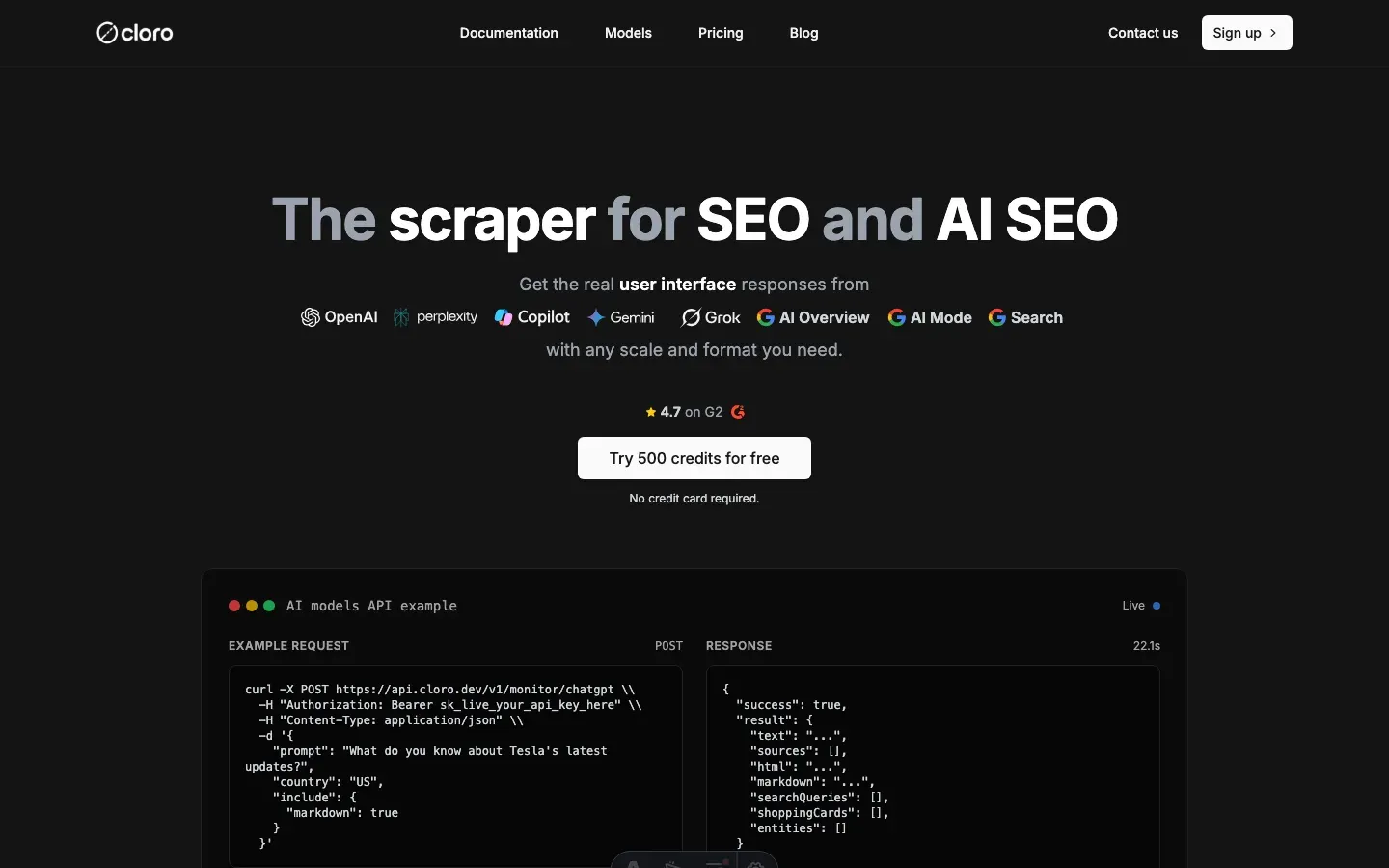
Building and maintaining a reliable AI Mode scraper takes real engineering investment.
Infrastructure requirements
AI Mode-specific work:
- Async response interception and parsing
- HTML comment metadata extraction
- Citation pill UUID mapping
- Multi-format output generation
- Session management
Anti-bot evasion:
- Browser fingerprint rotation
- CAPTCHA solving
- Proxy pool management
- Rate limiting and backoff
- Behavioral simulation
Performance:
- Async response handling
- Efficient HTML parsing
- Multi-format conversion pipelines
- Error handling and recovery
- Geographic distribution
Managed solution API
The managed path collapses all of that work into one request. You send a prompt and a country. We return parsed text, sources, and citation pills. There is no browser to run and no async loop to babysit.
The example below hits the AI Mode endpoint directly. It asks for markdown in the response. The whole call is a single POST.
import requests

# Simple API call - no browser management needed
response = requests.post(
    "https://api.cloro.dev/v1/monitor/aimode",
    headers={
        "Authorization": "Bearer sk_live_your_api_key",
        "Content-Type": "application/json"
    },
    json={
        "prompt": "What do you know about Tesla's latest updates?",
        "country": "US",
        "include": {
            "markdown": True
        }
    }
)

result = response.json()
print(f"AI Response: {result['result']['text'][:100]}...")
print(f"Sources: {len(result['result']['sources'])} citations found")
print(f"Markdown: {'Yes' if result['result'].get('markdown') else 'No'}")
Response structure
{
  "success": true,
  "result": {
    "text": "Tesla's recent updates include significant improvements to their Full Self-Driving capability...",
    "sources": [
      {
        "position": 1,
        "label": "Tesla FSD Updates",
        "url": "https://tesla.com/updates/fsd",
        "description": "Latest Full Self-Driving improvements and capabilities"
      }
    ],
    "html": "https://storage.googleapis.com/ai-mode-response.html",
    "markdown": "**Tesla's recent updates** include significant improvements...",
    "searchQueries": ["Tesla updates 2024", "Full Self Driving improvements"]
  }
}
Key benefits
- P50 latency under 8s, versus minutes for a manual run
- No infrastructure to run. We handle browsers, proxies, and async interception.
- Structured data with citation pill parsing and metadata extraction
- Multi-format output: text, markdown, and HTML with citation links intact
- Rate limiting and ethical scraping practices baked in
- Scales to thousands of requests without tripping AI Mode
For most teams, cloro’s AI Mode scraper is the shorter path. You get reliable infrastructure, automatic citation pill parsing, async response handling, CAPTCHA solving, structured JSON, and multi-format output.
At 500,000 to 1 million requests a month, building and running this yourself costs roughly $4,800 to $14,100. Infrastructure is the smaller part: 332 GB of residential proxy bandwidth is $999 on Bright Data, and a c6i.4xlarge browser instance is $0.68 an hour, about $496 a month each. The bigger part is people. At the US median software developer salary of $131,450, loaded, a fifth to a half of one engineer on async response work and layout fixes costs $2,800 to $7,100 a month. That engineer fraction moves the total more than every other line combined.
If you need a custom solution, the approach above is a working foundation. Expect ongoing maintenance: Google updates AI Mode response formats and citation systems frequently.
Selector drift is the real cost, because AI Mode’s DOM changes without notice and a scraper that worked last month can quietly return empty today. Watch your success rate closely: a sudden drop usually means a layout change. Budget for that upkeep, or let a managed API absorb it.
Ready to pull AI Mode data into your stack? Get started with cloro’s API.

About the author
Ricardo Batista
Founder, cloro
Ricardo is one of the founders and engineers behind its SERP and AI-search scraping infrastructure. Before cloro he scaled a financial comparison site to $7M ARR and ran the full-country operations of a unicorn to $65M ARR, then went back to building. He writes about search engine scraping, generative-engine optimization, and turning live search and AI-answer data into something teams can act on.
Frequently asked questions
Is it legal to scrape Google AI Mode?
No court has ruled that scraping public Google results is unlawful. The open question is circumvention: Google sued SerpApi on December 19, 2025 under DMCA Section 1201, alleging it bypassed Google's anti-bot protections, and the case was unresolved as of August 2026.
How do you bypass AI Mode on Google?
AI Mode only runs when requested, through the AI Mode tab or `udm=50`. A normal search does not return it, and `udm=14` returns the Web view with organic links only.
What is Google AI Mode?
It's a specific search interface optimized for generative answers, often triggered by specific URL parameters like `udm=50`.
How do I extract citation pills?
Citation pills in AI Mode often contain metadata in HTML comments. You need a regex parser to extract the source URLs from these comments.
Is AI Mode scraping faster than normal search?
Usually slower, because the content streams in asynchronously. You have to wait for the 'end of stream' signal before parsing.
What is the significance of `udm=50`?
The `udm=50` parameter explicitly tells Google to force the generative AI interface, providing a consistent way to access and scrape AI Mode responses for research and monitoring.
How does Google AI Mode embed citation metadata?
Google AI Mode uniquely embeds citation metadata within HTML comments, linking them to interactive citation pills via UUIDs. This requires specialized parsing to extract the actual source URLs and details.
Related reading
Best LLM & AI Visibility Tools 2026: 12 Tested
We tested 12 LLM visibility tools (also sold as AI visibility trackers and checkers) on real brand-monitoring workflows across ChatGPT, Perplexity, and Gemini. What works, what doesn't.
How to Scrape Gemini: API, URL Context, and Web UI
Learn how to scrape Gemini with the API, URL context, or web UI automation. Compare structured outputs, citations, and anti-bot trade-offs clearly.
How to Scrape ChatGPT: SSE Streams and Citations
Learn how to scrape ChatGPT: capture SSE streams, expand citations, handle Cloudflare, and decide when a managed API is safer than DIY scraping.