
How to Scrape ChatGPT: SSE Streams and Citations

On this page
To scrape ChatGPT is not the same as calling the OpenAI API. The web interface delivers its answer as a Server-Sent Events (SSE) stream. That stream is a UTF-8 text protocol, and each update arrives on a line prefixed with data: (MDN).
Two more obstacles stand in the way: the interface hides citations behind lazy-loaded UI, and the whole page sits behind Cloudflare protections.
That matters for SEO and AI visibility work because the official API never shows the same user-facing answer. If you need citations, shopping cards, brand entities, or source panels, you have to scrape ChatGPT’s web surface instead.
What follows is the end-to-end version: how the SSE stream works, where the citations hide, and when a managed ChatGPT scraper or visibility tracker is safer than DIY automation.
Why scrape ChatGPT responses?
The chat.completions API and the chatgpt.com web interface use different stacks: the API answers from a base model, while the web interface does far more work before anything reaches the screen.
It runs the prompt through a query-fanout step, dispatches a web search against OpenAI’s search index, and hydrates citations from those results. For shopping prompts it also injects a product card with merchant offers.
ChatGPT is also the engine where scraping returns the most, which is worth knowing before you build. We measured grounding across six AI engines on roughly 2,500 prompts each, and ChatGPT grounded 98.4% of its answers in live sources at 14.1 sources each, the deepest citation set of the six. A re-measurement on 2026-08-19 put it at 78.9% and 12.7 sources, and another on 2026-10-07 put it back at 97.6%, so treat the level as dated and the habit as the point. Practically, that means an empty citation list from a ChatGPT scrape is almost always a parse failure rather than a genuine ungrounded answer, which is a useful invariant to assert in your tests.
That post-processing is exactly where the data lives. SEO and e-commerce teams need it, yet the API never sees it. So the only way to capture it is to scrape ChatGPT’s rendered answer.
Streaming the official endpoint does not help here either. When you stream chat.completions, OpenAI returns data-only server-sent events. Each token rides in a delta field rather than a full message (OpenAI Cookbook).
What only exists in the web stream
When you scrape ChatGPT, four data types show up that the plain API never returns. Citations and source URLs are surfaced via button.group/footnote and lazy-hydrated into a flyout modal ([data-testid="screen-threadFlyOut"]). Shopping cards are embedded as shopping_card events carrying merchant offers, prices, and ratings, and brand entity tags are emitted as entities events with a type, a name, and a confidence score. Search query metadata, meaning the actual sub-queries ChatGPT issued before answering, sits in the event metadata.
When you scrape ChatGPT’s web stream, it also runs roughly 12× cheaper per response than the equivalent paid API call once you account for input and output tokens.
Use cases that only the SSE stream supports
These are the jobs teams actually scrape ChatGPT to do.
- Citation auditing. Did ChatGPT cite our docs vs. a competitor’s? Only the modal sources answer this.
- Shopping-card monitoring. Which merchants are appearing in the product card for “best running shoes”? Only the
shopping_cardevent has the offers list. - Entity tracking. Is your brand showing up in the entity sidebar with what confidence score? Only the
entitiesevents expose this. - Query-fanout study. What sub-queries did ChatGPT issue? Only present in the metadata, not in the API response.
Understanding ChatGPT’s architecture: where each data type comes from
A few things make ChatGPT harder to scrape than a typical site. Knowing the pipeline tells you exactly where each piece of data appears. That, in turn, tells you what a scrape-ChatGPT workflow has to intercept.
The response generation pipeline
Map the five-step response pipeline before you write any code.
- Query processing. Your prompt is analyzed and broken down into sub-queries using query fanout.
- Search integration. For web-enabled chats, ChatGPT performs real-time web searches.
- Streaming generation. Responses stream as Server-Sent Events, the standardized
text/event-streamwire format that the WHATWG HTML spec defines as being parsed line by line (WHATWG HTML). - Dynamic rendering. Content is rendered client-side using React and web components.
- Source attribution. Citations and sources are dynamically linked and rendered.
Why ChatGPT resists scrapers
Four properties make it hard to scrape ChatGPT reliably. Each one breaks a naive HTTP-only scraper.
JavaScript-heavy interface:
// ChatGPT uses React components that require full browser rendering
const responseContainer = document.querySelector(
  '[data-message-author-role="assistant"]',
);
// Content isn't available in initial HTML
Streaming response format:
data: {"id": "chatcmpl-abc123", "object": "chat.completion.chunk"}
data: {"choices": [{"delta": {"content": "Hello"}}]}
data: [DONE]
Anti-bot detection:
- Canvas fingerprinting
- Behavioral analysis
- Request pattern monitoring
- CAPTCHA challenges
Dynamic content loading:
- Lazy-loaded source citations
- Modal-based source browsing
- Real-time content updates
The event stream parsing challenge: reconstructing one response from many chunks
Most of the work to scrape ChatGPT is parsing Server-Sent Events (SSE). A browser EventSource concatenates consecutive data: lines into one message, inserting a newline between each. That is exactly the reassembly a scraper has to replicate by hand (MDN).
The awkward parts are all visible in the raw stream.
Event stream structure:
# Raw ChatGPT event stream example
data: {"id": "chatcmpl-123", "object": "chat.completion.chunk", "created": 1677652288}
data: {"choices": [{"index": 0, "delta": {"content": "I"}}]}
data: {"choices": [{"index": 0, "delta": {"content": " recommend"}}]}
data: {"choices": [{"index": 0, "delta": {"content": " using"}}]}
data: {"choices": [{"index": 0, "delta": {"content": " Python"}}]}
data: [DONE]
Parsing challenges:
- Mixed data types. Events contain both JSON and special markers.
- Partial responses. Content arrives in chunks that need reconstruction.
- Metadata extraction. Model info, citations, and search queries are embedded.
- Error handling. Network issues can split events mid-stream.
Reassembling the stream in Python
Here is the core parser. It is the first function you write when you scrape ChatGPT from raw SSE text. It splits on data: lines, drops the [DONE] sentinel, and keeps only valid JSON objects.
import json
from typing import List, Dict, Any

def extract_raw_response(input_string: str) -> List[Dict[str, Any]]:
    """Parse ChatGPT's Server-Sent Events stream."""
    json_objects = []

    # Split by lines that start with "data: "
    lines = input_string.split("\n")

    for line in lines:
        # Skip empty lines and non-data lines
        if not line.strip() or not line.startswith("data: "):
            continue

        # Remove "data: " prefix
        json_str = line[6:].strip()

        # Skip special markers like [DONE]
        if json_str == "[DONE]":
            continue

        # Try to parse as JSON
        try:
            json_obj = json.loads(json_str)

            # Only include if it's a dictionary (object), not string or other types
            if isinstance(json_obj, dict):
                json_objects.append(json_obj)
        except json.JSONDecodeError:
            # Skip invalid JSON
            continue

    return json_objects
Reconstructing the full response:
def reconstruct_content(events: List[Dict[str, Any]]) -> str:
    """Rebuild complete response from streaming chunks."""
    content_parts = []

    for event in events:
        # Extract content from delta messages
        if 'choices' in event and len(event['choices']) > 0:
            delta = event['choices'][0].get('delta', {})
            if 'content' in delta:
                content_parts.append(delta['content'])

    return ''.join(content_parts)
Building the scraping infrastructure: clearing the two walls
The stack you need to scrape ChatGPT has two jobs: defeating Cloudflare-level fingerprinting, and parsing a streaming response inside a 60-second window.
Fingerprinting is the first wall. A WebDriver-controlled browser exposes navigator.webdriver as true, a flag detection scripts read on the very first navigation (MDN). Cloudflare’s Turnstile then challenges anything that looks automated, verifying a visitor is human without a classic CAPTCHA (Cloudflare).
Parsing is the second wall. The payload is an SSE text/event-stream response, not a single JSON document, so the standard requires reading it line by line (WHATWG HTML). On top of that, OpenAI layers a [DONE] sentinel to mark the end. Those two facts dictate the whole stack.
The five components you need
Each part below maps to a specific failure you hit when you try to scrape ChatGPT with off-the-shelf tools.
- Stealth-patched Playwright Chromium — vanilla Playwright is detected on first navigation. Apply
playwright-stealthor equivalent canvas/WebGL/audioContext patches. - Residential proxy with sticky session — datacenter IPs get a CAPTCHA on first prompt. Cloudflare sets the
cf_clearancecookie only after a visitor solves a challenge. It then skips further challenges while that cookie stays valid (Cloudflare). So a sticky session that preserves the cookie across the round-trip is what keeps you unblocked. - Network response interceptor scoped to
backend-api/f/conversation— ChatGPT issues other API calls during the page lifecycle. Only this URL carries the SSE stream. Playwright surfaces every response through apage.on("response")handler. That lets you read the body of the one request you care about without touching the DOM (Playwright). [DONE]-aware completion detector — DOM-based “is the response complete” checks fire false positives during streaming. The[DONE]sentinel in the SSE body is the only reliable signal.- Lazy-citation expander — citations don’t ship in the SSE stream itself; you have to click
button.group/footnoteand parse the resulting flyout modal after the response completes.
Complete scraper implementation
The class below wires those five parts together into one working scrape-ChatGPT routine. It launches a browser, captures the conversation stream, and hands the raw text to the parser.
import asyncio
from playwright.async_api import async_playwright, Page
import json
from typing import Dict, Any, List

class ChatGPTScraper:
    def __init__(self):
        self.captured_responses = []

    async def setup_page_interceptor(self, page: Page):
        """Set up network request interception."""

        async def handle_response(response):
            # Capture conversation API responses
            if 'backend-api/f/conversation' in response.url:
                response_body = await response.text()
                self.captured_responses.append(response_body)

        page.on('response', handle_response)

    async def scrape_chatgpt(self, prompt: str) -> Dict[str, Any]:
        """Main scraping function."""

        async with async_playwright() as p:
            browser = await p.chromium.launch(headless=False)
            context = await browser.new_context()
            page = await context.new_page()

            # Set up response interception
            await self.setup_page_interceptor(page)

            try:
                # Navigate to ChatGPT
                await page.goto('https://chatgpt.com/?temporary-chat=true')

                # Wait for textarea and enter prompt
                await page.wait_for_selector('#prompt-textarea')
                await page.fill('#prompt-textarea', '/search')  # Enable web search
                await page.press('#prompt-textarea', 'Enter')
                await asyncio.sleep(0.5)

                await page.fill('#prompt-textarea', prompt)
                await page.press('#prompt-textarea', 'Enter')

                # Wait for response completion
                await self.wait_for_response(page)

                # Parse the captured response
                if self.captured_responses:
                    raw_response = self.captured_responses[0]
                    return self.parse_chatgpt_response(raw_response)
                else:
                    raise Exception("No response captured")

            finally:
                await browser.close()

    async def wait_for_response(self, page: Page, timeout: int = 60):
        """Wait for ChatGPT response completion."""

        for i in range(timeout * 2):  # Check every 500ms
            # Check if we have captured responses
            if self.captured_responses:
                # Verify response is complete
                response = self.captured_responses[0]
                if '[DONE]' in response:
                    return

            # Check for content in DOM
            content_div = page.locator('[data-message-author-role="assistant"]').first
            if await content_div.count() > 0:
                content_text = await content_div.text_content()
                if content_text and len(content_text.strip()) > 50:
                    # Check if response seems complete
                    await asyncio.sleep(2)  # Allow for final updates
                    continue

            await asyncio.sleep(0.5)

        raise Exception("Response timeout")

    def parse_chatgpt_response(self, raw_response: str) -> Dict[str, Any]:
        """Parse the raw ChatGPT response into structured data."""

        # Extract streaming events
        events = extract_raw_response(raw_response)

        # Reconstruct content
        content = reconstruct_content(events)

        # Extract metadata
        model = self.extract_model_info(events)
        search_queries = self.extract_search_queries(events)

        return {
            'content': content,
            'model': model,
            'search_queries': search_queries,
            'raw_events': events
        }

    def extract_model_info(self, events: List[Dict]) -> str:
        """Extract model information from events."""
        for event in events:
            if 'model' in event:
                return event['model']
        return 'unknown'

    def extract_search_queries(self, events: List[Dict]) -> List[str]:
        """Extract search queries from the response."""
        queries = []

        # This requires analyzing the metadata in the events
        # Implementation varies based on ChatGPT's current format
        for event in events:
            if 'metadata' in event:
                metadata = event.get('metadata', {})
                if 'search_queries' in metadata:
                    queries.extend(metadata['search_queries'])

        return queries
Parsing the streaming response data: where the value actually is
Capturing the stream is only half the job. The value comes from what you pull out of it. This is where a scrape-ChatGPT pipeline earns its keep, because citations, shopping cards, and entities each live in a different place.
Extracting citations and sources
Citations don’t ship inside the SSE stream. They sit behind a UI interaction, so the scraper has to click the sources button and read the flyout modal it opens, after the response finishes.
async def extract_sources(page: Page) -> List[Dict[str, Any]]:
    """Extract source citations from ChatGPT response."""

    try:
        # Click sources button if available
        sources_button = page.locator("button.group\\/footnote")
        if await sources_button.count() > 0:
            await sources_button.first.click()

            # Wait for modal
            modal = page.locator('[data-testid="screen-threadFlyOut"]')
            await modal.wait_for(state="visible", timeout=2000)

            # Extract links from modal
            links = modal.locator("a")
            link_count = await links.count()

            sources = []
            for i in range(link_count):
                link = links.nth(i)
                url = await link.get_attribute('href')
                text = await link.text_content()

                if url:
                    sources.append({
                        'url': url,
                        'title': text.strip() if text else '',
                        'position': i + 1
                    })

            return sources

    except Exception as e:
        print(f"Source extraction failed: {e}")
        return []
Shopping card extraction
Shopping cards are the reason many teams scrape ChatGPT in the first place. The offers, prices, and merchant list all sit inside a shopping_card event.
def extract_shopping_cards(events: List[Dict]) -> List[Dict[str, Any]]:
    """Extract product/shopping information from response."""

    shopping_cards = []

    for event in events:
        if 'shopping_card' in event:
            card_data = event['shopping_card']

            # Parse product information
            products = []
            for product in card_data.get('products', []):
                product_info = {
                    'title': product.get('title'),
                    'url': product.get('url'),
                    'price': product.get('price'),
                    'rating': product.get('rating'),
                    'num_reviews': product.get('num_reviews'),
                    'image_urls': product.get('image_urls', []),
                    'offers': []
                }

                # Parse merchant offers
                for offer in product.get('offers', []):
                    product_info['offers'].append({
                        'merchant_name': offer.get('merchant_name'),
                        'price': offer.get('price'),
                        'url': offer.get('url'),
                        'available': offer.get('available', True)
                    })

                products.append(product_info)

            shopping_cards.append({
                'tags': card_data.get('tags', []),
                'products': products
            })

    return shopping_cards
Entity extraction
The last field worth pulling when you scrape ChatGPT is the brand-entity tag. It tells you which brands ChatGPT associated with the answer, and with what confidence.
def extract_entities(events: List[Dict]) -> List[Dict[str, Any]]:
    """Extract named entities from ChatGPT response."""

    entities = []

    for event in events:
        if 'entities' in event:
            for entity in event['entities']:
                entities.append({
                    'type': entity.get('type'),
                    'name': entity.get('name'),
                    'confidence': entity.get('confidence'),
                    'context': entity.get('context')
                })

    return entities
Which API returns LLM answers as markdown with inline citations?
cloro returns each ChatGPT answer as rendered markdown alongside a parsed source list with positions preserved, so a pipeline consumes prose and citation structure from one response. Check the citation half of any alternative: many scrapers return answer text and silently drop the source pills.
Is there an API to get the ChatGPT responses shown to real users?
The developer API (platform.openai.com) returns model completions, not the consumer product: no web search, source pills, shopping cards, or ads. cloro scrapes the consumer surface, so the response is what a real user sees, which is the population that matters for brand monitoring and answer research.
How do you build a dataset of ChatGPT answers for research?
Fix a prompt set, run it on a schedule against the consumer surface, and store the full response per run: answer markdown, sources with positions, and the queries the engine issued. Answers are stochastic, so day-over-day runs make a dataset where a single sweep is a snapshot. At 5 credits per answer, a 1,000-prompt daily panel is about 150,000 credits a month, inside Hobby ($100/month for 250,000).
Is it legal to scrape ChatGPT?
The law and the contract give different answers. Under US law, collecting publicly served pages is not hacking: the Supreme Court held in Van Buren v. United States (2021) that a person “exceeds authorized access” only by entering areas of a computer that are off-limits to them. OpenAI’s terms are stricter. In a 2023 thread on OpenAI’s developer forum, users quoted the Terms of Use as barring data extraction by web scraping other than through the API, and automated saving of ChatGPT output. That is a breach-of-contract risk, and it binds hardest on an account that accepted the terms. Read the current terms yourself, and see our web scraping legal guide for the case law and the EU AI Act rules on AI data scraping. None of this is legal advice.
Using cloro’s managed ChatGPT scraper
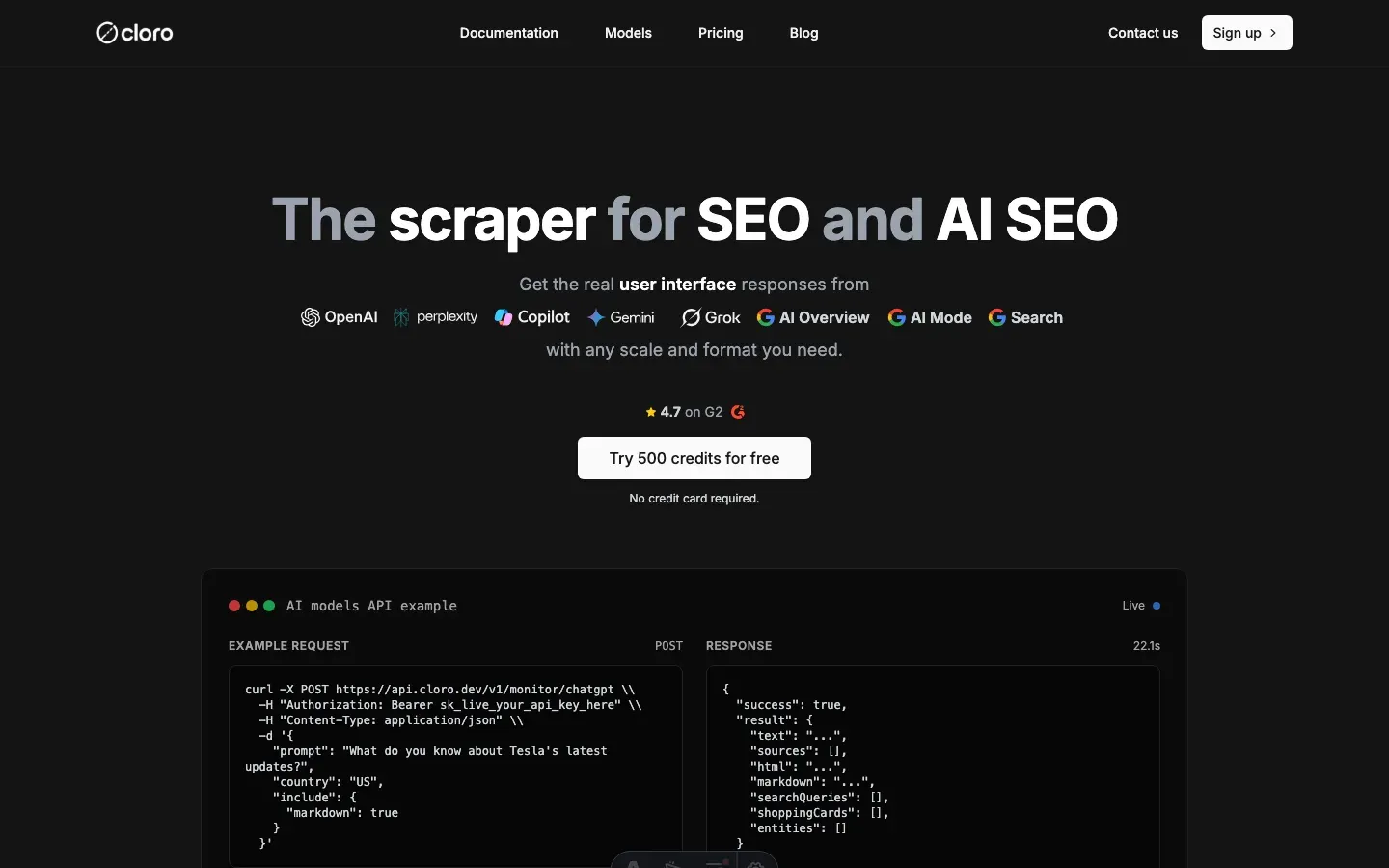
The hard part of running a scrape-ChatGPT stack in-house is not the scraper code but keeping up with OpenAI, across three surfaces that drift constantly.
The backend-api/f/conversation URL has changed twice in 2025. Cloudflare’s fingerprint check is updated on a rolling basis. The shopping-card event shape moved from a flat products array to a nested offers block last quarter. Every change is a Slack ping at 11pm and a hot-fix the next morning.
cloro’s /v1/monitor/chatgpt endpoint absorbs that maintenance. You call one stable URL and let the managed ChatGPT scraper API keep pace with OpenAI’s changes.
Simple API integration
The fastest way to scrape ChatGPT is to skip the browser entirely and call one endpoint.
import requests
import json

# Your prompt
prompt = "Compare the top 3 programming languages for web development in 2026"

# API request to cloro
response = requests.post(
    'https://api.cloro.dev/v1/monitor/chatgpt',
    headers={'Authorization': 'Bearer YOUR_API_KEY'},
    json={
        'prompt': prompt,
        'country': 'US',
        'include': {
            'markdown': True,
            'rawResponse': True,
            'searchQueries': True
        }
    }
)

result = response.json()
print(json.dumps(result, indent=2))
What the endpoint handles for you
Every item below is a maintenance burden you would otherwise carry when you scrape ChatGPT yourself. The managed endpoint owns all of it.
- Cloudflare fingerprint rotation. Stealth-patched browsers tracked against the live cf_clearance challenge.
backend-api/f/conversationURL pinning. When OpenAI rotates the path, the fix lands behind the API; the cloro endpoint you call stays the same.- SSE chunk reassembly.
chatcmpl-chunks parsed and stitched into one response object. - Citation flyout extraction. The lazy-loaded sources modal parsed into a positional
sourcesarray. - Shopping-card normalization. The event shape is normalized —
products[].offers[]is stable across OpenAI’s internal refactors. - Entity + search-query metadata. Extracted from the SSE stream and exposed as first-class fields.
Structured output you get:
{
  "status": "success",
  "result": {
    "model": "gpt-5-mini",
    "text": "When comparing programming languages for web development in 2026...",
    "markdown": "**When comparing programming languages for web development in 2026**...",
    "sources": [
      {
        "position": 1,
        "url": "https://developer.mozilla.org/en-US/docs/Learn",
        "label": "MDN Web Docs",
        "description": "Comprehensive web development documentation"
      }
    ],
    "shoppingCards": [
      {
        "tags": ["programming", "education"],
        "products": [
          {
            "title": "Python Crash Course",
            "price": "$39.99",
            "rating": 4.8,
            "offers": [...]
          }
        ]
      }
    ],
    "searchQueries": ["web development languages 2026", "popular programming frameworks"],
    "rawResponse": [...]
  }
}
Why teams pick cloro to scrape ChatGPT
- Cloudflare passes that survive across prompts. Most DIY stacks burn a cf_clearance per call; cloro’s session pool reuses one across an entire monitoring batch.
- First-class shopping-card output. Other vendors return raw HTML; cloro returns the normalized
offers[].merchantshape that survives OpenAI’s internal refactors. - Citation expansion on by default. The modal is parsed automatically into a positional sources array, so nobody has to write flyout-clicking code.
- Entity sidebar exposed. The brand-entity events that other scrapers drop on the floor are first-class output fields.
At 500,000 to 1 million requests a month, building and running this yourself costs roughly $4,800 to $14,100. Infrastructure is the smaller part: 332 GB of residential proxy bandwidth is $999 on Bright Data, and a c6i.4xlarge browser instance is $0.68 an hour, about $496 a month each. The bigger part is people. At the US median software developer salary of $131,450, loaded, a fifth to a half of one engineer on Cloudflare fingerprint rotation, backend-api URL maintenance and the on-call rotation costs $2,800 to $7,100 a month. That engineer fraction moves the total more than every other line combined.
If you still want to scrape ChatGPT with a custom setup, the protocol map above is the starting point. Expect ongoing work as OpenAI ships UI updates. The SSE chunk shape has changed twice this year, and the shopping-card event format has moved once. That churn is the real cost of choosing to scrape ChatGPT yourself.
Get started with cloro’s ChatGPT API and skip the maintenance.

About the author
Ricardo Batista
Founder, cloro
Ricardo is one of the founders and engineers behind its SERP and AI-search scraping infrastructure. Before cloro he scaled a financial comparison site to $7M ARR and ran the full-country operations of a unicorn to $65M ARR, then went back to building. He writes about search engine scraping, generative-engine optimization, and turning live search and AI-answer data into something teams can act on.
Frequently asked questions
How do I bypass Cloudflare on ChatGPT?
You need a high-trust residential proxy and a browser automation tool like Playwright with stealth plugins to mimic human fingerprints.
Can I scrape citations from ChatGPT?
Yes, but they are often lazy-loaded. Your scraper needs to interact with the UI to expand source lists before extracting the HTML.
Does ChatGPT have an API for search results?
No. The official API is for text generation. To get the search results and citations users see in the web interface, you must scrape.
What is the 'event stream parsing' challenge?
ChatGPT uses Server-Sent Events (SSE) to stream responses in chunks. Your scraper needs to parse these mixed data types and reconstruct the full response, including metadata like citations.
How much does it cost to build a ChatGPT scraper?
At 500,000 to 1 million requests a month, a reliable ChatGPT scraper costs roughly $4,800 to $14,100 a month, and engineer time is the largest line in it, ahead of proxies and browser instances. Managed services like cloro offer a more cost-effective solution.
Is it legal to scrape ChatGPT?
The law and the contract differ. In the US, collecting publicly served pages is not hacking under Van Buren v. United States (2021), which limits the CFAA to access past a technical gate. OpenAI's Terms of Use are stricter: users on OpenAI's developer forum have quoted them as barring data extraction by scraping other than through the API. That is a contract risk that binds hardest on an account that accepted the terms. Read the current terms directly; this is not legal advice.
Related reading

Best LLM & AI Visibility Tools 2026: 12 Tested
We tested 12 LLM visibility tools (also sold as AI visibility trackers and checkers) on real brand-monitoring workflows across ChatGPT, Perplexity, and Gemini. What works, what doesn't.
How to Scrape Gemini: API, URL Context, and Web UI
Learn how to scrape Gemini with the API, URL context, or web UI automation. Compare structured outputs, citations, and anti-bot trade-offs clearly.

How to Scrape Perplexity: API vs Web Interface
Learn how to scrape Perplexity with the official API, structured outputs, or web UI automation. Compare sources, citations, and trade-offs clearly.