
Web Search API Benchmark 2026: 6 APIs on 2,182 Questions

On this page
If you are choosing a search API for an AI agent or a RAG pipeline, the question that matters is whether the results let the model answer correctly, and at what cost. Vendor pages answer it with their own numbers on their own setup. We ran one setup for all six APIs and published every answer.
Each API got the question text as its query, one search, and 10 results in its default mode. One model read the results and answered from them alone, and a second model graded each answer against the dataset’s answer key. We then kept cloro’s saved responses and changed only what the model could read, to find out which parts of a search result do the work.
cloro, Parallel and Exa lead on accuracy, and the order changes with the question type
Accuracy is the share of questions answered correctly, with the 95% interval in brackets. Cost is the list price per 1,000 searches on the plan that covers 100,000 searches a month. Latency is the median time of the search request alone.
| Search API | SimpleQA Verified (1,000) | FreshQA (358) | FRAMES (824) | $ per 1,000 searches | Median latency |
|---|---|---|---|---|---|
| cloro | 96.9% (95.6-97.8) | 88.3% (84.5-91.2) | 80.2% (77.4-82.8) | $1.92 | 7.96 s |
| Parallel | 97.8% (96.7-98.5) | 82.7% (78.4-86.2) | 65.3% (62.0-68.5) | $5.00 | 2.99 s |
| Exa | 97.3% (96.1-98.1) | 83.0% (78.7-86.5) | 64.0% (60.6-67.2) | $7.00 | 0.74 s |
| SerpApi | 94.7% (93.1-95.9) | 88.5% (84.8-91.4) | 77.4% (74.4-80.2) | $7.25 | 8.20 s |
| Brave Search API | 93.1% (91.4-94.5) | 84.9% (80.8-88.3) | 53.9% (50.5-57.3) | $5.00 | 1.21 s |
| Tavily | 91.8% (89.9-93.3) | 81.8% (77.5-85.5) | 48.4% (45.0-51.8) | $5.00 | 2.00 s |
The takeaway: no API wins on every axis. cloro is the most accurate on the hardest questions and the cheapest, Exa is the fastest, and on easy factual questions the top three are tied.
SimpleQA Verified, 1,000 questions. Short factual questions with one correct answer. cloro, Parallel and Exa are within the margin of error, and cloro costs half as much as the next cheapest of the three. cloro answered more questions correctly than SerpApi, Brave and Tavily.
FreshQA, 358 questions. Questions whose answer can change over time, a third of them with a false premise. cloro and SerpApi score highest. cloro answered more questions correctly than Parallel, Exa and Tavily.
FRAMES, 824 questions. Multi-hop questions that need facts from two or more Wikipedia pages. cloro is the most accurate, ahead of SerpApi on the same questions and 15 to 32 points ahead of Parallel, Exa, Brave and Tavily. With one search, those four could not answer 151 to 295 of the 824 questions.
cloro answers the most multi-hop questions from one search
FRAMES has 824 questions that each need facts from two or more Wikipedia pages. cloro answered 80.2% correctly, ahead of SerpApi at 77.4% in a paired test on the same questions (p = 0.022, so the gap is unlikely to be chance). Parallel scored 65.3%, Exa 64.0%, Brave 53.9% and Tavily 48.4%.
The gap comes from coverage. Parallel, Exa, Brave and Tavily replied “not found” on 151 to 295 of the 824 questions, because their 10 results did not hold every fact the question needs. When they did answer, five of the six APIs were right 78% to 81% of the time. For an agent, every “not found” is a second search, a page fetch or a failed task, so the API that holds more of the answer on one page saves calls.
On short factual questions, the top three are tied
SimpleQA Verified has 1,000 short questions with one checkable answer. Parallel (97.8%), Exa (97.3%) and cloro (96.9%) are within the margin of error of each other (cloro against Parallel p = 0.15, against Exa p = 0.63). All three were more accurate than SerpApi (94.7%), Brave (93.1%) and Tavily (91.8%). If your agent mostly looks up single facts, accuracy will not decide between the top three, and cost and latency will.
On questions about recent events, cloro and SerpApi lead
FreshQA has 358 questions whose answers change over time, and a third of them carry a false premise the model has to point out. cloro (88.3%) and SerpApi (88.5%) tied. cloro was more accurate than Tavily (81.8%), Exa (83.0%) and Parallel (82.7%), each at p of 0.0012 or lower. The gap to Brave (84.9%) was not significant (p = 0.065). For news, prices, rankings or anything that changed last week, cloro and SerpApi answered more questions than Tavily, Exa and Parallel.
cloro has the lowest cost per correct answer
cloro costs $1.92 per 1,000 searches on its Starter plan (async, 5 credits a search) and $2.69 per 1,000 as a sync request. Divided by accuracy, that is $1.98 per 1,000 correct SimpleQA Verified answers.
| Search API | $ per 1,000 searches | $ per 1,000 correct SimpleQA answers |
|---|---|---|
| cloro | $1.92 | $1.98 |
| Parallel | $5.00 | $5.11 |
| Brave Search API | $5.00 | $5.37 |
| Tavily | $5.00 | $5.45 |
| Exa | $7.00 | $7.19 |
| SerpApi | $7.25 | $15.08 |
SerpApi bills a second search when part of the page loads separately, which happened on 97% of SimpleQA questions, so one question cost about 1.97 searches. On FreshQA, cloro and SerpApi had the same accuracy and cloro cost 73% less per search. Prices were read on November 5, 2026, from each vendor’s pricing page, and the free tiers are compared in our web search API roundup.
Exa is the fastest; cloro and SerpApi are the slowest
The median search took 0.74 seconds on Exa, 1.21 seconds on Brave, 2.00 seconds on Tavily and 2.99 seconds on Parallel. cloro took 7.96 seconds and SerpApi 8.20 seconds. These are the search requests alone, without the model, measured from one machine with 4 requests in parallel. If your agent must answer in under 3 seconds, cloro and SerpApi are not the right choice today. If it runs in the background, or in batches, the cost and the multi-hop coverage weigh more than the 8 seconds.
Head to head: which API beat which on the same questions
A paired test compares two APIs on the same questions and counts the questions only one of them got right. “No difference” means the gap is within chance.
| Comparison | SimpleQA Verified | FreshQA | FRAMES |
|---|---|---|---|
| cloro vs SerpApi | cloro, 33 to 11 | no difference | cloro, 58 to 35 |
| cloro vs Parallel | no difference | cloro, 28 to 8 | cloro, 172 to 49 |
| cloro vs Exa | no difference | cloro, 25 to 6 | cloro, 179 to 45 |
| cloro vs Brave | cloro, 50 to 12 | no difference | cloro, 248 to 31 |
| cloro vs Tavily | cloro, 70 to 19 | cloro, 32 to 9 | cloro, 297 to 35 |
| Exa vs Tavily | Exa, 72 to 17 | no difference | Exa, 197 to 69 |
| Exa vs Parallel | no difference | no difference | no difference |
| Exa vs Brave | Exa, 55 to 13 | no difference | Exa, 139 to 56 |
| Brave vs Tavily | no difference | no difference | Brave, 147 to 102 |
Exa and Parallel are statistically tied on all three datasets. Exa beat Tavily on factual and multi-hop questions and tied on recent events. The p-value of every pair is in the repo’s head-to-head table.
Which parts of a search result make an AI agent answer correctly?
A search response holds several kinds of text: an AI-written summary of the top pages (Google’s AI Overview), then for each result a title, a URL and a snippet, and sometimes a second page of results. Each costs tokens when you put it in a model’s context. We wanted to know which ones earn their place.
We took cloro’s saved responses for 100 SimpleQA Verified questions and gave the same reader model different parts of them. The search results stayed the same in every row; only what the model could read changed. “Tokens” is the number of tokens of search results the model read per question. On 100 questions, a change counts as significant only at about 6 points or more. Every result file and the commands to recompute each row are in the sensitivity report.
| What the model read | Accuracy | Tokens |
|---|---|---|
| Full format: AI Overview, then 10 results with title, URL and snippet | 99% | 843 |
| AI Overview and snippets only | 99% | 528 |
| AI Overview and the top 5 results | 99% | 549 |
| Full format without titles | 100% | 748 |
| Full format without URLs | 99% | 623 |
| Full format without snippets | 96% | 515 |
| Full JSON response | 99% | 4,605 |
| AI Overview alone | 95% | 174 |
| 10 results without the AI Overview | 86% | 747 |
| Snippets alone | 86% | 432 |
| Text of the top 5 result pages alone | 84% | 5,871 |
| 10 results without the AI Overview, plus the text of the top result pages | 91% | 6,239 |
The AI Overview carries most of the accuracy
With the AI Overview, the model answered 99 of 100 questions. With the same results and no AI Overview, it answered 86 (13 questions lost, none gained, p below 0.001). On a preliminary run of 243 FreshQA questions the drop was similar, from 90.5% to 80.2%. A different reader model (Gemini) lost 15 points in the same test.
The AI Overview is a summary that Google writes from several top pages, so the answer to a factual question is often already stated in one sentence. The organic results only point at pages that hold it. For an agent this means the summary block is the part of a search response worth paying for. It is also why cloro’s request with the AI Overview costs 5 credits and without it 3: on these questions the extra 2 credits bought 13 points.
Snippets carry the rest of the accuracy, titles and URLs carry none
Among the per-result fields, only the snippet changed the score. Without snippets, accuracy fell from 99% to 96% (3 questions, all now wrong answers rather than “not found”). Without titles or without URLs it did not fall at all. The AI Overview plus the snippets scored 99% with 37% fewer tokens than the full format. On its own, the AI Overview (95%) answered more questions than the snippets alone (86%) or the full text of the top 5 pages (84%), and the two together did better than either.
For a RAG pipeline this gives a simple context format: the AI Overview first, then one snippet per result. Keep the URLs only if your agent must cite its sources.
More results and full page text cost tokens without adding accuracy
The top 5 results scored the same as the top 10 with 35% fewer tokens. A second results page (up to 20 results) changed nothing. The full JSON response scored the same as the short format at 5.5 times the tokens. The position of the AI Overview, first or last in the context, made no difference.
Fetching the result pages did not close the gap either. Without the AI Overview, adding the text of the top half of the result pages raised accuracy from 86% to 91%, which is not significant, and it read 7 times as many tokens as the 99% format. Adding the text of every first-page result scored the same 91%. We fetched the pages only where robots.txt allowed it, and only 56% gave text: robots.txt blocked 22% (most of them Facebook, Instagram and Reddit) and 17% returned an error. For most agents, a page fetch is extra latency, extra failure points and extra tokens for a few points at most.
The results hold with another reader and another grader
We checked the setup three ways. A second reader model, Gemini, scored within 3 points of the first in every variant. A second grader, Gemini Pro, graded the 6,100 saved answers of the SimpleQA run (1,000 from each API, plus the 100 answers without the AI Overview) and agreed with the first grader on 99.7% of them (Cohen’s kappa 0.972, a measure of agreement beyond chance where 1 is perfect), with the same order of the six APIs. And the same reader, given the same results twice, changed its score by 3 points at most.
How the benchmark works
Every API got the same setup:
- One search per question. The query is the question text, unchanged, with no rewrite, no second search and no page fetch.
- 10 results in the API’s default search mode. Answer features sold as separate options (Tavily
include_answer, Exasummary) were off. - The same reader. One model (
gpt-5.6-luna) read at most 30,000 characters of results and answered from them alone, or replied “NOT FOUND”. No API’s results were cut by that cap. - The same grader. One model (
gpt-5.6-sol) graded each answer correct, incorrect or not attempted with the unchanged OpenAI simple-evals grader prompt. - The same questions, shuffled with seed 42. SimpleQA Verified ran on November 4 and 5, 2026, FreshQA on November 5 and FRAMES on November 10 and 11.
The request settings for each API, the dropped FreshQA rows and the per-dataset reports are in the repo README.
What this benchmark does not show
- cloro runs it and sells one of the tested APIs. That is why everything is public. If a setting is unfair to an API, change it and run it again.
- One search measures the search API, not an agent. An agent that searches many times and opens pages can get a high score from a weaker search API. FRAMES is usually run that way.
- Some pages copy benchmark answers. On SimpleQA, 193 of 1,000 questions had a result that names the dataset. Without them the order of the APIs does not change.
- Answer keys go stale. On 30 FreshQA questions most APIs disagree with an answer key that may be out of date. Without them the order does not change.
- The tests of the result parts used 100 questions. They show large effects, such as the AI Overview, with confidence. Small effects, such as the 3 points of the snippets, need more questions to confirm.
Run the benchmark on your own questions
The order of the APIs changed between the three datasets, so the best test is your own questions. The harness is one Python file with no packages to install. Set OPENAI_API_KEY and the keys of the APIs you want to compare, then run 50 to 100 of your questions:
python3 benchmark.py --providers cloro,serpapi,tavily,exa,parallel,brave --n 100 --workers 4To use cloro in an agent, see how to add web search to an AI agent for Python and TypeScript code, or start from the live web search API.

About the author
Ricardo Batista
Founder, cloro
Ricardo is one of the founders and engineers behind its SERP and AI-search scraping infrastructure. Before cloro he scaled a financial comparison site to $7M ARR and ran the full-country operations of a unicorn to $65M ARR, then went back to building. He writes about search engine scraping, generative-engine optimization, and turning live search and AI-answer data into something teams can act on.
Frequently asked questions
Is there an independent benchmark of web search APIs like Tavily, Exa and Brave?
cloro publishes an open benchmark of six web search APIs: cloro, SerpApi, Tavily, Exa, Parallel and Brave Search API. cloro sells one of the tested APIs, so the harness, the questions, the settings and all 13,092 graded answers are public in the benchmark repo, and anyone can run it again with their own keys. Every API got one search per question, the same reader model and the same grader, on SimpleQA Verified (1,000 questions), FreshQA (358) and FRAMES (824), in November 2026.
Which web search API is the most accurate for AI agents?
It depends on the question type. On FRAMES, 824 questions that need facts from several pages, cloro was the most accurate at 80.2%, ahead of SerpApi (77.4%) and 15 to 32 points ahead of Parallel, Exa, Brave and Tavily. On FreshQA, questions whose answers change over time, cloro (88.3%) and SerpApi (88.5%) led. On SimpleQA Verified, short factual questions, Parallel (97.8%), Exa (97.3%) and cloro (96.9%) were within the margin of error of each other.
Is Tavily or Exa more accurate?
In this benchmark Exa was more accurate than Tavily on SimpleQA Verified (97.3% against 91.8%) and on FRAMES (64.0% against 48.4%), and the two tied on FreshQA (83.0% against 81.8%). Exa was also faster, 0.74 seconds at the median against 2.00 seconds, and cost more, $7 against $5 per 1,000 searches.
Which part of a search result helps an AI agent answer correctly?
The AI summary at the top of the results page, the AI Overview, carries most of the accuracy. On 100 SimpleQA Verified questions, cloro's results gave 99% correct answers with the AI Overview and 86% without it, with the same reader and the same results otherwise. The result snippets carry most of the rest. The AI Overview plus the snippets alone scored 99% with 37% fewer tokens. Titles, URLs, a second results page and the full JSON response added tokens and no accuracy.
How many search results should an AI agent read?
Five were enough in our test. With the AI Overview in the context, the top 5 results scored the same as the top 10 (99% on 100 SimpleQA Verified questions) with 35% fewer tokens. A second results page, up to 20 results, did not change the score.
Does adding the full text of the result pages make an AI agent more accurate?
Not enough to be worth it in our test. Without the AI Overview, adding the text of the top half of the result pages raised accuracy from 86% to 91% on 100 questions, which is not significant, at 8 times the tokens. The format with the AI Overview and no page text scored 99%. Only 56% of the result pages gave text: robots.txt blocked 22% and 17% returned an error.
Which web search API is the cheapest per correct answer?
cloro. At 100,000 searches a month, cloro costs $1.92 per 1,000 searches and $1.98 per 1,000 correct SimpleQA Verified answers. The same figure is $5.11 for Parallel, $5.37 for Brave, $5.45 for Tavily, $7.19 for Exa and $15.08 for SerpApi, which needed about two searches per question. List prices were read on November 5, 2026.
Related reading
Best Web Search API for AI Agents: 6 APIs Tested
We ran 6 web search APIs on 2,182 questions for accuracy, latency and cost, then ran 500 queries through Brave, Tavily, Exa and the Perplexity Search API to see how close each one gets to Google's live results.
How to Add Web Search to an AI Agent or RAG Pipeline
Two ways to give a language model live web search: search first and put the results in the prompt, or give the model a search tool. Python code for both, a TypeScript agent, and what we measured on accuracy, latency and cost.
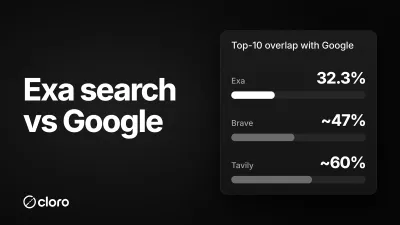
Exa Search vs Google: Neural Search vs the Real SERP
Exa searches the web by meaning, not keywords. So how different is it from Google, really? We ran 500 identical queries through Exa and cloro's live Google SERP. The overlap is the lowest of any search API we've measured, and that's exactly the point.