
Load Google SERP Data into BigQuery on a Schedule

On this page
Every rank-tracking dashboard is a SQL query over a table that does not exist until you build it. This guide moves Google SERP data into BigQuery on a schedule: results collected daily, landing in a partitioned table where dbt, Looker or a plain scheduled query can read them next to the rest of your marketing data.
How do I load Google SERP data into BigQuery on a schedule?
Submit your keywords as an async batch with a webhook, flatten each result to newline-delimited JSON, load it into a partitioned table, and let a scheduler fire the loop daily. In detail:
- Keep the keyword list in BigQuery too. A
keywordstable withquery,countryand anactiveflag is the input; the day’s run selects from it, so adding a keyword is anINSERT, never a code change. - Submit the day’s batch async. cloro’s async endpoint accepts a task with a
webhook.urland returns ataskId; batch submits take up to 500 tasks per call. Each task is onePOST /v1/monitor/googlepayload:{"query": "...", "country": "US"}, withlocationwhen you need city-level results andinclude.aioverviewwhen you want the AI Overview block in the same row. - Flatten in the webhook receiver. A small Cloud Run service receives each finished result and writes one NDJSON line per organic result:
run_date,query,country,position,url,title, plus apayloadcolumn holding the full JSON for the fields you did not model yet. BigQuery loads newline-delimited JSON natively, so the receiver appends lines to a GCS object and triggers a load job when the batch completes. - Load into a date-partitioned table. Partition
serp_resultsonrun_dateand cluster onquery. A day’s collection is one partition, so backfills and re-runs replace a partition instead of mixing with it. - Schedule the loop. Cloud Scheduler (or cron anywhere) hits the submit step once a day. Downstream rollups, such as best position per query per day, run as BigQuery scheduled queries an hour later.
- Dedupe on the natural key. Failed tasks retry, and webhooks can deliver twice, so the rollup selects
DISTINCTon (run_date, query, country, position). With that key in place, retries are free instead of a data-quality bug.
The whole receiver is under a hundred lines in any language. There is nothing clever in it, which is the point: the scraping side is the part that breaks when you self-build, and that is the part the API absorbs. The pipeline shape is vendor-neutral, too: SerpAPI, DataForSEO and Bright Data all return JSON you can flatten into the same table, so the choice between them and cloro comes down to cost per SERP and reliability at your volume rather than architecture. We run collection on this pattern daily for cloro’s own published studies, including the AI search results by state study, where the collection step fans out per-state location values instead of per-keyword lists.
The two Google-to-BigQuery exports people confuse
Half the search results for this topic describe a different pipeline, so name the difference before building. Search Console’s bulk data export streams your own property’s impressions, clicks and positions into BigQuery; it is first-party telemetry about your site, and it is the right table for questions like “which of my pages lost clicks”. A scraped SERP table records the results page itself: every ranked URL including competitors, ads, People Also Ask, and the AI Overview. It answers “who ranks, and what does the page look like”, which no first-party export can.
The two tables join naturally on (query, date): Search Console tells you what you earned, the SERP table tells you what the battlefield looked like that day. Most ranking questions worth asking need the join, and teams that skip the SERP side end up explaining a click drop with no record of the SERP feature that caused it.
What the table should look like
Keep the modeled columns minimal and the raw payload beside them:
| Column | Type | Note |
|---|---|---|
run_date | DATE | partition key |
query | STRING | cluster key |
country | STRING | ISO 3166-1 alpha-2 |
location | STRING | canonical location when city-targeted |
position | INT64 | organic rank |
url, title | STRING | the ranked result |
serp_features | JSON | ads, PAA, AI Overview presence |
payload | JSON | the full API response |
The payload column is the insurance: when next quarter’s question needs a field you did not model (sitelinks, product panels, AI Overview sources), it is already in the warehouse, and a scheduled query backfills the new column from JSON instead of a re-scrape.
What does daily SERP collection cost?
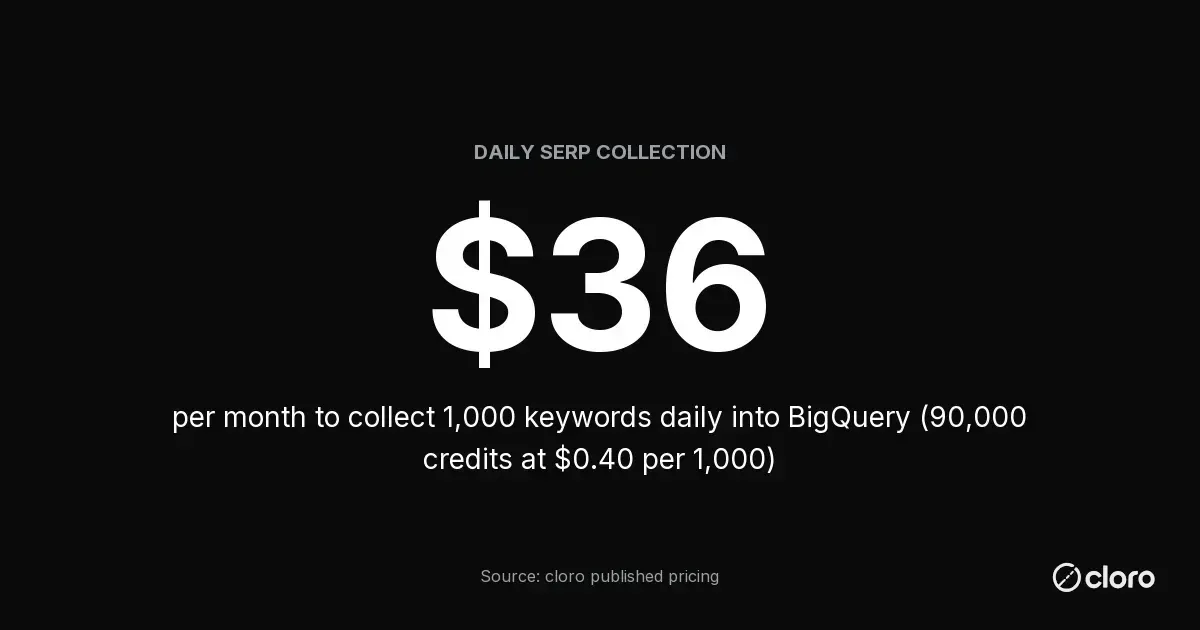
About $36 a month for 1,000 keywords a day. The arithmetic on cloro’s published pricing: a Google Search request is 3 credits (each extra page adds 2, and include.aioverview adds 2), so 1,000 single-page requests daily is 90,000 credits a month, and the Hobby tier prices credits at $0.40 per 1,000 ($100 a month for 250,000 credits). Scaling the SERP data into BigQuery at 5,000 keywords a day is 450,000 credits, which fits the Starter tier’s 650,000 at $250 a month. Failed requests are not billed, so retries do not inflate the figure.
BigQuery’s side is effectively free at this volume, and the free tier is generous enough to say so precisely: on-demand pricing includes the first 1 TiB of query data processed per month at no charge. Ten thousand rows a day is a few megabytes, so a year of SERP collection plus daily rollups stays orders of magnitude inside that allowance.
Storage is covered the same way. Per Google Cloud’s BigQuery page, all customers get 10 GB of storage and up to 1 TB of queries free each month, and new customers get $300 in free credits on top. To try the table and the queries below before attaching billing, the BigQuery sandbox runs without a credit card and keeps you inside the free tier automatically.
The SQL that pays for the pipeline
Three queries cover most of what teams ask the table, and all three run inside the free tier.
Best position per query per day, deduped against retries:
SELECT run_date, query, country, MIN(position) AS best_position
FROM `serp.serp_results`
WHERE url LIKE '%yourdomain.com%'
GROUP BY run_date, query, country;
Position-change alerts, comparing each day to the trailing week:
WITH daily AS (
  SELECT run_date, query, MIN(position) AS pos
  FROM `serp.serp_results`
  WHERE url LIKE '%yourdomain.com%'
  GROUP BY run_date, query
)
SELECT query, run_date, pos,
       AVG(pos) OVER (PARTITION BY query ORDER BY run_date
                      ROWS BETWEEN 7 PRECEDING AND 1 PRECEDING) AS trailing_avg
FROM daily
QUALIFY pos > trailing_avg + 3;
And the join that motivated the whole build, SERP state against Search Console outcomes on (query, date):
SELECT s.run_date, s.query, MIN(s.position) AS serp_position,
       ANY_VALUE(g.impressions) AS impressions, ANY_VALUE(g.clicks) AS clicks
FROM `serp.serp_results` s
LEFT JOIN `searchconsole.searchdata_site_impression` g
  ON g.query = s.query AND g.data_date = s.run_date
GROUP BY s.run_date, s.query;
The last query is where a click drop stops being a mystery: the same row shows whether position moved, whether an AI Overview appeared (serp_features), and what the impression curve did about it.
Failure modes the pipeline meets in month two
Every SERP-to-warehouse pipeline hits the same four problems; building for them on day one is cheaper than diagnosing them later.
- Duplicate deliveries. Webhooks retry, and a retried delivery that loads twice double-counts a SERP. The natural-key dedupe in step 6 handles it structurally; the anti-pattern is deduping in the dashboard query instead of the rollup, where every consumer has to remember.
- Partial batches. A 1,000-task batch where 976 finish and 24 fail is the normal case, not an incident. Load the 976, record the 24 in a
failed_taskstable with reasons, and resubmit them in the next cycle; because failed requests cost nothing, the retry loop is free. A pipeline that waits for 100% before loading turns one flaky keyword into a data gap for all 1,000. - Schema drift in the payload. Engines add SERP features and the API surfaces them; new keys appear inside
payload. This is why the modeled columns stay minimal: drift lands harmlessly in the JSON column instead of breaking the loader, and a scheduled query promotes a new field to a real column when someone needs it. - Silent keyword rot. Keywords get added and never retired, so the set drifts from what the business sells. A quarterly review against the
keywordstable’sactiveflag keeps the spend pointed at terms someone still reads reports about.
Scaling past 10,000 keywords a day
The architecture holds; three components change size.
- Ingestion moves to the Storage Write API. GCS-plus-load-jobs is comfortable into the low millions of rows a day; BigQuery’s streaming ingestion path removes the load-job scheduling once batches arrive continuously.
- Cost stays scraping-dominated. At 10,000 keywords daily, 300,000 requests a month is 900,000 credits, about $333 at the Growth tier ($0.37 per 1,000). The BigQuery side even at this size stays inside a few dollars: 3 million organic rows a month is roughly a gigabyte, and the first 1 TiB of monthly query processing is free.
- Concurrency is the ceiling to plan. 10,000 daily requests inside a tight collection window means sizing tier concurrency (75 parallel on Growth, 100 on Business) against how fast the day’s sweep must finish; spreading collection across hours flattens the requirement.
The step most teams skip at scale is per-country splits: once the keyword set crosses 10,000, the useful growth is usually the same keywords in more markets rather than more keywords, because the location parameter turns one term into a per-city time series that local teams actually use.
When BigQuery is the wrong warehouse
Honest boundaries, because the pipeline shape transfers even when the store changes. A team already standardized on Snowflake or Databricks should land the same NDJSON there; nothing in this guide is BigQuery-specific past the load syntax. A team with no warehouse and under a few hundred keywords is better served by Postgres or even Google Sheets through the n8n workflow, where the alerting is the point and SQL rollups are overkill. BigQuery earns its place when SERP data needs to sit next to GA4, Search Console’s own export and revenue data, which is exactly the join the section above builds.
For choosing the scraping layer under this pipeline on reliability grounds (SLAs, block handling, success rates at volume), the ops comparison is in SERP API reliability at scale.

About the author
Ricardo Batista
Founder, cloro
Ricardo is one of the founders and engineers behind its SERP and AI-search scraping infrastructure. Before cloro he scaled a financial comparison site to $7M ARR and ran the full-country operations of a unicorn to $65M ARR, then went back to building. He writes about search engine scraping, generative-engine optimization, and turning live search and AI-answer data into something teams can act on.
Frequently asked questions
How do I load Google SERP data into BigQuery on a schedule?
Submit your keyword list as an async batch to a SERP API with a webhook, have the webhook receiver flatten each result into newline-delimited JSON rows, load them into a date-partitioned BigQuery table, and drive the whole loop with Cloud Scheduler or cron. One nightly run of 1,000 keywords lands about 10,000 organic-result rows a day.
Is this the same as Search Console's BigQuery bulk export?
No. Search Console's bulk export streams your own site's impression and click data into BigQuery. Scraping the SERP records the results page itself: every ranked URL, yours and your competitors', plus ads, People Also Ask and AI Overview. Most rank-tracking warehouses need both tables.
Is Google BigQuery free for storing SERP data?
At this volume, effectively yes. Google gives every BigQuery customer 10 GB of storage and up to 1 TB of queries free each month, new customers get $300 in free credits, and the BigQuery sandbox runs without a credit card. A year of daily SERP rows for 1,000 keywords stays well inside the free storage allowance.
What does daily SERP collection into BigQuery cost?
On cloro's published pricing a Google Search request is 3 credits, so 1,000 keywords a day is about 90,000 credits a month, which is $36 at the Hobby tier ($100 a month for 250,000 credits, $0.40 per 1,000). BigQuery's own cost is negligible at this volume: a day of SERP rows is a few megabytes.
Related reading

SERP API Reliability at Scale: Uptime, Latency, Concurrency
SERP API reliability at 10k+ daily requests — uptime SLAs, latency under load, and concurrency across cloro, SerpAPI, DataForSEO, and Bright Data.

How AI Answers Change by State: A Data Study
Ask an AI assistant the same local question from California and from New York and you can get two completely different sets of recommended businesses. We measured how much AI answers change by US state across ChatGPT, Copilot, Gemini, Perplexity, and Google AI Mode.