
SERP API With Native n8n and Zapier Integrations

On this page
Workflow tools changed who builds rank tracking. It used to be a script and a server; now it is a canvas, a schedule trigger and the right node. This guide answers the integration question first, then builds an n8n rank tracker on the native node.
Is there a SERP API with a native n8n or Zapier integration?
Yes. cloro ships one of each: the n8n-nodes-cloro community node, listed in the n8n integrations directory and installable from Settings → Community nodes in the n8n UI, plus a documented Zapier integration. The node maps each engine to its own resource: Google Search and Google News on the SERP side, and ChatGPT, Perplexity, Gemini, Microsoft Copilot and Google AI Mode on the answer-engine side, each returning the same parsed JSON as the underlying monitor endpoint.
cloro is not the only option, and a fair answer names the field: SerpApi maintains a verified n8n node, and DataForSEO is listed on Zapier as well as n8n. The differences that decide it are engine coverage (the AI answer engines ride in the same node as Google Search), per-request cost, and what the node returns parsed versus what you post-process.
Why native matters at all: n8n’s generic HTTP Request node can call any API, but then the workflow owns authentication headers, country-code validation, pagination and response parsing. A dedicated node ships those as dropdowns and typed fields, which is the difference between a workflow a marketer can edit and one only its author can.
How do I build an n8n rank tracker that runs daily?
Five nodes, no servers:
- Schedule Trigger. Set it to run daily at a fixed hour. Consistent timing keeps day-over-day positions comparable.
- The cloro node, Google Search resource. One call per keyword:
Queryfrom your keyword list (a Google Sheet or a static list node),Countryset explicitly,Devicedesktop,Include AI Overviewon if you want AI Overview presence tracked in the same row. The node sends your API key as a Bearer token from the credential you create once. - Code node: find your position. Loop the returned organic results and record the first position whose URL contains your domain; record null when absent. Ten lines of JavaScript, and the AI Overview block rides along when requested.
- Append to Google Sheets or a database. Date, keyword, position, top URL. For warehouse-scale storage, swap the sheet for the BigQuery pipeline, which the same API feeds.
- IF + Slack. Branch on
position > thresholdorposition is nulland post the alert. This is the node that makes the tracker useful rather than archival.
The identical workflow shape covers AI engines: duplicate the branch, switch the resource to ChatGPT or Perplexity, and the Code node checks whether your domain appears in the answer’s sources[] instead of the organic list. Our own monitoring corpus, around 1,000 engine answers a day, runs through the same monitor endpoints this node wraps; the node is a thin, typed layer over them.
The Code node, line by line
Step 3 is the only code in the workflow, so here it is in full. It reads the node’s parsed output and emits one row per keyword:
// Input: the cloro node's output for one keyword
const domain = "yourdomain.com";
const results = $json.result?.organicResults ?? [];

const hit = results.find(r => (r.url ?? "").includes(domain));
const aio = $json.result?.aiOverview;

return [{
  json: {
    date: new Date().toISOString().slice(0, 10),
    keyword: $json.query,
    position: hit ? hit.position : null,
    top_url: hit ? hit.url : null,
    ai_overview_present: Boolean(aio),
    ai_overview_cites_us: Boolean(
      aio?.sources?.some(s => (s.url ?? "").includes(domain))
    ),
  },
}];
Two details earn their lines. position: null for a missing domain is deliberate: an absent rank is data, and writing 0 or 100 instead poisons every average downstream. And the two AI Overview booleans cost nothing extra to compute once Include AI Overview is on, which quietly turns the rank tracker into an AI Overview citation tracker on the same rows.
Error handling that survives a bad day
n8n gives the workflow three switches that decide whether a flaky morning costs you a day of data:
- Retry on the node. Set the cloro node’s retry-on-fail with a wait between tries; transient failures clear on the second attempt, and the API’s own retries plus success billing mean the extra attempts cost nothing.
continueOnFailfor the loop. With it off, keyword 37 failing kills keywords 38 through 100. With it on, failures flow through as error items you branch on, log to their own sheet tab, and re-run later.- An error workflow for the whole run. n8n can trigger a separate workflow when this one fails outright; pointing that at the same Slack channel turns silent scheduler deaths into a message. A tracker that fails loudly is twice as useful as one that mostly works.
The same three switches apply unchanged to the AI-engine branch, where per-answer variance makes retries more common and the null-handling above more important.
What about Zapier?
Zapier fits the notify-and-log half of the job rather than the loop-heavy half. Its trigger-action model is at its best when a SERP event becomes a business action: log a position change to a sheet, open a ticket when a competitor takes a featured snippet, or ping a channel when the AI Overview starts citing a rival.
A minimal working Zap has four steps: a Schedule trigger, a Webhooks-by-Zapier POST to the monitor endpoint with your Bearer key, a Formatter step that pulls result.organicResults apart, and the action app of your choice (Sheets append, Slack message, Jira ticket). The Zapier integration guide walks the setup. DataForSEO’s Zapier listing follows the same webhook pattern, so the shape transfers if you are comparing vendors there.
Where Zapier stops fitting: per-task pricing makes a 100-keyword daily loop expensive in Zap tasks (each keyword is a task per step), and branching logic beyond one IF gets awkward. For multi-keyword daily loops, n8n’s canvas is the better fit, and self-hosting it costs nothing.
n8n or Zapier: which fits a SERP workflow?
The two tools trade reach for control. Zapier’s own comparison counts 9,000+ pre-built integrations against about 1,500 n8n nodes, and notes that many n8n nodes are building blocks you configure yourself rather than finished app connectors. For a SERP workflow that gap matters less than it looks, because the search call is one node either way and the rest is Sheets, Slack and a database, which both tools cover.
Volume decides it. 100 keywords a day is 3,000 keyword runs a month, which already passes the 2,000 tasks MindStudio lists for Zapier’s Professional plan (about $49 a month) before a second step is billed. The same run is 30 n8n executions. Pick Zapier when the SERP event feeds a business app your team already lives in; pick n8n for the daily loop.
How do I add AI-answer tracking to the same workflow?
Duplicate the SERP branch and change two nodes; the rest of the workflow is reusable as-is:
- Switch the resource. The same node exposes ChatGPT, Perplexity, Gemini, Microsoft Copilot and Google AI Mode as resources, each taking
promptandcountryinstead ofquery. - Change what the Code node checks. For an AI engine the question is presence, not rank: loop the answer’s
sources[]and record whether any URL contains your domain, plus its position in the source list. On ChatGPT,include.searchQueriesalso returns the fan-out queries behind the answer, which tells you what the engine actually searched. - Keep the same sheet, add two columns.
engineandpresentalongside the SERP rows, so one report reads organic rank and AI presence for the same keyword on the same day. - Alert on runs, not single answers. AI answers vary between identical runs, so gate the Slack branch on several consecutive days of absence rather than one miss; the sample-size reasoning is in AI visibility sample size.
The result is the two-surface report most SEO teams now want anyway: where you rank, and whether the answer engines say your name, from one scheduled workflow.
Other SERP workflows the same pattern covers
The rank tracker is one shape of a general loop: trigger, search call, transform, write, alert. SerpApi’s n8n tutorials apply it to Google Maps reviews synced to a Google Sheet, a hotel price tracker, and an AI travel agent that looks up flights, and the n8n template library includes a content-strategy workflow that runs two AI research agents over search results. With the cloro node the same designs work with Google Search or News as the search step, and an AI engine resource when you want to know what ChatGPT or Perplexity says about the topic.
What does it cost to run?
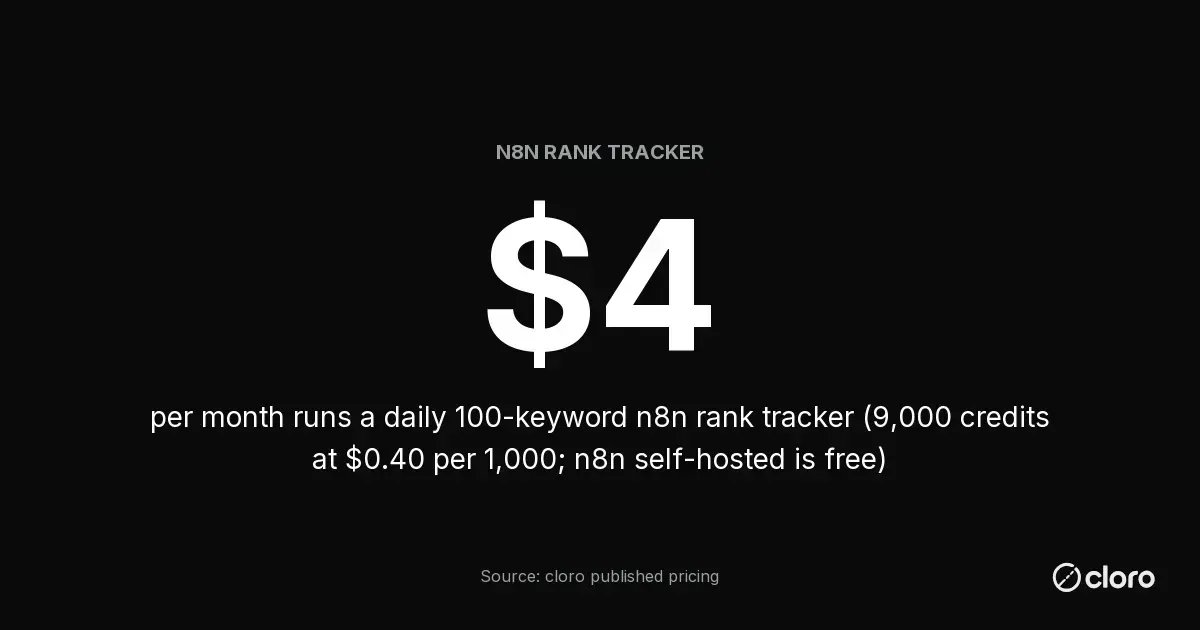
About $4 a month for 100 keywords checked daily. The arithmetic on cloro’s published pricing: a Google Search request is 3 credits, so 100 keywords × 30 days is 9,000 credits, and the Hobby tier prices credits at $0.40 per 1,000 ($100 a month for 250,000 credits, which the rest of your monitoring shares). Adding a ChatGPT presence check on the same 100 keywords adds 5 credits per prompt, roughly $6 more a month. Failed requests are not billed, so a flaky day does not inflate the sheet.
n8n’s own cost is the other line, and it is small at this shape: self-hosting is free, and n8n’s hosted Starter plan runs 20 EUR a month for 2,500 workflow executions. A daily tracker is one execution per run however many keywords it loops, roughly 30 executions a month, so even the smallest hosted plan is two orders of magnitude above what this workflow consumes.
Comparing across vendors, remember the units differ: SerpApi and DataForSEO price per search or per task on their own ladders, so put all three into cost-per-1,000-searches before deciding, and weigh what each node returns parsed.
Limits worth knowing before you scale the workflow
Three constraints surface once an n8n rank tracker grows past a hobby list:
- Community-node permission. n8n’s own docs draw the line at verification: verified community nodes install from the nodes panel, while unverified ones are not available on n8n Cloud and require self-hosting. Check the node’s current verification status against your instance type before designing around it; self-hosted instances install anything from npm.
- Concurrency. The node calls the synchronous endpoints, which count against the API tier’s concurrency (20 parallel requests on cloro’s Hobby tier, 75 on Growth). n8n’s batching settings keep a 500-keyword run inside the limit.
- Loop volume. Past roughly a thousand keywords a day, a canvas loop becomes the wrong shape; move collection to the async BigQuery pipeline and keep n8n for the alerting on top.
For the reliability side of choosing the API under the workflow, uptime SLAs and failure modes are compared in SERP API reliability at scale.

About the author
Ricardo Batista
Founder, cloro
Ricardo is one of the founders and engineers behind its SERP and AI-search scraping infrastructure. Before cloro he scaled a financial comparison site to $7M ARR and ran the full-country operations of a unicorn to $65M ARR, then went back to building. He writes about search engine scraping, generative-engine optimization, and turning live search and AI-answer data into something teams can act on.
Frequently asked questions
Is there a SERP API with a native n8n or Zapier integration?
Yes. cloro ships a community node (n8n-nodes-cloro on npm, listed in the n8n integrations directory) covering Google Search, Google News, ChatGPT, Perplexity, Gemini, Copilot and AI Mode, plus a documented Zapier path. SerpApi maintains a verified n8n node, and DataForSEO is listed on both n8n and Zapier. The native option matters because an HTTP Request node forces you to hand-build auth, pagination and parsing that a dedicated node already does.
How do I build an n8n rank tracker that runs daily?
Five nodes: a Schedule Trigger set to daily, the node's Google Search resource per keyword, a Code node that finds your domain's position in the organic results, a Google Sheets or database append, and an IF plus Slack branch that alerts when position drops below your threshold. No servers and no scraping code.
What does an n8n rank tracker cost to run?
The scraping side is the only real cost. A Google Search request is 3 credits on cloro, so 100 keywords checked daily is about 9,000 credits a month, which rounds to $4 at the Hobby tier ($100 a month for 250,000 credits, $0.40 per 1,000). n8n itself is free self-hosted.
Should I use n8n or Zapier for SERP API workflows?
Use n8n for daily multi-keyword loops: a 100-keyword daily run is 30 n8n executions a month but 3,000+ Zapier tasks. Use Zapier when a SERP event should trigger an action in a business app, since Zapier has 9,000+ pre-built integrations against about 1,500 n8n nodes.
Related reading
Load Google SERP Data into BigQuery on a Schedule
Async batch scraping, a webhook loader, NDJSON into a partitioned table, and what 1,000 keywords a day costs.

SERP API Reliability at Scale: Uptime, Latency, Concurrency
SERP API reliability at 10k+ daily requests — uptime SLAs, latency under load, and concurrency across cloro, SerpAPI, DataForSEO, and Bright Data.