
How to Scrape Copilot: WebSocket Events and Citations

On this page
Microsoft Copilot is grounded in Bing. It generates a Bing search query from a few words of your prompt and answers from live web results. But it does not expose that consumer answer through a simple search API. Microsoft retired the standalone Bing Search APIs on August 11, 2025.
The UI streams mixed WebSocket events instead. Those events carry answer text, citations, source panels, shopping cards, and maps.
That is why you cannot scrape Copilot with a plain HTTP client. Scraping it is a protocol problem more than a browser-automation problem: you preserve session state, intercept live frames, and reconstruct citations in the order they were emitted.
What follows is the WebSocket architecture, the parsing workflow, and the point at which a managed Copilot API becomes the better way to scrape Copilot at scale. Pair it with AI search tracking if you monitor brand visibility across engines.
Why scrape Microsoft Copilot responses?
The reason to scrape Copilot is its Microsoft-ecosystem citation bias. Run the same prompt across ChatGPT, Perplexity, and Copilot. Copilot consistently surfaces docs.microsoft.com, learn.microsoft.com, and support.microsoft.com as primary citations. That pattern holds on enterprise IT and developer-tooling queries.
That bias sits on top of an unusually thin citation set, which is what makes the engine competitive to appear in. Across roughly 2,500 prompts per engine, Copilot grounded 97.5% of answers but averaged just 4.6 sources, against 14.1 for ChatGPT and 9.5 for Perplexity. Re-measured on 2026-08-19 it read 91.8% at 4.5 sources: the grounding rates across the engine panel move a lot, and Copilot’s thin citation set is the one figure that has not. Copilot almost always cites, and it cites few, so the slots are scarcer than on any other reliably-grounding engine.
Say your brand monitoring covers Microsoft 365, Azure, or Power Platform. Copilot is then the engine where your docs should be cited. The only way to verify that is the WebSocket frame stream.
The two Copilots ground differently. The enterprise, work-grounded Copilot retrieves its answer data from the Microsoft Graph and a semantic index. The consumer Copilot at copilot.microsoft.com grounds each answer in Bing web results.
A third surface shares the name. Bing Copilot, at bing.com/copilotsearch, is the AI answer built into Bing Search itself: a summary card with key points, sometimes an image or video, and a list of numbered sources. It is a Bing results page, not the chat assistant, and it is out of scope here.
This guide targets the consumer chat surface at copilot.microsoft.com. It is the one you scrape Copilot data from. In the consumer UI a sources button reveals the exact query Copilot sent to Bing and the sites it used. But that panel is rendered client-side. Only the frame stream carries it in machine-readable form.
What only the WebSocket frames expose
Copilot groups consecutive citation events between text into pills, and that grouping is what orders the [1][2] markers. Web-grounded answers list hyperlinked citations below the text so users can click through to the source, but the official Bing API never exposes that structure.
Two numbers fall out of the frames once you have them. citation.url gives you the share of citations pointing at *.microsoft.com domains, which is the cleanest signal of how well your docs cover a query. The citations-per-text-event ratio gives you citation density, a rough proxy for how grounded an answer is and a useful input for content strategy on technical topics.
Mode matters too. Copilot exposes distinct Quick response and Think Deeper conversation modes. Think Deeper takes longer and streams its chain of thought while it answers, and each mode emits different event volumes and citation patterns over the WebSocket.
Use cases you can scrape Copilot for
The questions teams point this at are narrow and repeatable. Is our learn.microsoft.com PR-merged article showing up in Copilot’s pills for the target query yet? What ratio of microsoft.com-vs-third-party citations does Copilot use for our product category? Does Smart mode cite our docs at a higher rate than Quick mode? And for compliance work, capture the full Copilot answer + sources for every prompt our support agents send, with timestamps.
For a similar guide on a different protocol, see how to scrape ChatGPT (SSE-based).
How long a Copilot answer actually takes
Every timeout in the code below is a guess unless you have measured the distribution, so here is ours. Over four weeks (20 July to 16 August 2026) we ran 61,298 Copilot requests through cloro’s fleet, alongside the same volume on six other engines, and timed each one end to end: from accepting the request to storing a parsed result.
| Engine | Median | 99th percentile | Failed |
|---|---|---|---|
| Google AI Mode | 21.2s | 382s | 1.68% |
| Copilot | 63.4s | 1,292s | 1.61% |
| Perplexity | 58.0s | 1,102s | 0.78% |
| ChatGPT | 52.4s | 1,054s | 0.74% |
| Gemini | 57.9s | 415s | 0.38% |
Two things in there will cost you if you skip them.
Copilot’s median is about a minute, which is slower than every engine we measure except nothing at all. Anyone porting a search-API client, where a slow call is two seconds, is off by a factor of thirty before they write a line of parsing code.
The tail is the expensive part. Copilot’s 99th percentile is 1,292 seconds, roughly twenty-one minutes, and twenty times its own median. That is the widest median-to-tail spread of any engine on the fleet, wider than Gemini’s by a factor of seven. Set a 60-second timeout, which looks generous next to a 63-second median, and you are cutting the distribution near its middle. You will lose a large minority of answers and, worse, you will lose them non-randomly: long Copilot answers are the heavily-researched ones with the most citations, which is exactly the sample a citation study needs.
This is the concrete reason the parser below waits for the done frame rather than polling with a deadline. A frame handler that returns the moment Copilot finishes costs you nothing on the fast 60 seconds and still catches the answer that took nineteen minutes. A timeout has to be set for the worst case or it silently biases your data, and a timeout set for the worst case makes every fast request slow.
Copilot streams frames, not a response you can await
Copilot streams answers over a real-time WebSocket channel, so you read that channel frame by frame and attach a frame listener instead of reading a response body. Playwright’s WebSocket object fires a framereceived event each time the socket receives a frame, and that callback is where every appendText, citation, and done payload lands.
Each frame is a small JSON object, and there is no single response to await. You accumulate frames until the done frame tells you the answer is finished. Hold that mental model before you write any code.
The response generation flow
- Page navigation. Load the Copilot web interface.
- WebSocket connection. Intercept WebSocket messages from the chat endpoint.
- Event collection. Capture all JSON events sent via WebSocket.
- Response parsing. Process collected events once completion is detected.
- Microsoft knowledge. Draws on Microsoft product and service data.
WebSocket event interception:
// Copilot sends events via WebSocket from:
// copilot.microsoft.com/c/api/chat

// Events are simple JSON objects:
{
  "event": "appendText",
  "text": "To improve team productivity..."
}

{
  "event": "citation",
  "title": "Microsoft 365 Documentation",
  "url": "https://docs.microsoft.com/..."
}

{
  "event": "done"
}
WebSocket event types to handle
Three event types carry the whole answer. Handle these and you can scrape Copilot end to end. Everything else on the socket is noise you can drop.
appendText: text content chunkscitation: source citations embedded inlinedone: completion marker
The appendText frames arrive in order. Concatenate their text fields to rebuild the answer. The citation frames slot between text frames and mark where a source belongs. The done frame is your only reliable signal that the stream has closed.
Get the ordering wrong, and citations detach from the text
Copilot scraping comes down to two jobs: parsing the real-time WebSocket events, then reconstructing a single structured response out of them. Get the ordering wrong and the citations detach from the text they support.
WebSocket event stream:
# Raw Copilot WebSocket events example
{
  "event": "appendText",
  "text": "To improve team productivity using Microsoft 365"
}

{
  "event": "citation",
  "title": "Microsoft 365 Documentation",
  "url": "https://docs.microsoft.com/en-us/microsoft-365/"
}

{
  "event": "appendText",
  "text": ", I recommend implementing SharePoint for document collaboration"
}

{
  "event": "done"
}
Parsing challenges:
- Real-time streaming. Content arrives via WebSocket events, not HTTP responses.
- Mixed event types. Text and citation events are interleaved.
- Citation pill grouping. Multiple citations can be grouped together.
- Event ordering. Citation positions need to be tracked accurately.
Python WebSocket parsing implementation:
import json
from typing import List, Dict, Any

class CopilotWebSocketParser:
    def __init__(self):
        self.text_parts = []
        self.citation_pills: List[List[Dict[str, Any]]] = []
        self.current_pill: List[Dict[str, Any]] = []
        self.citation_position = 1
        self.last_event_was_citation = False
        self.is_complete = False

    def parse_websocket_events(self, events: List[Dict[str, Any]]) -> Dict[str, Any]:
        """
        Parse Copilot WebSocket events into structured response.
        """
        for event in events:
            event_type = event.get("event")

            # Collect text chunks
            if event_type == "appendText":
                text_chunk = event.get("text", "")
                self.text_parts.append(text_chunk)

                # If we were building a citation pill and now see text, save the pill
                if self.last_event_was_citation and self.current_pill:
                    self.citation_pills.append(self.current_pill)
                    self.current_pill = []

                self.last_event_was_citation = False

            # Collect citations
            elif event_type == "citation":
                citation_data = {
                    "position": self.citation_position,
                    "label": event.get("title", ""),
                    "url": event.get("url", ""),
                    "description": None
                }

                self.current_pill.append(citation_data)
                self.citation_position += 1
                self.last_event_was_citation = True

            # Check for completion
            elif event_type == "done":
                self.is_complete = True
                break

        # Don't forget to add the last citation pill if it exists
        if self.current_pill:
            self.citation_pills.append(self.current_pill)

        # Combine all text parts
        full_text = "".join(self.text_parts)

        # Flatten citation pills into unique sources
        sources = self.flatten_citation_pills()

        return {
            "text": full_text,
            "sources": sources,
            "is_complete": self.is_complete
        }

    def flatten_citation_pills(self) -> List[Dict[str, Any]]:
        """
        Flatten grouped citation pills into unique sources with corrected positions.
        """
        seen_urls = set()
        sources: List[Dict[str, Any]] = []
        position = 1

        for pill in self.citation_pills:
            for citation_data in pill:
                url = citation_data["url"]
                if url not in seen_urls:
                    seen_urls.add(url)
                    sources.append({
                        "position": position,
                        "label": citation_data["label"],
                        "url": url,
                        "description": citation_data["description"]
                    })
                    position += 1

        return sources
Citation pill grouping logic:
def group_consecutive_citations(events: List[Dict[str, Any]]) -> List[List[Dict[str, Any]]]:
    """
    Group consecutive citation events into citation pills.
    Copilot groups multiple citations that appear together.
    """
    citation_pills = []
    current_pill = []
    last_was_citation = False

    for event in events:
        if event.get("event") == "citation":
            citation_data = {
                "position": len(current_pill) + 1,
                "label": event.get("title", ""),
                "url": event.get("url", ""),
                "description": None
            }
            current_pill.append(citation_data)
            last_was_citation = True
        elif event.get("event") == "appendText" and last_was_citation:
            # Text event after citations means the pill is complete
            if current_pill:
                citation_pills.append(current_pill)
                current_pill = []
            last_was_citation = False

    # Add the final pill if it exists
    if current_pill:
        citation_pills.append(current_pill)

    return citation_pills
Building the scraping infrastructure
If the rest of your scrapers are SSE-based, expect none of those primitives to carry over. Chunk parsers, data: line splitters, and [DONE] sentinel detectors are all useless here. What you need instead is a component list aimed squarely at Copilot’s WebSocket and its Microsoft-auth defenses.
Components you need to scrape Copilot
page.on("websocket")interceptor with frame handler. Playwright’spage.on("response")does nothing here — Copilot’s chat traffic is exclusively WebSocket. You hook theframereceivedevent and parse each frame as JSON.- Cookie stash keyed on
(proxy_ip, copilot.microsoft.com). Microsoft drops the session cookie within minutes on a fresh IP. Stashing the cookie set per IP lets the next request on that IP skip the auth dance entirely. - Citation-pill grouping state machine. The rule is simple. Consecutive
citationevents form one pill, terminated by the nextappendTextordone. Without this state machine, sources come out as a flat list. The[1][2]inline markers in the answer then stop lining up. - Mode-selection keyboard navigation. A conversation mode is chosen before you submit the prompt. Copilot’s UI does not expose a stable mode-selector selector. The team uses keyboard shortcuts (
Tab,Tab,Enter) to land on Quick or Smart mode. Selector-based navigation breaks within days, while keyboard-based navigation survives months. event: "done"completion detector. SSE ships a[DONE]sentinel in-band. Copilot’s done event is a discrete JSON frame instead. Check for it inside the frame handler, not in the response body.
Complete scraper implementation:
import asyncio
import json
from playwright.async_api import async_playwright, Page
from typing import Dict, Any, List, Optional

class MicrosoftCopilotScraper:
    def __init__(self):
        self.copilot_events: List[Dict[str, Any]] = []
        self.received_done_event = False

    async def setup_websocket_interceptor(self, page: Page):
        """Set up WebSocket event interception."""

        def on_websocket(ws):
            # Intercept Copilot chat WebSocket
            if "copilot.microsoft.com/c/api/chat" in ws.url:
                ws.on("framereceived", self.websocket_message_handler)

        page.on("websocket", on_websocket)

    def websocket_message_handler(self, message: Union[str, bytes]):
        """Handle incoming WebSocket messages."""
        parsed = json.loads(message)

        if parsed.get("event") == "done":
            self.received_done_event = True

        self.copilot_events.append(parsed)

    async def scrape_copilot(self, query: str, country: str = 'US') -> Dict[str, Any]:
        """Main scraping function."""

        async with async_playwright() as p:
            browser = await p.chromium.launch(headless=False)
            context = await browser.new_context()
            page = await context.new_page()

            # Set up WebSocket interception
            await self.setup_websocket_interceptor(page)

            try:
                # Navigate to Copilot
                await page.goto('https://copilot.microsoft.com/', timeout=20_000)

                # Handle landing page and mode selection
                await self.handle_copilot_landing(page)

                # Fill and submit query
                await page.wait_for_selector("#userInput", state="visible", timeout=10_000)
                await page.fill("#userInput", query)
                await page.keyboard.press("Enter")

                # Wait for response completion
                await self.wait_for_copilot_response(page)

                # Parse the captured events
                parser = CopilotWebSocketParser()
                result = parser.parse_websocket_events(self.copilot_events)

                # Extract additional data if needed
                if result.get("text"):
                    # Get HTML content for markdown conversion if needed
                    html_content = await self.extract_html_content(page)
                    result["html_content"] = html_content

                return result

            finally:
                await browser.close()

    async def handle_copilot_landing(self, page: Page):
        """Handle Copilot landing page and mode selection."""

        # Wait for mode selection buttons
        await page.wait_for_selector(
            "[data-testid='composer-chat-mode-quick-button'], [data-testid='composer-chat-mode-smart-button']",
            timeout=5_000
        )

        # Navigate to chat mode using keyboard shortcuts (matching actual code)
        for _ in range(2):
            await page.keyboard.press("Tab")
            await asyncio.sleep(0.1)
        await page.keyboard.press("Enter")
        await asyncio.sleep(1)

        # Additional navigation to input field
        for _ in range(5):
            await page.keyboard.press("Tab")
            await asyncio.sleep(0.1)
        await page.keyboard.press("Enter")
        await asyncio.sleep(0.5)

    async def wait_for_copilot_response(self, page: Page, timeout: int = 60):
        """Wait for Copilot response completion."""

        for _ in range(timeout * 2):  # Check every 500ms
            await self.solve_captcha_if_needed(page)

            # If response got captured, we can return
            if self.received_done_event:
                break

            await asyncio.sleep(0.5)
        else:
            raise Exception("Never received Copilot response after 60 seconds")

    async def solve_captcha_if_needed(self, page: Page):
        """Handle captcha challenges if encountered."""
        # Simplified captcha handling
        try:
            # This would integrate with your captcha solving service
            pass
        except Exception:
            pass

    async def extract_html_content(self, page: Page) -> str:
        """Extract HTML content from Copilot response."""
        try:
            # Get the AI message content
            html_content = await page.locator(
                "[class*='group/ai-message-item']"
            ).first.inner_html(timeout=2_000)
            return html_content or ""
        except Exception:
            return ""
Cookie management for session persistence:
# Simple cookie management based on actual implementation
from typing import List, Dict

class CookieStash:
    """Manage cookies for persistent sessions across scrapes."""

    def __init__(self):
        self.cookies_cache = {}

    async def save_cookies(self, proxy_ip: str, domain: str, cookies: List[Dict]):
        """Save cookies for reuse."""
        cache_key = f"{proxy_ip}:{domain}"
        self.cookies_cache[cache_key] = cookies

    async def get_cookies(self, proxy_ip: str, domain: str) -> Optional[List[Dict]]:
        """Retrieve cached cookies."""
        cache_key = f"{proxy_ip}:{domain}"
        return self.cookies_cache.get(cache_key)

# Usage in scraper (matching actual code)
cookie_stash = CookieStash()

# Load existing cookies before navigation
existing_cookies = await cookie_stash.get_cookies(proxy.ip, "https://copilot.microsoft.com/")
if existing_cookies:
    try:
        await page.context.add_cookies(existing_cookies)
    except Exception as e:
        print(f"Failed to load cached cookies: {e}")

# Save cookies after successful session
cookies = await page.context.cookies()
await cookie_stash.save_cookies(proxy.ip, "https://copilot.microsoft.com/", cookies)
Parsing streaming text and citations
Raw frames are not the deliverable. Once you have them you still have to turn them into clean, linked text, which takes two conversions: rebuilding the answer as markdown with real anchor links, then scoring the citations for whatever insight you’re after.
Converting the HTML answer to markdown
import html2text
from bs4 import BeautifulSoup
import re

def convert_html_to_markdown_with_links(
    html_content: str, citation_pills: List[List[Dict[str, Any]]]
) -> str:
    """
    Convert Copilot HTML to markdown, replacing citation buttons with proper links.
    """
    if not html_content:
        return ""

    # Parse HTML
    soup = BeautifulSoup(html_content, "html.parser")

    # Remove unwanted elements
    reactions_div = soup.find(attrs={"data-testid": "message-item-reactions"})
    if reactions_div:
        reactions_div.decompose()

    citation_cards = soup.find(attrs={"data-testid": "citation-cards-row"})
    if citation_cards:
        citation_cards.decompose()

    # Find all citation buttons (rounded-md class)
    buttons = soup.find_all("button", {"class": "rounded-md"})

    button_index = 0
    pill_index = 0

    # Replace each citation button with actual links
    while button_index < len(buttons) and pill_index < len(citation_pills):
        pill_links = citation_pills[pill_index]
        button = buttons[button_index]

        # Create anchor elements for each link in the pill
        new_anchors = []
        for link_data in pill_links:
            source_text = link_data.get("label")
            url = link_data.get("url")

            new_anchor = soup.new_tag("a", href=url)
            new_anchor.string = source_text
            new_anchors.append(new_anchor)

        # Insert all anchors after the button and remove the button
        for anchor in reversed(new_anchors):
            button.insert_after(anchor)
        button.decompose()

        button_index += 1
        pill_index += 1

    # Convert to markdown
    h = html2text.HTML2Text()
    h.ignore_links = False
    h.ignore_images = False
    h.body_width = 0
    h.unicode_snob = True
    h.skip_internal_links = False

    markdown = h.handle(str(soup))

    # Clean up whitespace
    markdown = re.sub(r"\n\s*\n\s*\n", "\n\n", markdown)
    markdown = markdown.replace("\\n\\n", "\n\n")
    markdown = markdown.replace("\\n", "\n")

    return markdown.strip()
Analyzing citation patterns
The parsed sources are also a dataset. Once you scrape Copilot at volume, you can measure which domains it favors.
The helper below counts total citations and computes citation density. It also splits Microsoft-owned sources from third-party ones. That split is the metric most brand teams actually track.
def analyze_citation_patterns(events: List[Dict[str, Any]]) -> Dict[str, Any]:
    """
    Analyze citation patterns in Copilot responses for insights.
    """
    citations = []
    text_events = []

    for event in events:
        if event.get("event") == "citation":
            citations.append({
                "title": event.get("title", ""),
                "url": event.get("url", ""),
                "position": len(citations) + 1
            })
        elif event.get("event") == "appendText":
            text_events.append(event.get("text", ""))

    return {
        "total_citations": len(citations),
        "citation_density": len(citations) / len(text_events) if text_events else 0,
        "average_text_between_citations": len("".join(text_events)) / len(citations) if citations else 0,
        "microsoft_sources": len([c for c in citations if "microsoft.com" in c.get("url", "")]),
        "external_sources": len([c for c in citations if "microsoft.com" not in c.get("url", "")])
    }

def extract_microsoft_knowledge_focus(text: str) -> Dict[str, Any]:
    """
    Analyze text to identify Microsoft ecosystem focus areas.
    """
    microsoft_products = [
        "Microsoft 365", "Office 365", "SharePoint", "Teams", "Outlook",
        "Azure", "Visual Studio", "Power Platform", "Power BI", "Power Apps",
        "Windows", "Active Directory", "Exchange", "OneDrive"
    ]

    product_mentions = {}
    for product in microsoft_products:
        count = text.lower().count(product.lower())
        if count > 0:
            product_mentions[product] = count

    return {
        "total_product_mentions": sum(product_mentions.values()),
        "mentioned_products": product_mentions,
        "has_microsoft_focus": len(product_mentions) > 0,
        "primary_products": sorted(product_mentions.items(), key=lambda x: x[1], reverse=True)[:3]
    }
Using cloro’s managed Copilot scraper
The hard part of running your own Copilot scraper is not the protocol. It is Microsoft session-cookie expiry. The appendText, citation, and done frame shapes are stable. The cookie window is measured in minutes and changes without notice.
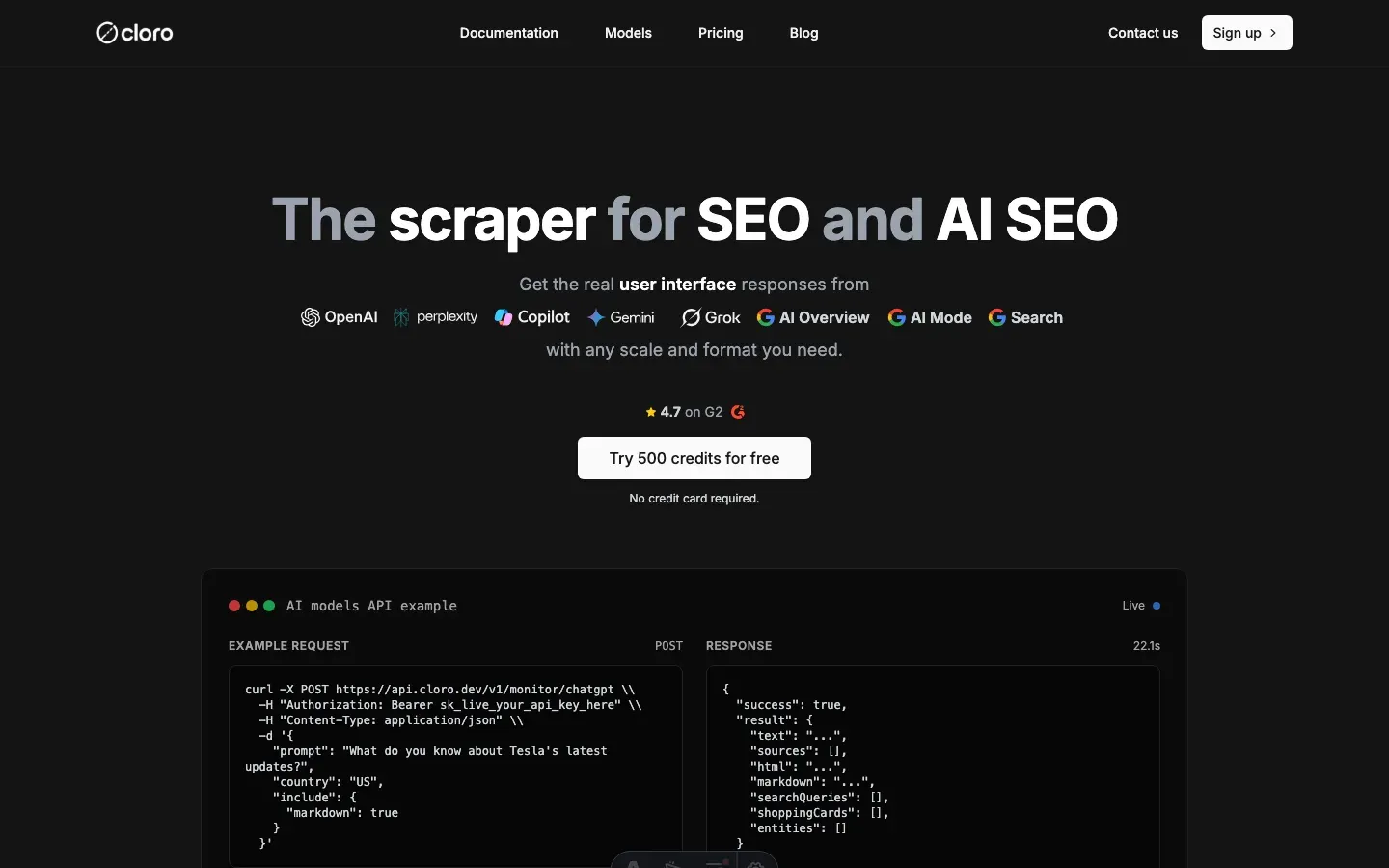
cloro’s /v1/monitor/copilot endpoint is the managed way to scrape Copilot. It runs the cookie-stash and IP-rotation pool that keeps sessions alive across batches. Each response returns parsed sources and citation pills.
Microsoft ships a supported alternative too. Grounding with Bing Search for Azure AI Agents incorporates real-time public web data and returns citations as links to the websites used.
Bing grounding is a fine building block for an agent. But it does not reproduce the consumer UI’s ordered [1][2] pill grouping. Only the WebSocket frame stream preserves that structure.
Calling the cloro Copilot API
import requests
import json

# Your Microsoft ecosystem query
query = "How can I improve team productivity using Microsoft 365 tools?"

# API request to cloro
response = requests.post(
    'https://api.cloro.dev/v1/monitor/copilot',
    headers={'Authorization': 'Bearer YOUR_API_KEY'},
    json={
        'prompt': query,
        'country': 'US',
        'include': {
            'markdown': True,
            'html': True
        }
    }
)

result = response.json()
print(json.dumps(result, indent=2))
What the endpoint handles for you
You send a prompt and get back parsed text, ordered sources, and markdown. Behind that single call is most of what makes people give up on a DIY Copilot scraper.
Sessions are pinned to IP, refreshed before expiry, and rotated on detection. Completion comes from the frame handler rather than timeout-based polling, so the response returns the moment the done frame lands. That choice is what the latency distribution above is arguing for: it costs nothing on a median 63-second answer and still returns the one that took twenty-one minutes. Citation-pill grouping is done properly, which means the [1][2] inline markers in the answer body line up with positions in the sources[] array, with no off-by-one drift when Copilot bunches three citations together.
Each response also carries a microsoft_source_pct field, so tracking ecosystem citation share over time needs no post-processing of URLs. Quick and Smart mode are selectable by parameter, with the keyboard-shortcut walk handled internally. And the HTML plus citation-pill markup comes back as clean markdown with inline anchor links rather than bare [1][2] references, ready to feed into downstream LLM analysis.
Structured output
The response is normalized JSON, ready for a database or an LLM prompt. Text, sources, and markdown all arrive in one object. The sources[] array is already de-duplicated and ordered to match the inline markers.
{
  "status": "success",
  "result": {
    "text": "To improve team productivity using Microsoft 365 tools, I recommend implementing the following strategies: utilize SharePoint for document collaboration, leverage Teams for communication, use Power Automate for workflow automation...",
    "sources": [
      {
        "position": 1,
        "url": "https://docs.microsoft.com/en-us/microsoft-365/",
        "label": "Microsoft 365 Documentation",
        "description": "Official documentation for Microsoft 365 productivity tools and features..."
      },
      {
        "position": 2,
        "url": "https://learn.microsoft.com/en-us/sharepoint/",
        "label": "SharePoint Documentation",
        "description": "Comprehensive guide to SharePoint for document management and collaboration..."
      }
    ],
    "markdown": "**To improve team productivity using Microsoft 365 tools**, I recommend implementing the following strategies...",
    "html": "https://storage.cloro.dev/results/c45a5081-808d-4ed3-9c86-e4baf16c8ab8/page-1.html"
  }
}
Why teams pick cloro to scrape Copilot
The cookie-stash pool is sized to outlast Microsoft’s eviction window, so batches don’t break mid-run. The frame parsing is tested against both Quick and Smart modes, which produce identical output shapes from the API. When Microsoft tweaks the UI tab ordering, that breaks our integration test rather than your scraper. And the Microsoft-source attribution rate is returned per response as a first-class field, so nobody has to post-process URLs to work out the microsoft.com share.
Building this in-house typically runs $3,000–6,000/month. That covers residential proxies, a WebSocket fleet, and the cookie-stash service. It also covers the on-call rotation for when Microsoft’s session-eviction window shifts.
You can still build your own Copilot scraper, and the protocol map above is the starting point. Just plan for ongoing session-cookie maintenance.
Microsoft tightened the eviction window twice in 2025. The Quick and Smart mode buttons also swapped tab-order positions in the latest UI update. Both changes silently break a scraper that hard-codes selectors or timeouts.
Get started with cloro’s Copilot API and skip the cookie-stash maintenance.

About the author
Ricardo Batista
Founder, cloro
Ricardo is one of the founders and engineers behind its SERP and AI-search scraping infrastructure. Before cloro he scaled a financial comparison site to $7M ARR and ran the full-country operations of a unicorn to $65M ARR, then went back to building. He writes about search engine scraping, generative-engine optimization, and turning live search and AI-answer data into something teams can act on.
Frequently asked questions
How does Copilot scraping differ from ChatGPT?
Copilot relies heavily on WebSocket events for real-time streaming, whereas ChatGPT primarily uses Server-Sent Events (SSE). You need to intercept different network protocols.
Can I scrape Copilot without a Microsoft account?
It is difficult. Copilot often requires authentication or strict session cookies. Managing these sessions is the hardest part of scraping Copilot.
Is it possible to extract the specific sources Copilot uses?
Yes, the source URLs are sent in the WebSocket metadata. A good scraper parses these out and links them to the text citations.
What is the WebSocket event parsing challenge in Copilot?
Copilot sends text and citation events interleaved via WebSocket. The challenge is to parse these real-time events and accurately reconstruct the complete response, including grouping citations.
What makes Copilot responses valuable for businesses?
Copilot answers from the Microsoft ecosystem and live web search, and its citations lean heavily on Microsoft product documentation. That is what makes it the engine worth watching for enterprise IT and developer questions.
Related reading

Best LLM & AI Visibility Tools 2026: 12 Tested
We tested 12 LLM visibility tools (also sold as AI visibility trackers and checkers) on real brand-monitoring workflows across ChatGPT, Perplexity, and Gemini. What works, what doesn't.
How to Scrape ChatGPT: SSE Streams and Citations
Learn how to scrape ChatGPT: capture SSE streams, expand citations, handle Cloudflare, and decide when a managed API is safer than DIY scraping.

How to Scrape Gemini: API, URL Context, and Web UI
Learn how to scrape Gemini with the API, URL context, or web UI automation. Compare structured outputs, citations, and anti-bot trade-offs clearly.