
How to Monitor ChatGPT Ads (Technical Guide, 2026)

On this page
ChatGPT carries paid ads, and you can detect them with one API field check. This guide shows you how to monitor ChatGPT ads programmatically: the response shape, the detection logic, a working Python script, and how to run detection across a priority query set on cadence.
For context on when ads launched, what they cost, and who’s buying, start with the rollout status and the penetration study. This post assumes you already know ads exist and you want to instrument detection. Everything below is about the mechanics of how to monitor ChatGPT ads at scale, not whether to.
There are competing approaches to this measurement, and it is worth knowing them before you write any code. Adthena’s ChatGPT Ads Intelligence Platform (launched May 11, 2026) tracks 300,000+ daily prompts with whole-market visibility into competitor bids, ad copy, and share of voice.
Other AI search monitoring platforms like AthenaHQ and Otterly approach the same problem from the brand-visibility direction. This guide is for teams that want to monitor ChatGPT ads by instrumenting the raw signal themselves rather than buying a packaged dashboard.
One field check detects an ad: response.result.ads[]
![Three signals to watch when monitoring ChatGPT ads: a sponsored card appearing in response.result.ads[], a new advertiser entering your category, and a penetration-rate spike on your priority queries](/_astro/monitor-chatgpt-ads-signals.D2UTo7NT_Z1dIJfh.webp)
When ChatGPT serves a paid placement, it returns the ad in response.result.ads[]. The workflow behind that: you send a prompt to cloro’s endpoint, cloro runs it through ChatGPT and parses the response, and you check one field in what comes back. The detection logic is one boolean:
has_ad = bool(response["result"].get("ads"))Empty array or missing field means no ad. Non-empty array means at least one placement rendered. That single boolean is the core of any pipeline built to monitor ChatGPT ads.
The structure of each entry in the ads[] array:
{
  "ads": [
    {
      "brand": {
        "name": "Rippling",
        "url": "https://rippling.com",
        "favicon": "https://bzrcdn.openai.com/brand/rippling/favicon.png"
      },
      "cards": [
        {
          "title": "Run HR, IT, and Finance in One Platform",
          "body": "All your employee data in one system. Free up your team to focus on what matters.",
          "url": "https://rippling.com/?utm_source=chatgpt.com&utm_medium=src",
          "image": "https://bzrcdn.openai.com/cards/rippling/abc123.png"
        }
      ]
    }
  ]
}
Three signals confirm a paid placement
Three things confirm a placement is paid and not organic:
- The
adsarray key. OpenAI keeps a strict separation. Paid placements only ever appear underads[], never insidesources[]or any other field. - Creative assets served from
bzrcdn.openai.com. That’s OpenAI’s brand and creative CDN, used only for paid placement assets. Image URL hittingbzrcdn.openai.com? It’s an ad. utm_source=chatgpt.com&utm_medium=srcon the destination URL. OpenAI tags ad destinations with this UTM pair for conversion attribution. Organic citation links don’t carry it.
Any one of these is enough to identify an ad. cloro’s pipeline checks all three because the redundancy catches edge cases (a placement where the favicon hasn’t been uploaded to the CDN yet, test traffic with non-standard UTMs).
Distinguishing ads from other commercial surfaces
ChatGPT responses carry several commercial-adjacent fields. Conflating them will inflate your measured ad rate by an order of magnitude.
| Field | Paid? | What it is |
|---|---|---|
result.ads[] | Yes | Sponsored brand cards bid through OpenAI’s ads system |
result.shoppingCards[] | No | Single-merchant product cards generated for shopping queries |
result.inlineProducts[] | No | Multi-merchant product comparison rows |
result.sources[] | No | Organic citation source links |
The takeaway: only ads[] is unambiguously paid. The other three surface products, brands, or merchants, but they come from ChatGPT’s shopping retrieval, not from advertiser bids.
For paid-ad penetration, count ads[] only. For broader commercial visibility (where your brand shows up on any commercial surface), bundle all four, but track them as separate counters. The ChatGPT shopping post covers the non-paid surfaces.
This is the most common error in third-party ChatGPT ad measurement reports. Bundling shopping cards into the ad count produces rates 5-10× higher than the actual paid placement rate. Anyone trying to monitor ChatGPT ads accurately has to exclude the three non-paid surfaces first.
Standards are forming around this too. The IAB AI Transparency and Disclosure Framework (January 2026) recommends machine-readable C2PA metadata for AI-related ad disclosures. C2PA is an open technical standard for certifying the origin and edit history of digital content, so a disclosure travels with the creative itself. IAB Tech Lab’s agentic advertising standards extend those rules to AI agents acting on ads autonomously.
None of this is mandatory yet. But if you’re building an internal pipeline, structuring your detection data to map cleanly to those standards now is cheap. Retrofitting later is not.
Working example: a single request
Here is the smallest complete program that can monitor ChatGPT ads: a single request against cloro’s /v1/monitor/chatgpt endpoint, with ad detection on the response. It’s enough to confirm the detection logic works before you scale it into a batch job.
import os
import requests

API_KEY = os.environ["CLORO_API_KEY"]

def query_chatgpt(prompt: str, country: str = "US") -> dict:
    """Run a single prompt through ChatGPT via cloro, return the parsed response."""
    response = requests.post(
        "https://api.cloro.dev/v1/monitor/chatgpt",
        headers={
            "Authorization": f"Bearer {API_KEY}",
            "Content-Type": "application/json",
        },
        json={
            "prompt": prompt,
            "country": country,
            "include": {"markdown": True},
        },
        timeout=120,
    )
    response.raise_for_status()
    return response.json()


def detect_ads(response: dict) -> list[dict]:
    """Return the ads array. Empty list means no paid placement."""
    if not response.get("success"):
        return []
    return response.get("result", {}).get("ads", []) or []


# Use it
result = query_chatgpt("best HR software for a 500-person company")
ads = detect_ads(result)

if ads:
    for ad in ads:
        brand = ad["brand"]["name"]
        headline = ad["cards"][0]["title"]
        print(f"AD: {brand} — {headline}")
else:
    print("No ads on this response.")
JavaScript equivalent:
const API_KEY = process.env.CLORO_API_KEY;

async function queryChatGPT(prompt, country = "US") {
  const response = await fetch("https://api.cloro.dev/v1/monitor/chatgpt", {
    method: "POST",
    headers: {
      Authorization: `Bearer ${API_KEY}`,
      "Content-Type": "application/json",
    },
    body: JSON.stringify({
      prompt,
      country,
      include: { markdown: true },
    }),
  });
  if (!response.ok) throw new Error(`HTTP ${response.status}`);
  return response.json();
}

function detectAds(response) {
  if (!response.success) return [];
  return response.result?.ads ?? [];
}

const result = await queryChatGPT("best HR software for a 500-person company");
const ads = detectAds(result);

for (const ad of ads) {
  console.log(`AD: ${ad.brand.name} — ${ad.cards[0].title}`);
}
The endpoint returns the full ChatGPT response (sources, shopping cards, search queries, brand entities, ads), so the same request powers organic citation tracking and ad detection. You don’t need two pipelines.
Working example: batch monitoring across a query set
The single-request pattern is fine for one-off checks. To monitor ChatGPT ads for real, you want a fixed priority query set (50-200 prompts) running on cadence (usually weekly) with the ad-bearing responses aggregated.
The script below walks a list of priority queries, calls the API in parallel, and writes one row per response to a CSV.
import csv
import json
import os
import sys
from concurrent.futures import ThreadPoolExecutor, as_completed
from datetime import datetime, timezone
from pathlib import Path

import requests

API_KEY = os.environ["CLORO_API_KEY"]
CONCURRENCY = 8  # tune based on your plan's concurrency limit


def query_chatgpt(prompt: str, country: str = "US") -> dict:
    response = requests.post(
        "https://api.cloro.dev/v1/monitor/chatgpt",
        headers={
            "Authorization": f"Bearer {API_KEY}",
            "Content-Type": "application/json",
        },
        json={"prompt": prompt, "country": country, "include": {"markdown": True}},
        timeout=180,
    )
    response.raise_for_status()
    return response.json()


def summarize_response(prompt: str, response: dict) -> dict:
    """Flatten one response into the row we care about for ad monitoring."""
    ads = (response.get("result") or {}).get("ads") or []
    return {
        "timestamp": datetime.now(timezone.utc).isoformat(),
        "prompt": prompt,
        "success": response.get("success", False),
        "ad_count": len(ads),
        "advertisers": ";".join(ad["brand"]["name"] for ad in ads),
        "ad_headlines": ";".join(ad["cards"][0]["title"] for ad in ads if ad.get("cards")),
    }


def main(queries_file: Path, output_csv: Path) -> None:
    prompts = [line.strip() for line in queries_file.read_text().splitlines() if line.strip()]
    print(f"Querying {len(prompts)} prompts at concurrency={CONCURRENCY}...")

    rows = []
    with ThreadPoolExecutor(max_workers=CONCURRENCY) as pool:
        futures = {pool.submit(query_chatgpt, p): p for p in prompts}
        for fut in as_completed(futures):
            prompt = futures[fut]
            try:
                rows.append(summarize_response(prompt, fut.result()))
            except Exception as exc:
                print(f"FAILED: {prompt[:60]} — {exc}", file=sys.stderr)
                rows.append({
                    "timestamp": datetime.now(timezone.utc).isoformat(),
                    "prompt": prompt,
                    "success": False,
                    "ad_count": 0,
                    "advertisers": "",
                    "ad_headlines": "",
                })

    with output_csv.open("w", newline="") as f:
        writer = csv.DictWriter(f, fieldnames=rows[0].keys())
        writer.writeheader()
        writer.writerows(rows)

    total = len(rows)
    ad_bearing = sum(1 for r in rows if r["ad_count"] > 0)
    print(f"Done. {ad_bearing}/{total} responses carried ads ({ad_bearing/total:.1%}).")


if __name__ == "__main__":
    main(Path(sys.argv[1]), Path(sys.argv[2]))
Run it:
python3 monitor_chatgpt_ads.py priority_queries.txt results_2026_05_26.csvWhere priority_queries.txt is one prompt per line. The output CSV has one row per response with the advertisers and headlines that surfaced. Pivot it in any spreadsheet for ad share per query, per advertiser, or per week if you append runs over time.
For more than a few hundred prompts at once, switch to the async task API (POST /v1/async/task with taskType: "CHATGPT") and receive results via webhook. Sync concurrency is plan-dependent. Async scales without the connection ceiling.
Building the alerting layer
Detection is the easy part. Alerting is where a system to monitor ChatGPT ads actually earns its keep. A few alerts worth wiring up:
New advertiser appears in your category
Compare today’s run against the trailing 30-day baseline. A brand showing up for the first time is often the highest-signal event in the dataset, since it usually means a competitor just committed real budget.
def new_advertisers(today_rows: list[dict], baseline_rows: list[dict]) -> set[str]:
    """Advertisers in today's run that weren't in the trailing 30 days."""
    seen_baseline = {
        adv for row in baseline_rows for adv in row["advertisers"].split(";") if adv
    }
    seen_today = {
        adv for row in today_rows for adv in row["advertisers"].split(";") if adv
    }
    return seen_today - seen_baseline
Your brand appears in a competitor’s ad creative
Comparison ads aren’t common on ChatGPT today, but they happen, and you want to know immediately when a competitor’s headline names your brand. Scan the ad_headlines field for brand mentions.
Penetration rate jumps on your priority queries
If your weekly ad-bearing rate moves from a steady 0.3% to 1.5%, something changed: new advertisers, new placement logic, broader rollout. Investigate before assuming.
Without an alerting layer, this whole pipeline is a CSV nobody reads.
What OpenAI’s advertiser docs mean for your monitor
OpenAI’s Ads in ChatGPT help article sets the rules your measurement runs inside. Four of them change how you design and read a monitor.
Who sees ads
OpenAI does not show ads to users on Plus, Pro or any Business plan, or to accounts it identifies or predicts as under 18. A monitor that runs prompts from a paid account measures zero by design, so sample from sessions that look like the free audience.
Are ChatGPT ads available in the UK?
Yes, per Otterly’s tracking page, which lists ads as live in Australia, Canada, Japan, New Zealand, South Korea, the UK and the US. That is wider than the four markets in our July measurement below, so add UK, New Zealand and South Korea prompts to your set and measure their rates before you trust a cadence for them. The self-serve platform opened on May 5, 2026 and removed the original $50,000 minimum spend, per AIRIX.
What is the CPM for ChatGPT ads?
OpenAI does not publish a CPM rate. Advertisers buy on CPM (Reach objective) or CPC (Clicks objective), set a maximum bid per ad group, and compete in a relevance-weighted, second-price auction. The only number OpenAI gives is a suggested starting maximum of $3 to $5 per click. A market rate has to come from observation, which is what the advertiser and frequency data from a monitor gives you.
How advertisers track conversions
Ads Manager Beta reports impressions, clicks, spend, CTR, average CPC, average CPM and conversions, and advertisers can add static UTM parameters to landing page URLs. Those parameters persist on the click. The destination URL’s tracking parameters are also one of the three signals above for confirming a paid placement.
Cheap to run: concurrency, latency, and coverage are the constraints
Monitoring ChatGPT ads is cheap to run. A weekly run across 100 priority queries is 400 API calls per month. On cloro’s pay-per-call pricing, that’s a small operational expense, well inside any plan that supports production monitoring. 500 queries per week is 2,000 calls per month, still modest.
The real constraints:
- Concurrency. Sync
/v1/monitor/chatgpthas a per-plan concurrency limit. For batches above the limit, use the async endpoint and consume results via webhook. - Latency. Each ChatGPT request takes 30-90 seconds end-to-end (ChatGPT itself is slow). Plan your batch window accordingly.
- Country coverage. In our 2026-07-03 measurement, ads appeared in four markets: US, Canada and Australia at ~50% of responses each, Japan at ~19%. Otterly now lists seven, adding the UK, New Zealand and South Korea, so sample those markets before you treat them as zero.
Polling cadence depends on the rate, and the rate keeps moving. Over the 7 days ending 2026-07-03 (see the updated penetration study), US/CA/AU responses each return an ad ~50% of the time and Japan sits at ~19%. Daily cadence on those four slices is worth running because each daily pass surfaces enough ad-bearing responses to track per-advertiser trends. Weekly is still fine everywhere else.
For historical context: through April-May the global ad rate sat around 0.42% and weekly was right everywhere; then May 26 spiked to 26.5%; then mid-June collapsed the rate to 0.05% before it re-plateaued. If your existing cadence is anchored on any single point measurement, recalibrate quarterly per geography.
Sanity-checking against the published rates
Once you have your own measurement, cross-check it against the public numbers before drawing conclusions. Three anchors:
- cloro’s original April-May study: 0.42% of responses carried an ad across our 19-day measurement window (US-locale, B2B-heavy prompt mix).
- cloro’s 2026-05-26 spike: 26.5% overall, 49.1% within the US — roughly a 60× jump versus April-May.
- cloro’s 2026-07-03 plateau (trailing 7 days): US 51.0%, Canada 53.6%, Australia 49.8%, Japan 18.8% — Japan is new since May. Everywhere else at or near zero. Between the May spike and the July plateau the rate collapsed to 0.05% (2026-06-14) before re-ramping. If your own run is anchored on any single measurement, recalibrate per geography — the surface is still visibly tuning.
- Adthena’s separate analysis (pre-spike): roughly 0.8% on 500+ prompts, with a different prompt mix.
The takeaway: if your post-spike US-slice run produces a number outside roughly 20-60%, check your filtering logic. Counting shoppingCards[] or inlineProducts[] will push you above; missing the bzrcdn.openai.com signal or filtering on non-US prompts will pull you below.
For verification practice broadly, the MRC Ad Verification Supplement is the formal industry standard for content-level brand safety measurement. Vendors like DoubleVerify and IAS build to it. Your homegrown pipeline doesn’t need to match the MRC bar, but knowing what shape they expect helps if your data ever needs to feed an enterprise brand-safety stack.
Watch for sudden penetration shifts
The May–July cycle is a worked example of why this monitoring layer matters in the first place.
For three weeks after our original April-May study, the published rate was 0.42% and the natural read was that this was equilibrium. Then May 26 caught a spike to 26.5%. By mid-June the spike had not held and the rate was back down to 0.05%, and late June brought a re-ramp above the original spike.
A team running daily monitoring would have seen every leg of that cycle in real time and could recalibrate spend and category-defense decisions on each turn. A team running weekly monitoring would have caught each shift a week late. A team running monthly monitoring would have missed the mid-June trough entirely and drawn the wrong lesson about the surface’s stability.
The alert that would have caught this: per-country penetration rate vs trailing 7-day baseline. If today’s US rate is more than 3× the trailing-7-day average, flag it. The jump from sub-1% to 49% blew through that threshold by a wide margin — the alert would have fired on the first day the rollout reached anonymous sessions. Pseudocode:
def detect_penetration_shift(today_rate_us: float, baseline_rate_us: float) -> bool:
    """Fire when today's US rate is materially above the trailing baseline."""
    return today_rate_us > max(0.02, baseline_rate_us * 3.0)
For category-defense use cases the alerting matters even more. The buyer pool has fully rotated at least twice — from the April-May B2B SaaS baseline (16 brands), to the May 26 consumer-commerce expansion (e.l.f., Pottery Barn, IKEA, Cursor, Jotform, Datarails), to the July 3 profile (Carsensor, Booking.com, Lovable, Zoho, Coterie Baby, Best Buy, DSW, Home Depot, plus a heavy Japanese layer). Most rotations happen in weeks, not months, and most of the entrants spend small amounts on long-tail commercial queries. If you’re not running monitoring at daily cadence, you won’t know which of your category-defining queries a competitor entered until well after they’ve established positioning — and by the time you look, the buyer set may have already rotated again.
When a paid surface goes from sparse to common in a short window, the alerting layer is the only thing that catches the moment to act. Build it before the next shift, not after.
What the data is for: category defense, pricing benchmarking, brand safety
A few use cases that justify the spend to monitor ChatGPT ads.
Category defense. If competitors are buying placements on your priority queries and you aren’t, you have a category-positioning problem regardless of your own ad budget. The data tells you which queries, which competitors, and what the headlines say. From there you can buy placements yourself (if you qualify, see how to advertise on ChatGPT) or invest in stronger organic visibility on those queries.
Pricing benchmarking. If you’re thinking about buying ChatGPT placements, knowing the current market (who’s buying, how often they show up, what the creative looks like) is the basis for negotiating with OpenAI’s sales team. “Three competitors run ads on 40% of our priority queries with these messaging patterns” is a much sharper conversation than “we’d like to explore ChatGPT advertising.”
Brand-safety monitoring. When ChatGPT describes your brand in an answer, you want to know if the description is right, whether competitors are appearing alongside you, and whether anyone is buying paid placements that name your brand. The data is your early warning for misdescription, competitive displacement, and inappropriate ad pairings.
That is the full loop to monitor ChatGPT ads: detect, aggregate, alert, act. The whole monitoring + alerting stack pays for itself the first time it surfaces a competitive shift that would have taken weeks to spot manually. For broader brand-mention coverage (not just paid placements but every mention), the ChatGPT visibility tracker walkthrough covers the rest.
For the same pattern across the other AI engines (Perplexity, Gemini, Copilot, Grok, Google AI Overview, AI Mode) on one API key, see cloro’s AI visibility tracking; that’s useful once your category-defense or brand-safety monitoring needs to cover more than ChatGPT. For the ChatGPT-ads-specific pillar with parsed brand, creative, and country data, see the ChatGPT Ads API.

About the author
Ricardo Batista
Founder, cloro
Ricardo is one of the founders and engineers behind its SERP and AI-search scraping infrastructure. Before cloro he scaled a financial comparison site to $7M ARR and ran the full-country operations of a unicorn to $65M ARR, then went back to building. He writes about search engine scraping, generative-engine optimization, and turning live search and AI-answer data into something teams can act on.
Frequently asked questions
How do I detect if a ChatGPT response contains an ad?
Check whether `response.result.ads` is a non-empty array. Ads render in a `response.result.ads[]` array on the ChatGPT response, with each entry carrying a `brand` object and a `cards[]` array. Empty arrays and missing fields mean no ad was placed.
What does the ChatGPT ads[] array structure look like?
Each entry has a `brand` object (name, URL, favicon) and a `cards[]` array with the creative (image, title, body, deep-linked URL). Creative assets are served from `bzrcdn.openai.com`. Destination URLs carry `utm_source=chatgpt.com&utm_medium=src` — the cleanest signal that the placement is paid.
How can I tell ChatGPT ads from organic citations or shopping cards?
ChatGPT ads live in `result.ads[]`. Organic citations live in `result.sources[]`. Commercial-but-not-paid surfaces are `result.shoppingCards[]` (single-merchant cards) and `result.inlineProducts[]` (multi-merchant comparison rows). Only `ads[]` is unambiguously paid.
Can I monitor ChatGPT ads without scraping ChatGPT myself?
Yes. cloro's `/v1/monitor/chatgpt` endpoint returns the parsed ChatGPT response including the `ads[]` array. You send a prompt, get back the structured response, and check the ads field. No browser automation, no captcha solving, no per-engine maintenance.
Are ChatGPT ads available in the UK?
Yes. Otterly's ChatGPT ads tracking page lists ads as live in Australia, Canada, Japan, New Zealand, South Korea, the UK and the US. OpenAI does not show ads to Plus, Pro or Business users or to users identified or predicted as under 18.
What is the CPM for ChatGPT ads?
OpenAI does not publish a CPM rate. Advertisers bid a maximum CPM (Reach objective) or maximum CPC (Clicks objective) per ad group in a relevance-weighted, second-price auction. OpenAI's only published guidance is a suggested starting maximum CPC bid of $3 to $5.
How can I track conversions for ChatGPT ads?
Set up conversion measurement in OpenAI's Ads Manager Beta, which reports impressions, clicks, spend, CTR, average CPC, average CPM and conversions. You can also add static UTM parameters to landing page URLs; they persist on ad clicks, so your existing analytics tools can attribute the traffic.
How often should I poll ChatGPT for ad monitoring?
Cadence depends on geography. Over the 7 days ending 2026-07-03, US/CA/AU responses each return an ad ~50% of the time and Japan sits at ~19%, so daily sampling across a 50-200 priority prompt set is worth running in those four markets. In that window UK, DE, FR, BR, IL, AE, MX, IN and the ~30 other countries in cloro's corpus sat at 0%, but Otterly now lists ads live in seven markets, including the UK, New Zealand and South Korea, so re-measure those before settling on weekly polling. Between May 26 and July 3 the rate cycled from 26.5% overall down to 0.05% on 2026-06-14 and back up to ~19% overall, so any cadence guidance anchored on a single measurement drifts. Recalibrate quarterly. Use the async endpoint for batch runs of more than a few hundred prompts at once.
Related reading
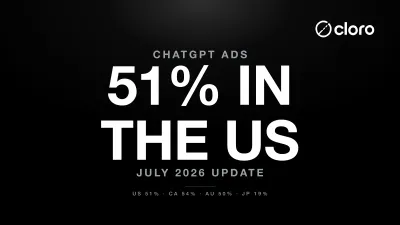
ChatGPT Ads Penetration Study: 51% in the US
ChatGPT ads over the last 7 days measure 51.0% of US responses, 53.6% CA, 49.8% AU, and, new since May, 18.8% JP. Everywhere else remains near zero. The surface reverted then re-spiked in June and now looks structural, not transient.
ChatGPT Visibility Tracker: Track Your Brand Mentions
Learn how a ChatGPT visibility tracker works, run a free manual baseline, and compare the best tools to monitor your brand mentions in AI search.
Does ChatGPT Have Ads? ChatGPT Ads Rollout Status in 2026
Yes, ChatGPT has ads: paid placements launched in February 2026 at $60 CPM, spiked to 26.5% in May, throttled to under 1%, then re-plateaued at 51% of US responses (54% CA, 50% AU, 19% JP) by July. See what shipped and what to track.