
Google Search API: Official Options, Limits and Pricing

On this page
What is the best API for pulling Google search engine data?
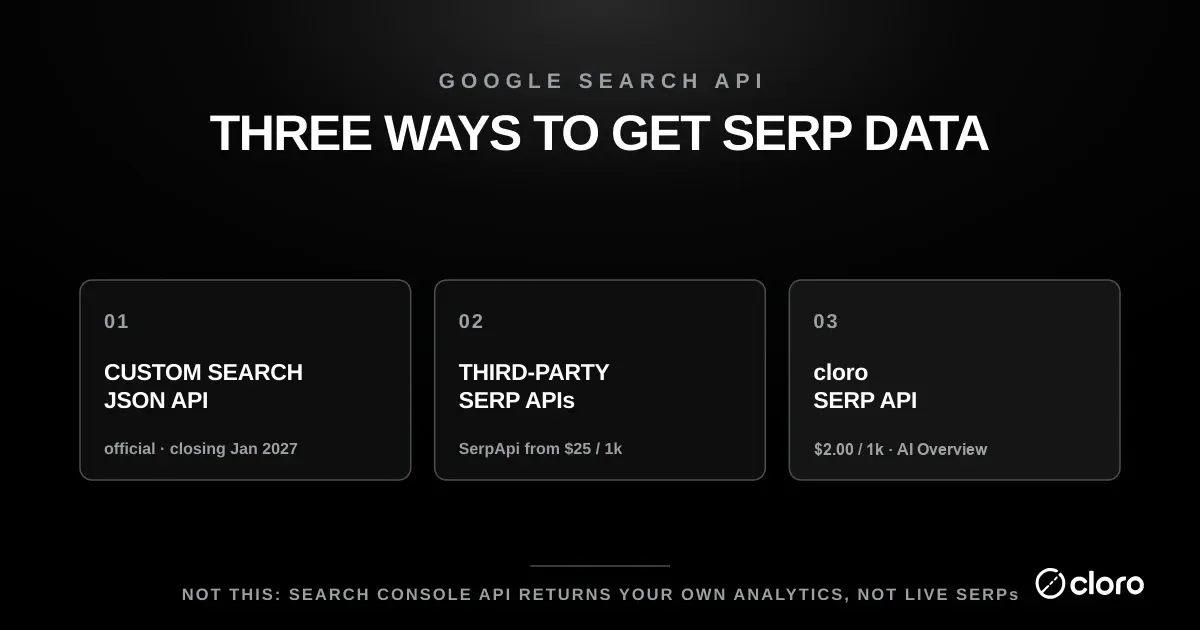
For 95% of teams asking about “Google Search API”, the answer is a third-party SERP API: cloro, SerpApi, DataForSEO, or similar. They return the real Google.com results page (organic positions, ads, AI Overview, shopping cards) as parsed JSON. Google’s official Custom Search JSON API returns results from a curated custom engine you configure, not Google.com, and Google has closed it to new customers with a migration deadline of January 1, 2027.
Decision tree
| Your use case | Pick |
|---|---|
| Embed search on my own site | Google Custom Search JSON API |
| Index a private corpus | Google Custom Search JSON API (or a self-hosted alternative like Elasticsearch) |
| SEO rank tracking | SERP API (cloro, SerpApi, etc.) |
| Competitive intelligence on SERPs | SERP API |
| AI Overview citation tracking | SERP API with AI Overview support (cloro) |
| One-off research project, low volume | DIY scraping (proxies + careful anti-bot work) |
| Sustained scraping operation, high volume | SERP API |
| AI engine coverage beyond Google | SERP API with multi-engine support (cloro’s AI visibility API) |
The question is confusing because three different products share the name. There is Google’s official Custom Search JSON API, there is DIY Google scraping, and there are third-party SERP APIs.
They do not return the same thing. The official API is structured but limited. DIY scraping can match the live SERP but is fragile. SERP APIs trade cost for coverage, parsing, localization, and anti-bot maintenance.
This guide compares the options, their limits, and when each one fits. For vendor selection, see best SERP APIs and the cheapest SERP API breakdown.
The three options
Before the options, one number frames the choice. Our SERP feature census scored 69,817 Google SERPs across 41 markets and found People Also Ask on 93.8% of US results and an AI Overview on 85.4%, against 98.2% for the organic list. The official Custom Search JSON API returns none of those blocks, so on a question-shaped query it is missing the two surfaces that appear most reliably after the blue links themselves. That, rather than price, is usually what decides the option below.
| Option | What it returns | Cost | Use case |
|---|---|---|---|
| Google Custom Search JSON API (official) | Results from a custom search engine you configure | $5/1k queries, capped at 10K/day | Embedding search on your own site |
| DIY Google scraping (unofficial) | Real Google.com SERP, but you fight blocks | Proxy + infra costs | One-off projects, learning |
| Third-party SERP API | Real Google.com SERP, parsed JSON, managed infra | Under $1 to $25 per 1k depending on provider | SEO monitoring, rank tracking, competitive intel |
Most “Google Search API” searches end up wanting option 3. People spend time evaluating option 1 first because it’s official and Google-branded, then discover it does not return Google.com results at all.
Option 1: Google Custom Search JSON API is official, not the real SERP
Google’s official offering is the Custom Search JSON API. The headline numbers sound competitive with SERP API pricing. The catch is what you get back.
What the Custom Search JSON API actually returns
The Custom Search API returns results from a custom search engine you configure in Google’s Programmable Search Engine console. You define which sites the engine indexes, optionally with weights and filters. Google’s own documentation confirms that the API runs requests against a Programmable Search Engine instance you create, not against Google.com’s full index by default.
What that means in practice:
- Not the same as Google.com SERP. The custom engine is a curated subset. Ranking positions, ads, AI Overview, shopping cards, and featured snippets won’t match what a user sees on Google.com.
- Designed for embedded search. The intent is “add a Google-powered search box to your own website”, and for that use case the API is genuinely good.
- Capped at 10,000 queries/day. Even if you’re willing to pay, you can’t scale past roughly 300K queries/month per project.
For SEO monitoring or rank tracking, the Custom Search API is the wrong tool. The data isn’t comparable to SERP data at any volume.
Pricing and the 10,000-query daily cap
The pricing looks approachable at first glance. Google documents a free tier of 100 search queries per day, with additional queries at $5 per 1,000 up to a hard ceiling of 10,000 queries per day.
The ceiling is what actually constrains you. A rank tracker covering a few thousand keywords across multiple locations and devices blows past 10K daily queries almost immediately, so the $5/1k rate never becomes the bottleneck; the daily cap stops you first.
API key and search engine ID: what a request needs
Every call needs 2 credentials, per Google’s API overview: an API key from a Google Cloud project with the Custom Search JSON API enabled, and a search engine ID (the cx value) from the Programmable Search Engine control panel.
curl "https://www.googleapis.com/customsearch/v1?key=$GOOGLE_API_KEY&cx=$SEARCH_ENGINE_ID&q=serp+api"Each request returns up to 10 results, with further pages fetched through pagination parameters, per Scrapingdog’s walkthrough of the API. A 100-result rank check therefore costs 10 queries against the 10,000-per-day cap. And since the API is closed to new customers, a new Cloud project cannot start using it at all.
What is happening to the Google Custom Search JSON API?
Google is discontinuing the Custom Search JSON API on January 1, 2027. Google’s API overview states that the API “is closed to new customers” and that “existing Custom Search JSON API customers have until January 1, 2027 to transition to an alternative solution.” Programmable Search Engine itself is not being retired, and neither is the free search element you can embed on a page. What is ending is the JSON REST endpoint, plus the separate full-web configuration option covered below.
That distinction is the one most migration write-ups get wrong. Three separate changes share the same product family, and only one of them lands in 2027:
| Change | Date | Status today |
|---|---|---|
| Site Restricted JSON API stopped serving traffic | January 8, 2025 | Already gone |
| New engines can no longer be set to “Search the entire web” | January 20, 2026 | Already in force |
| Custom Search JSON API discontinued | January 1, 2027 | Announced |
The middle row is live now, and it catches people who assume they have until 2027. Google’s Programmable Search Engine help page states that as of January 20, 2026, “all new engines must now be configured to use the ‘Sites to search’ feature, which allows for highly optimized results across up to 50 designated domains.” Existing full-web engines keep working “until January 1, 2027.” The same page warns the toggle is one way: once “Search the entire web” is switched off, it “can not be toggled back to On.”
Pricing does not change before the shutdown. Google’s overview page still documents 100 free queries per day, $5 per 1,000 after that, and the 10,000-per-day ceiling, noting the rates apply “only to existing Custom Search JSON API customers until the service discontinuation on January 1, 2027.”
What Google names as the replacement
Google’s overview note points to Vertex AI Search as “a favorable alternative for searching up to 50 domains,” and for anything broader tells you to “contact us to express your interest in and get more information about our full web search solution.” That full-web option has no public pricing, documentation, or availability date.
Two caveats on that path. Google is renaming Vertex AI Search to Agent Search, and its docs currently use both names. And the only migration guide Google publishes covers the Site Restricted API, the one that shut down in January 2025, not the main JSON API this section is about.
More to the point for anyone reading this page: Vertex AI Search is another embedded and enterprise search product. It does not return Google.com SERP data, so it is not a rank-tracking or competitive-intelligence source, whatever the branding settles on. If you came to the Google Search API question wanting live results-page data, Google’s own migration path does not answer it, and the options in the rest of this guide are where that search ends up.
What Google has not said
Worth stating plainly, because the gaps get filled with guesswork elsewhere. As of August 2026, no Google page states what existing API keys do after January 1, 2027. There is no published error code, no grace period, and no key-revocation notice. Claims that requests will start failing on a specific date with no grace period are not sourced to Google.
There is also no official FAQ, blog post, or Cloud release note announcing the shutdown. The turndown is announced only as a note on the API overview page, and Google’s own deprecation policy list does not include the JSON API at all. If you are planning a migration, the practical read is that January 1, 2027 is the only firm commitment on record, so treat it as the deadline rather than counting on a quiet extension.
If you are choosing an approach in 2026, starting on a sunsetting API with a fixed shutdown date is a poor foundation.
Option 2: DIY Google scraping gets the real SERP, but you maintain it
You can scrape Google.com directly with requests, puppeteer, or playwright against a proxy pool. The result is real Google SERP data with actual ranking positions, real AI Overview, and real shopping cards. The problem is everything you have to maintain to keep that working.
The anti-bot reality
DIY scraping works right up until Google notices the pattern, then it stops working and you find out why. Google fingerprints requests on the TLS handshake, headers, behavior, and IP reputation. A naive scraper gets captcha’d or blocked within minutes. We covered the depth of this in proxies for SERP scraping.
The operational overhead compounds from there. You’re maintaining proxy pools, handling captchas, parsing dynamic SERPs, and managing country-level targeting. Every time Google changes the SERP layout, your parser breaks and someone has to fix it.
The legal picture
Scraping public search results sits in a legal gray area rather than a clear yes or no. In the US, the 2022 hiQ Labs v. LinkedIn decision held that scraping publicly accessible data does not violate the Computer Fraud and Abuse Act. That ruling provides meaningful cover for scraping public SERPs.
It is not a blanket permission slip, though. Google’s Terms of Service still prohibit automated access, which is a contract-law question rather than a criminal one. We covered the broader picture in is website scraping legal.
DIY scraping is viable for one-off research or learning exercises. For sustained operations, the proxy and anti-bot infrastructure becomes a side business you have to run. Most teams that try this move to a SERP API within 6 to 12 months, once keeping the scraper alive costs more engineering time than the API would.
Option 3: Third-party SERP APIs are what most teams actually need
Modern SERP APIs handle the scraping infrastructure for you. The list includes cloro, SerpApi, DataForSEO, Serper, ScraperAPI, ScrapingBee, and BrightData. You make a single REST call and the provider does the rest.
What you get back
The provider handles proxy rotation, captcha solving, fingerprinting, country targeting, and parsing. What comes back is clean JSON with the actual Google.com SERP: organic positions, ads, AI Overview, featured snippets, and shopping cards.
For buyers actively shopping the category, see our ScraperAPI alternatives and Serper alternatives breakdowns.
The trade-offs
A managed SERP API is not free of compromises. The ones worth weighing before you commit:
- Cost. Providers charge from under $1 to $25 per 1,000 calls depending on provider and feature mix. We compared pricing in cheapest SERP APIs.
- Provider lock-in. You’re committed to the provider’s response shape and uptime. Multi-provider redundancy is possible but adds complexity.
- No legal cover. The provider scrapes Google on your behalf, but you’re still using the data they return. The legal posture is similar to DIY, except the operational risk shifts to the provider.
For SEO monitoring, rank tracking, competitive intelligence, or anything else that needs real Google.com SERP data at scale, this is the right answer.
Why the confusion exists
The “Google Search API” search term has accumulated meanings over more than a decade. The original Google AJAX Search API was deprecated in 2010. The Google Search Appliance, a physical search box for enterprises, was phased out from 2016 and fully discontinued by 2019. The Custom Search products that survived evolved into today’s Programmable Search Engine.
Add the modern third-party SERP APIs that compete on the same query, and the term now refers to at least three different things. That is why a single search phrase pulls up an official Google product, a stack of scraping tutorials, and a dozen commercial APIs all at once.
When someone asks for “the Google Search API”, one clarifying question settles it: do you need actual Google.com SERP data, or do you need to embed search on your own site?
What is the difference between the Google Search API and the Search Console API?
A Google Search API returns the live Google.com results page for any query, from anyone’s perspective. The Google Search Console API returns your own verified property’s historical performance in Google Search, and nothing else. It cannot tell you where a competitor ranks, or where any page ranks right now.
The Search Console API returns your own property’s performance data. Google’s Search Analytics documentation describes it as a way to query clicks, impressions, click-through rate, and average position for a site you have verified in Search Console. In other words, it reports how your pages already performed, not where any page ranks right now.
That distinction matters when you are choosing a Google Search API for a project:
- Search Console API answers “how did my verified site do in Google Search?” It is free, first-party, and limited to properties you own.
- A SERP API answers “what does Google.com show for this query, from anyone’s perspective?” It covers any keyword, any location, and any competitor.
If you want to track your own click-through rate and average position over time, the Search Console API is the correct free tool, and no scraping is involved. If you want competitor rankings, share-of-voice, or AI Overview citations, the Search Console API cannot help, and you are back to needing a SERP API.
People conflate the two because both are official Google interfaces with “search” in the name. But a Google Search API that returns the live SERP and a Search Console API that returns your own analytics solve completely different problems.
When the official Custom Search API is actually right
The legitimate use cases are all embedded-search rather than SERP-data:
- Embedded search on your own site. Your website needs a search box that returns results from your own pages or a small curated set of sites. Custom Search API is purpose-built for this.
- Internal index. You’re indexing a private corpus such as internal documentation or an intranet, and you want Google’s ranking quality without scraping Google.com.
- Light-touch web search. You need basic web search results for a small-volume use case (under 10K queries/day total) and don’t care about specific Google.com ranking signals.
For these, the Custom Search API works well — with the caveat that new projects should account for the January 2027 migration. For everything else, reach for a SERP API.
Pricing comparison (apples-to-apples where possible)
The Custom Search API and SERP APIs aren’t truly comparable, because they return different data. But for the specific case where someone is choosing between them on cost alone, here is the shape of it:
- Google Custom Search: $5/1k queries, capped at 10K/day, returns custom engine results (not Google.com SERP), and closing to new customers.
- cloro: $1.20 per 1,000 queries on Hobby ($2.00 with AI Overview), no cap, returns the actual Google.com SERP.
- SerpApi: $25/1k queries on its entry Starter plan, dropping to roughly $9/1k at higher volume tiers, returns actual Google.com SERP.
The takeaway: if the data difference matters, which it usually does, the cost comparison is moot. The Custom Search API doesn’t return what you need at any price. If the data difference doesn’t matter, which is rare, the Custom Search API is still capped at 10K/day, and that kills most production use cases.
Is there a Google search API built for RAG pipelines?
cloro returns parsed Google results as JSON over REST with async and webhook delivery, so a RAG retrieval step submits a batch and consumes results without polling or HTML parsing. Grounding-native options (Gemini grounding, Perplexity’s API) bundle retrieval with generation, convenient until you need to swap the model or audit what was retrieved; a search API keeps the retrieval layer inspectable.
Which SERP API returns parsed Google results as JSON?
Most providers in this post do; the differences are in what “parsed” covers. Test whether AI Overview and other SERP features arrive as structured fields, whether organic positions survive intact, and whether the schema stays stable across weeks. cloro parses the full page, AI Overview included, into one JSON schema, and bills only for requests that come back successfully, so a failed fetch doesn’t cost you.
Bottom line
For 95% of teams asking about “Google Search API”, the answer is a third-party SERP API. That means cloro for the lowest per-call cost and AI engine coverage, SerpApi for established reliability at premium pricing, or one of the alternatives we compared in SerpApi alternatives.
Google’s Custom Search JSON API is the right call for embedded-search use cases such as a search box on your own site, and the wrong call for anything that needs actual Google.com SERP data. The data difference isn’t a coverage limitation that disappears at a higher pricing tier; it’s a different product — and one Google is now retiring.
If you’re starting fresh and need real Google SERP data at scale, the cloro SERP API is the cheapest defensible option with full Google feature coverage including AI Overview. For broader context, see best SERP APIs and cheapest SERP APIs.

About the author
Ricardo Batista
Founder, cloro
Ricardo is one of the founders and engineers behind its SERP and AI-search scraping infrastructure. Before cloro he scaled a financial comparison site to $7M ARR and ran the full-country operations of a unicorn to $65M ARR, then went back to building. He writes about search engine scraping, generative-engine optimization, and turning live search and AI-answer data into something teams can act on.
Frequently asked questions
Is there an official Google Search API?
Yes, but with major limitations — and it is being wound down. Google's official Custom Search JSON API ($5 per 1,000 queries, capped at 10,000 queries/day) returns results from a custom search engine you configure, not the full Google.com index. It's designed for embedding search on your own site, not for SEO/SERP scraping, and Google has closed it to new customers with a migration deadline of January 1, 2027. For real Google SERP data — actual ranking positions, ads, AI Overview, shopping cards — you need a SERP API like cloro, SerpApi, or DataForSEO that scrapes Google.com directly.
How do I get a Google Search API key?
For the Custom Search JSON API you need an API key from a Google Cloud project and a search engine ID (cx) from the Programmable Search Engine control panel. Google closed the API to new customers, so only existing customers can use it, and only until January 1, 2027. New projects need a third-party SERP API key instead.
Can I scrape Google legally?
Scraping public Google search results sits in a legal gray area that depends on jurisdiction and methodology. The 2022 hiQ Labs vs LinkedIn ruling in the US established that scraping publicly accessible data isn't a CFAA violation, which provides cover for SERP scraping. However, Google's Terms of Service prohibit automated scraping, which creates a contract-law (not criminal) risk. Most teams use a SERP API provider that handles the scraping at scale, which shifts the operational risk to the provider. We covered the broader legality picture in is website scraping legal.
What's the difference between Google Custom Search API and a SERP API?
Google Custom Search API returns results from a custom search engine — a curated subset of the web you configure. It does not return Google.com's actual SERP. SERP APIs (cloro, SerpApi, etc.) scrape Google.com directly and return the actual SERP — organic positions, ads, AI Overview, featured snippets, shopping cards, exactly what a user would see. For SEO monitoring, rank tracking, or competitive intelligence, you need a SERP API; the Custom Search API does not produce the data you need.
Why is Google's official Search API so limited?
Google's strategic interest is in keeping users on Google.com, not enabling third parties to replicate or compete with Google's search experience. The Custom Search API is intentionally scoped to embedded-search use cases (your own site search, an internal index) rather than SERP-data use cases (rank tracking, competitive intelligence, AI training). The limitations are by design, not by accident.
How much does the Google Custom Search API cost?
$5 per 1,000 queries above the free 100/day, capped at 10,000 queries/day. For comparison, SERP APIs that return actual Google.com SERP data cost from under $1 to $25 per 1,000 calls depending on provider, with no daily cap. The Custom Search API's per-query cost looks competitive on paper, but its data isn't equivalent to SERP API data, so the comparison is misleading.
Related reading
Best SERP APIs 2026: 10 Tested on Cost, AI and Tracking
10 SERP APIs tested head to head on AI Overview parsing, engine breadth, rank-tracking depth, and true cost per 1,000 calls. Full benchmark table inside.
Cheapest SERP API 2026: True Cost-per-Call Compared
The cheapest SERP API in 2026, ranked by true cost-per-call. Compare cloro, DataForSEO, Serper, and SerpApi, plus the hidden fees that flip rankings.
Proxies for SERP Scraping in 2026: Don't DIY
Managing proxies for SERP scraping in 2026 is a full-time job. Here's why a SERP API beats DIY for almost everyone — and the few cases where it doesn't.